
Kismet is a combination wireless scanner, IDS/IPS, and packet sniffer that comes installed on Kali Linux 2.0. Written in C++, Kismet offers some additional functionality that is not normally found in purely command-line tools. To start Kismet, you can navigate to Applications | Wireless Attacks | Kismet or type the following into a command prompt:
# kismet
When the command executes, you will be brought to a window. There are different color schemes available and the initial message will verify that you are able to see Kismet in the Terminal:
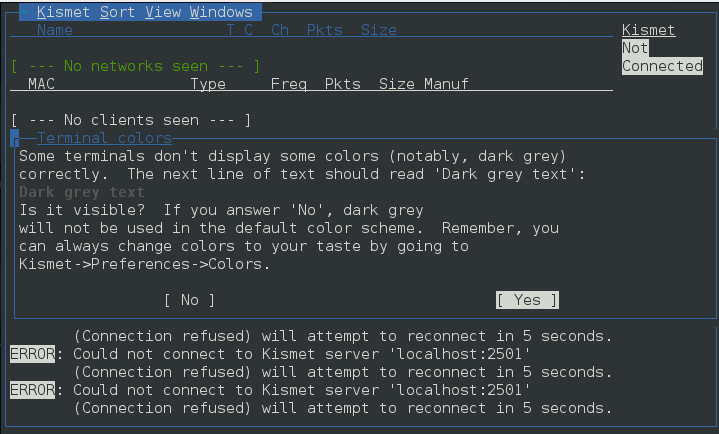
Click Yes if you have no issue seeing the Terminal.
Kismet needs to have a source for analysis. This will be the wireless interface on your Kali Linux installation. If you are unsure, type ifconfig into a command prompt; the interface that begins with WLAN is your wireless interface:
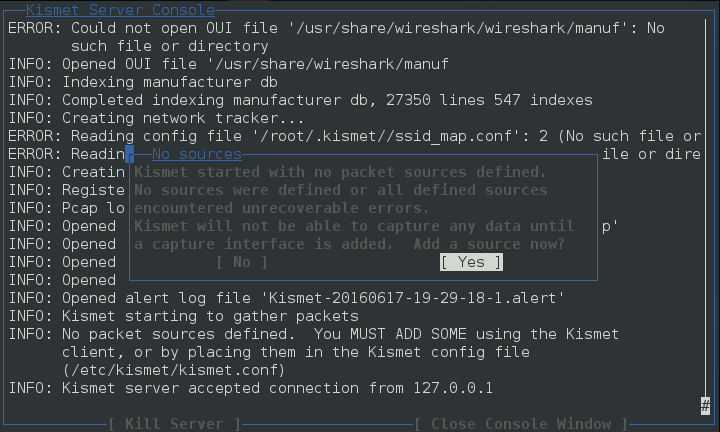
Press the Enter key to indicate Yes.
The next screen allows you to enter an interface for Kismet to use for scanning. In the following screenshot, we enter wlan0, as that is the interface we are working with:
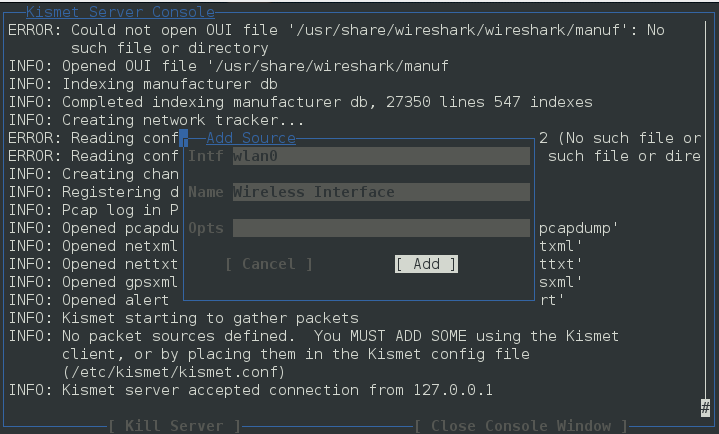
Hit Enter to add the interface. At this point, Kismet will start to collect wireless access points. This includes the BSSID and channels that each access point is using:
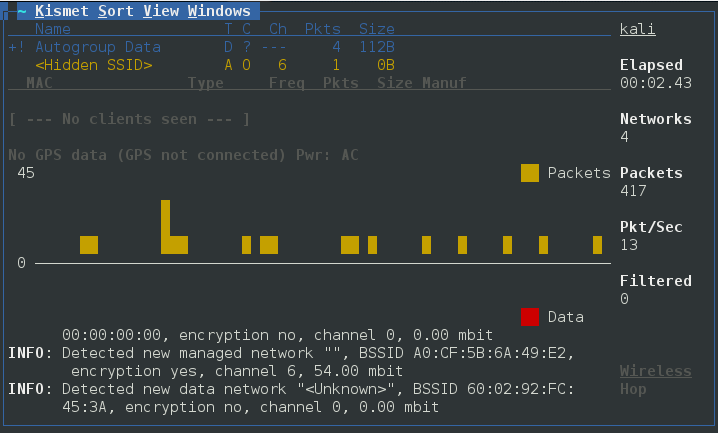
From the output of Kismet, you can start to gain an understanding of what wireless networks are visible to your system. From here, attempt to identify those wireless access points or networks that are part of your penetration test.