OWASP Zed Attack Proxy (ZAP) is a web application vulnerability scanner. Created by the OWASP project, this is a Java-based open source scanner that has a great deal of functionality. It includes web crawlers, vulnerability identification, and fuzzing analysis, and can serve as a web proxy. To launch ZAP, go to Applications | Web Application Analysis | owasp-zap, or in the Terminal enter:
# owasp-zap
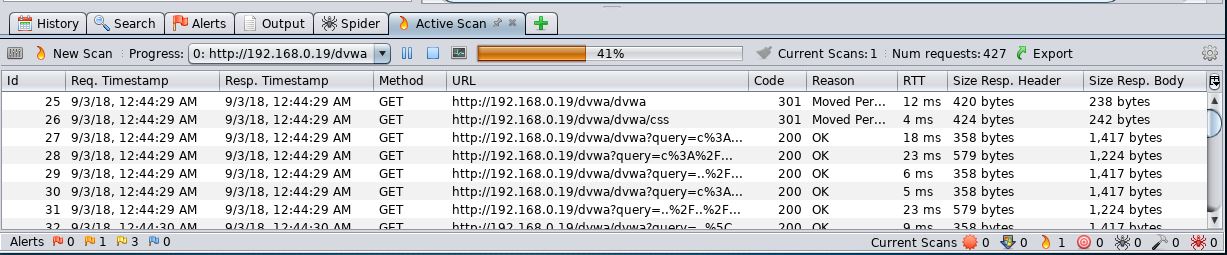
Once loaded, it's easy to get started with scanning the target site. On the main screen in ZAP, there is a field to enter the address of the target. This time, the target is one of the vulnerable web apps on the BWA virtual machine, DVWA. After entering the target, click the Attack button and watch ZAP go to work:

The results of the scan appear in the bottom on the main screen. The first step that ZAP takes when scanning a site is to identify, or crawl, the entire site, following links that are associated with the host:
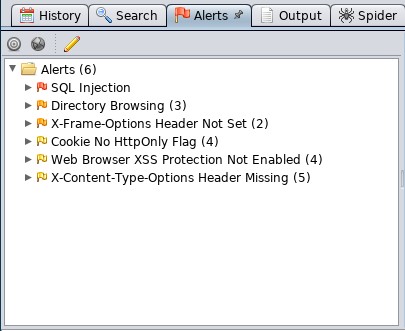
After crawling the site, ZAP conducts a number of different checks against common web application vulnerabilities. These are indicated under the Alerts tab in the bottom left-hand corner. For example, the following are the vulnerabilities identified by ZAP on the DVWA application:
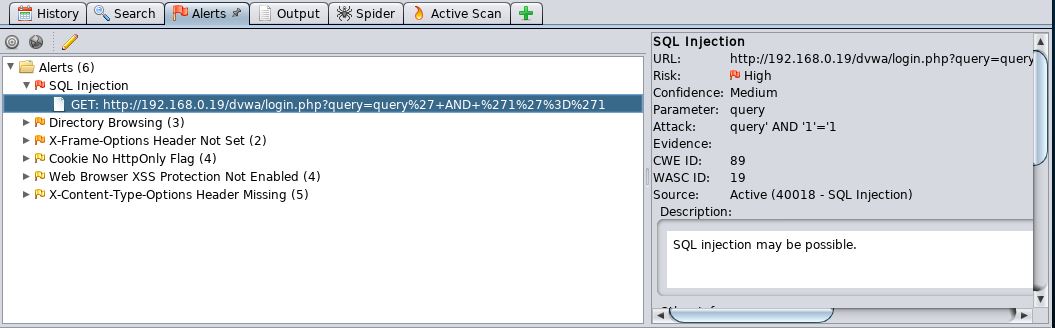
You can then drill down on specific site pathways to determine exactly where these vulnerabilities present themselves; in this case, we see that login.php is vulnerable to SQL injection: