
In passive sniffing, we are not authenticated to the network. If we suspect that there is the possibility of alerting such intrusion-prevention controls as rogue-host detection, this is a good way to avoid those controls while still gaining potentially confidential information:
- Passively scan for wireless traffic on a target network. Ensure you have your wireless card in monitor mode:
# airmon-ng start wlan0
- Use the airodump-ng tool to sniff the network traffic, the same way that we did during the WPA-cracking section:
# airodump-ng wlan0mon -c 6 --bssid 44:94:FC:37:10:6E -w wificrack
- Run the tool as long as you want. To ensure that we can decrypt the traffic, we will need to ensure we capture the full four-way handshake, if it is a WPA network. Once we have captured enough traffic, hit Ctrl + C.
- Navigate to the folder with the capture file and double-click. This should automatically open the capture in Wireshark:
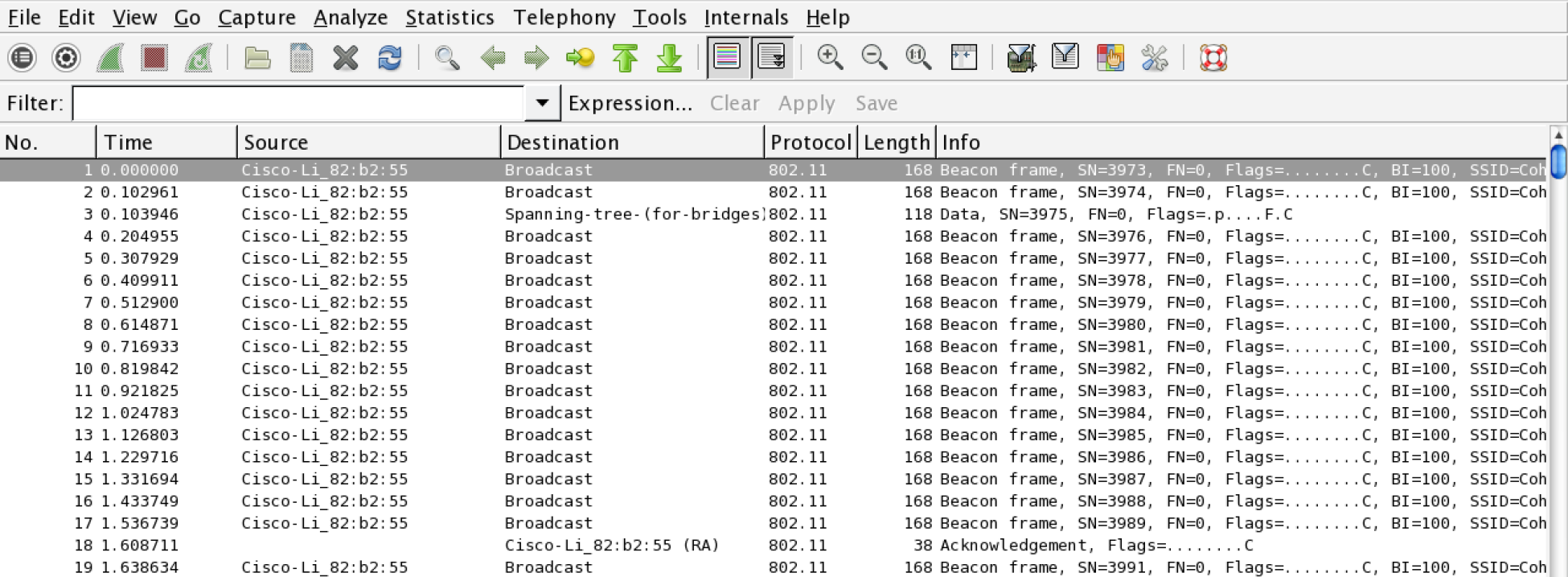
The capture is encrypted and all that is visible are a number of 802.11 packets.
- In Wireshark, navigate to Edit and then to Preferences. A new bow will open up; click on the triangle next to Protocols and then click on 802.11. The following should open:
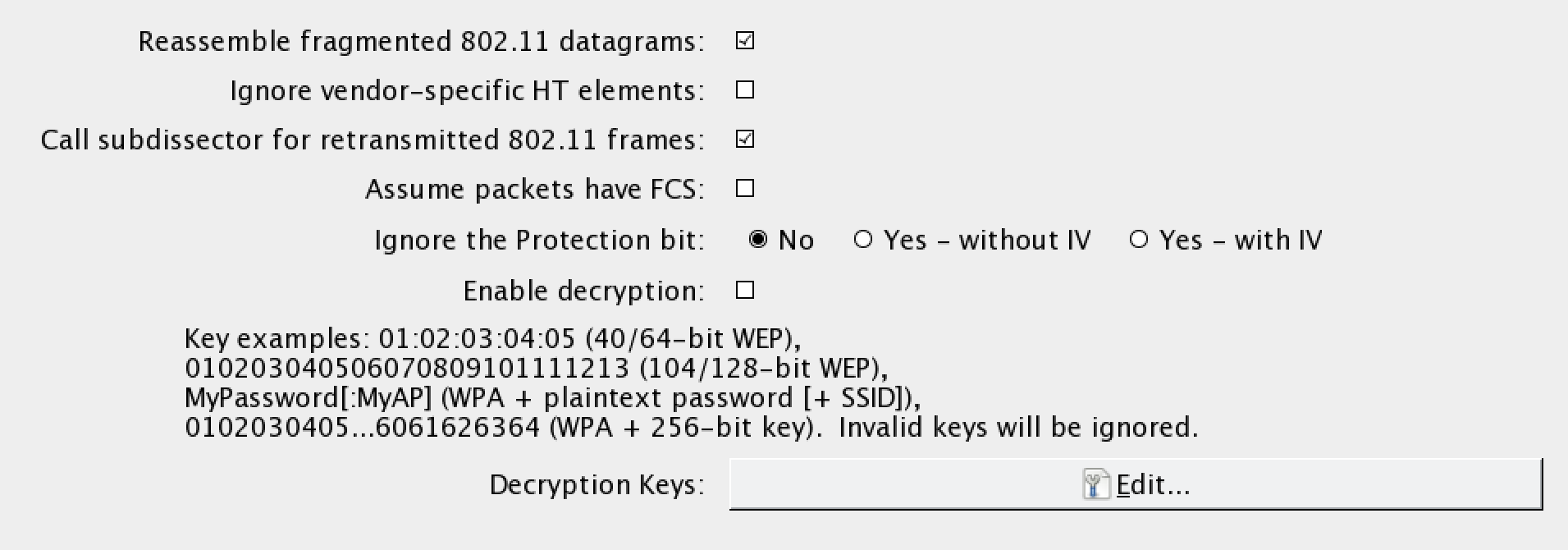
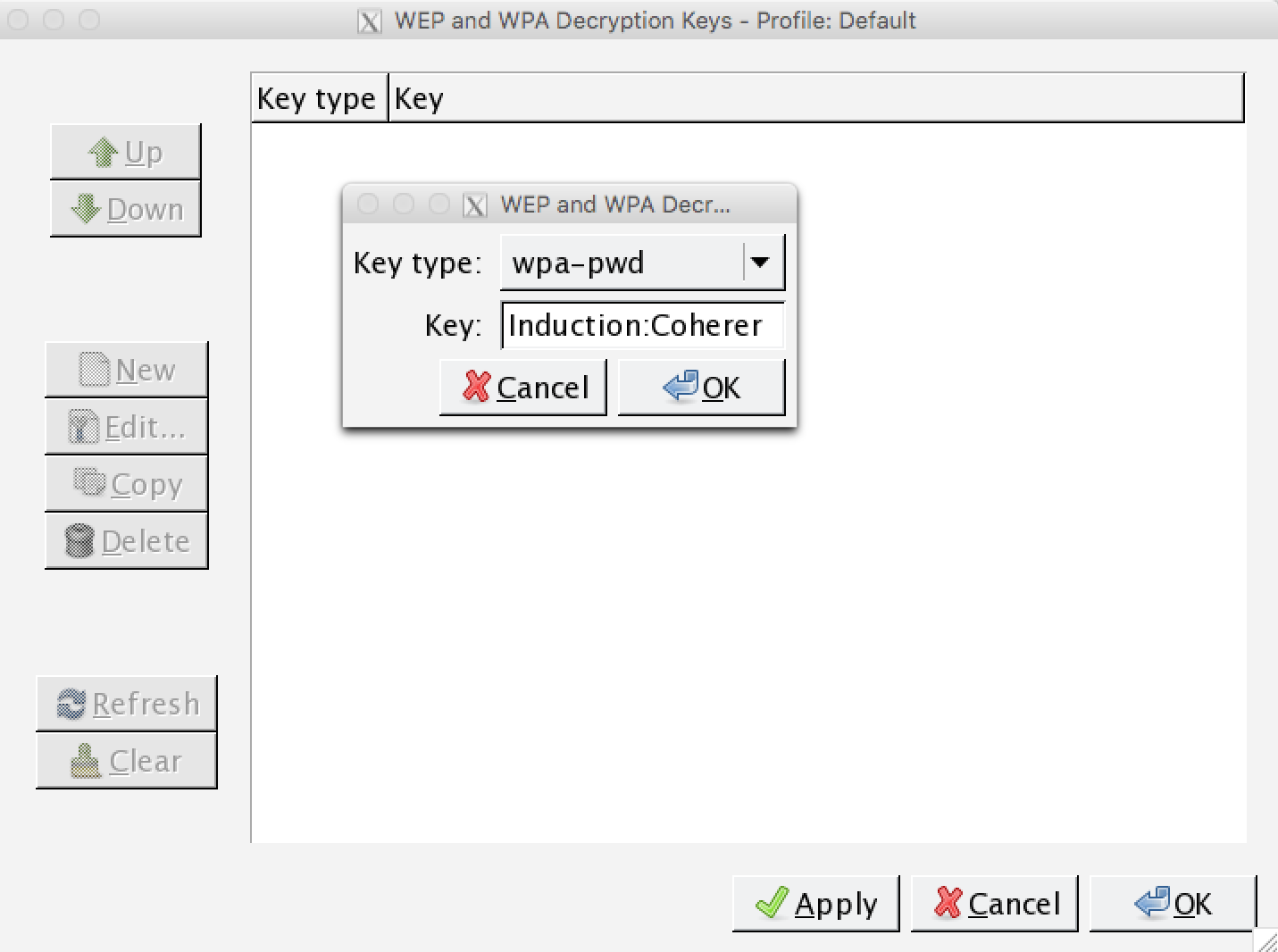
- Click on Edit. This will bring you to a screen to enter WEP or WPA decryption keys. Click on New. Under Key Type, enter WPA and then the passcode and SSID. In this case, it will be Induction:Coherer. Click on Apply and OK:
- To apply this decryption key to our capture, navigate to View and then down to Wireless Toolbar. Enable the wireless toolbar. In the main screen, you will see the following:

- On the wireless toolbar, click on Decryption Keys. A box will appear. In the drop-down menu in the upper left, chose Wireshark for the decryption mode. Make sure the applicable key is selected. Click on Apply and OK:
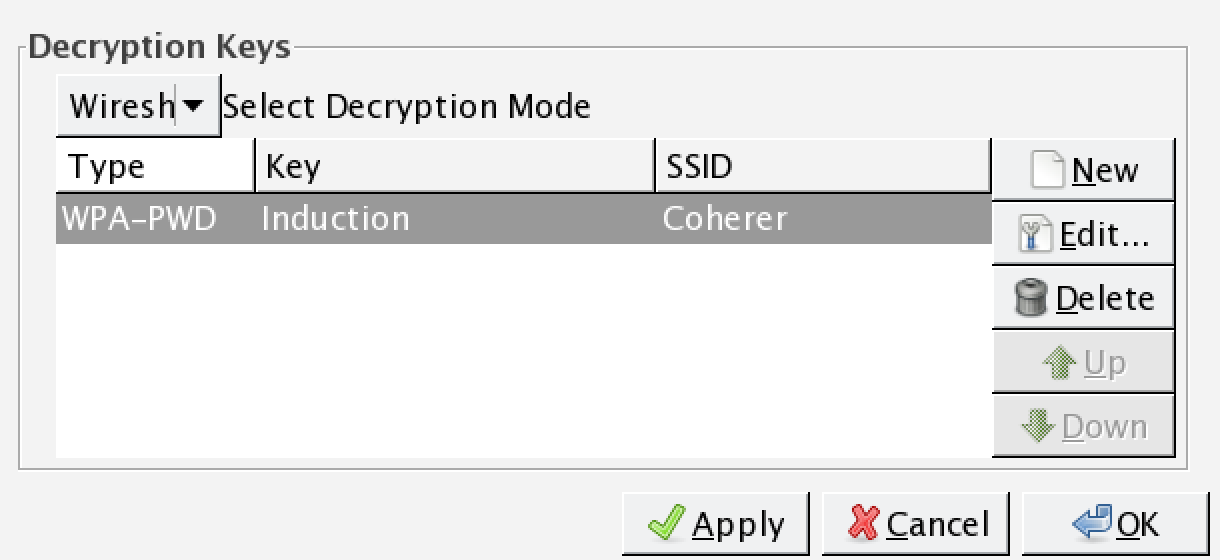
- Wireshark applies the decryption key to the capture and, where applicable, is able to decrypt the traffic:
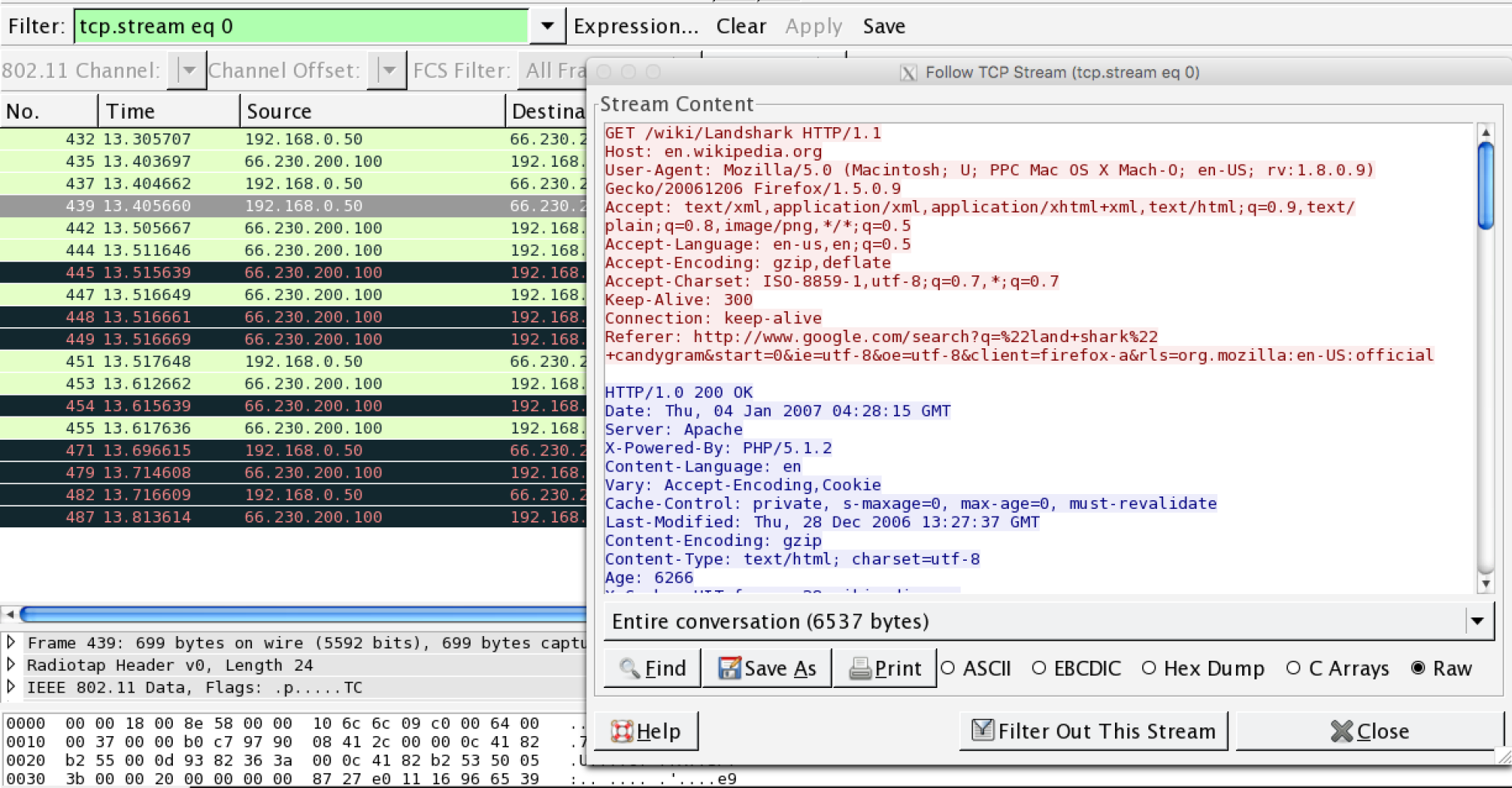
As the preceding screenshot demonstrates, it is possible to decrypt traffic that we have captured without having to join the network. It is important to reiterate that this technique requires a full four-way handshake for each session captured.