
The Data fields row plugin allows you to configure field aliases. When the data is returned to the view, it will have Drupal's machine names. This means that custom fields will look something like field_my_field, which may not make sense to the consumer.
By clicking on Settings next to Fields, you can set aliases in the modal form:
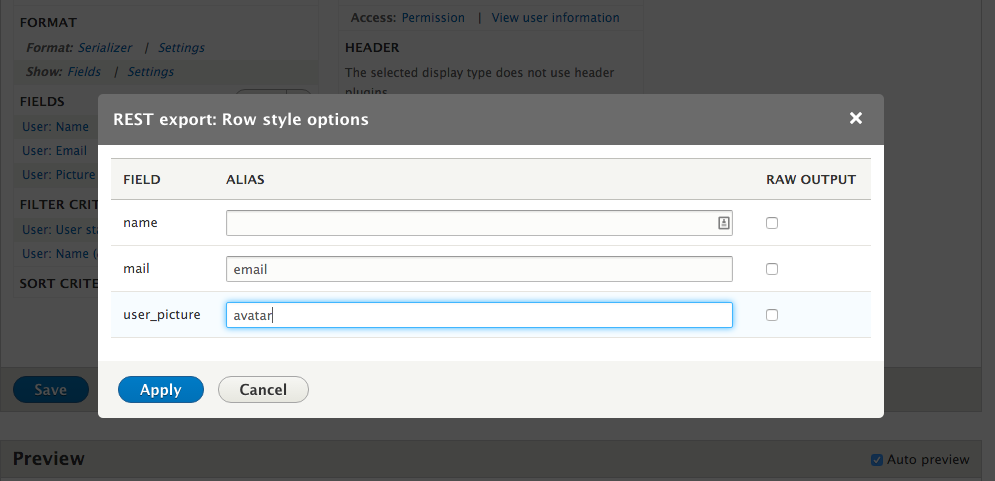
When you provide an alias, the fields will match. For example, user_picture can be changed to avatar and the mail key can be changed to email:
[{
  "name": "veradabufrup",
  "email": "veradabufrup@example.com",
  "avatar": "\/sites\/default\/files\/pictures\/2017-07\/generateImage_HsEjKW.png"
}]