- Add the Configuration Update Manager project to your Drupal installation using the following Composer command:
$ cd /path/to/drupal8
$ composer require drupal/config_update
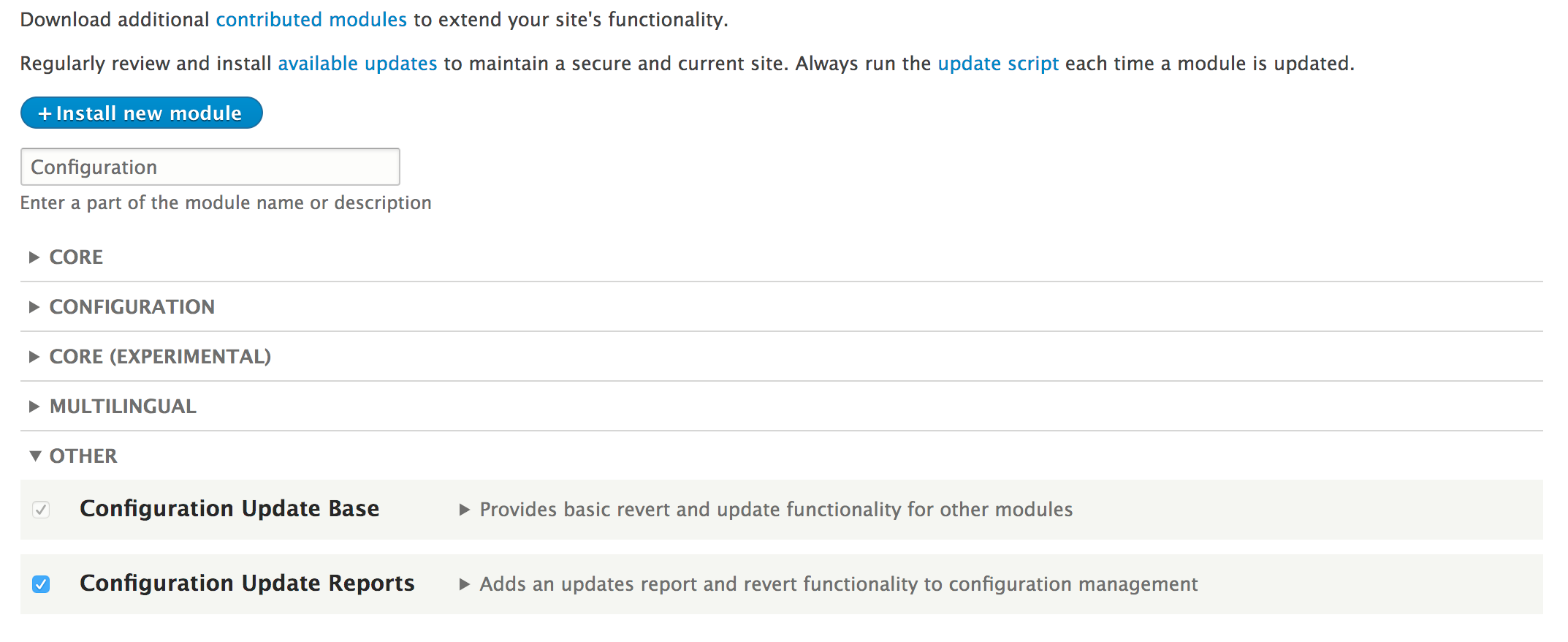
- Go to the Extend page and install the Configuration Update Reports module, the user interface for Configuration Update Manager:
- To visit the configuration reports, go to Configuration in the toolbar under the Development section and click on Configuration synchronization.
- Go to the Updates Report tab. This provides an overview of configuration reports to generate: by configuration type, module, theme, and profile.
- Review the System module's configuration. Select the System module from the module's drop-down button.
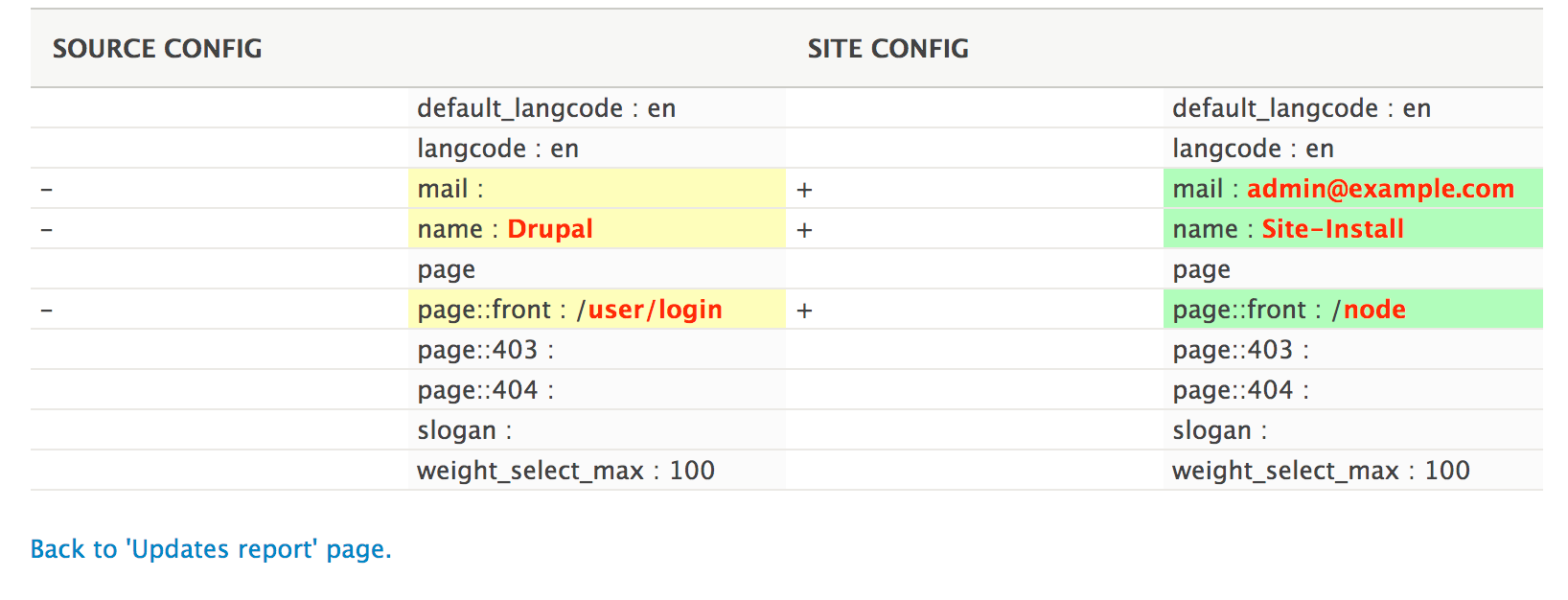
- For the system.site row, click on the Show differences button link. This will review a difference report between the default configuration and the current site configuration:
- Click on the Back to 'Updates report' page to go back to the main report so that the configuration can be reverted.
- Expand the drop-down button so that you can click on Revert to source:
- Click on Revert on the confirmation form to finish the operation.
- The configuration is now reverted to its original installation.