
- First, we must add the Simple OAuth module to our Drupal site:
cd /path/to/drupal8
composer require drupal/simple_oauth
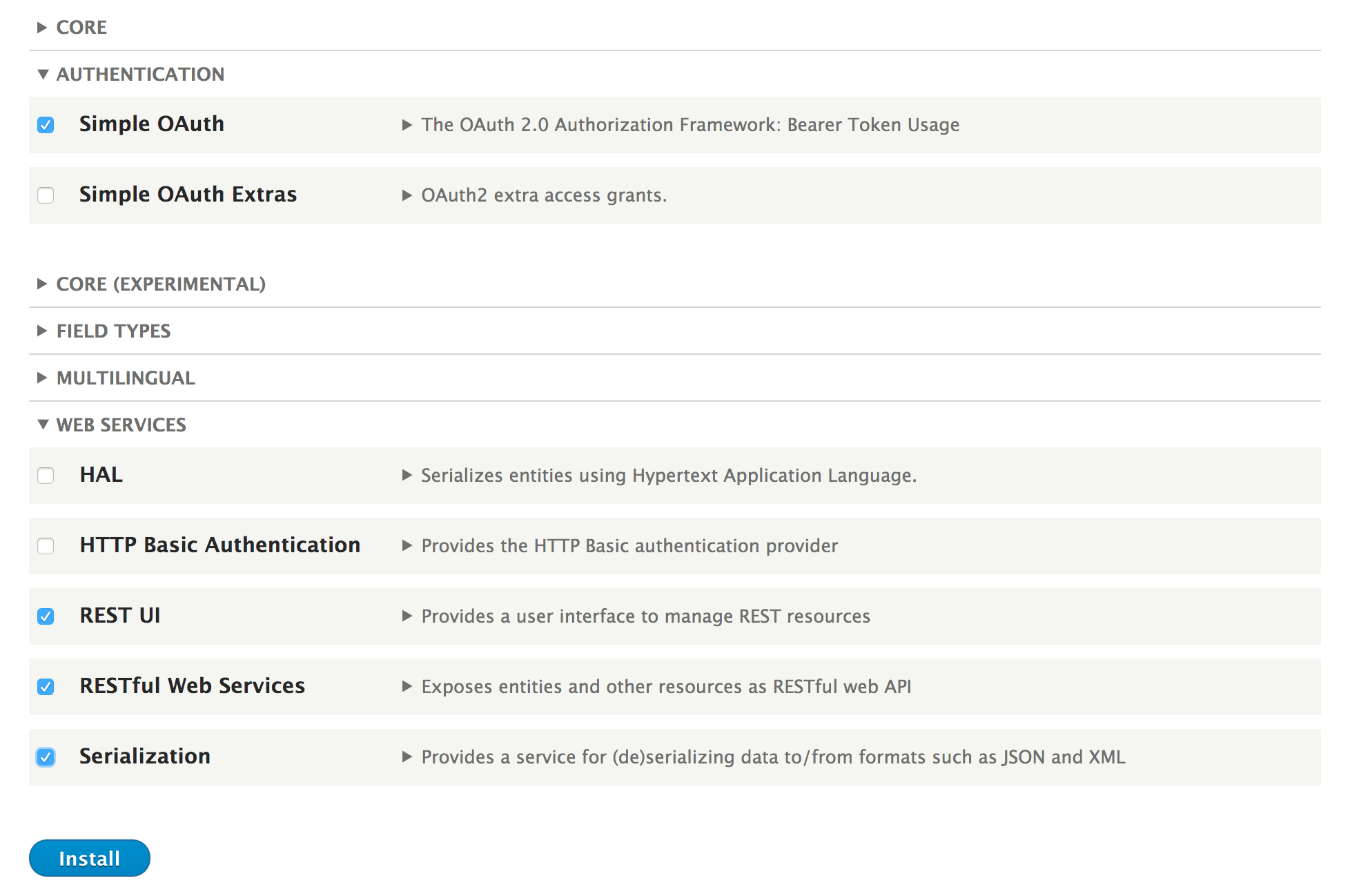
- Go to Extend from the administrative toolbar and install the following Web Services modules: Serialization, RESTful Web Services, REST UI, and Simple OAuth:
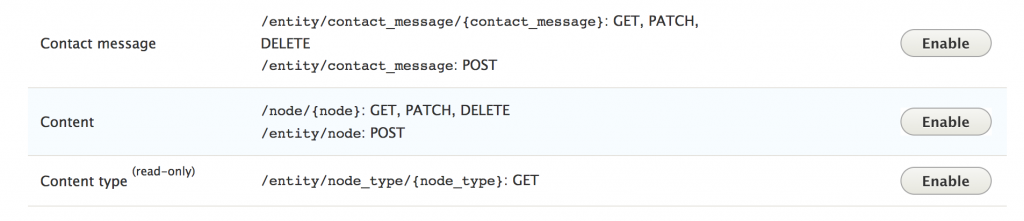
- Go to Configuration and click on REST under Web Services to configure the available endpoints.
- Click on the Enable button for the Content row:
- With the endpoint enabled, it must be configured. Check the GET and POST methods checkbox to allow GET and POST requests. Then, check the json checkbox so that data can be returned as JSON. Check the oauth2 checkbox and then save it.
- Before we can configure the Simple OAuth module, we have to generate a pair of keys to encrypt the OAuth tokens. Generate these in a path accessible to Drupal, but not available through the web server:
openssl genrsa -out private.key 2048
openssl rsa -in private.key -pubout > public.key
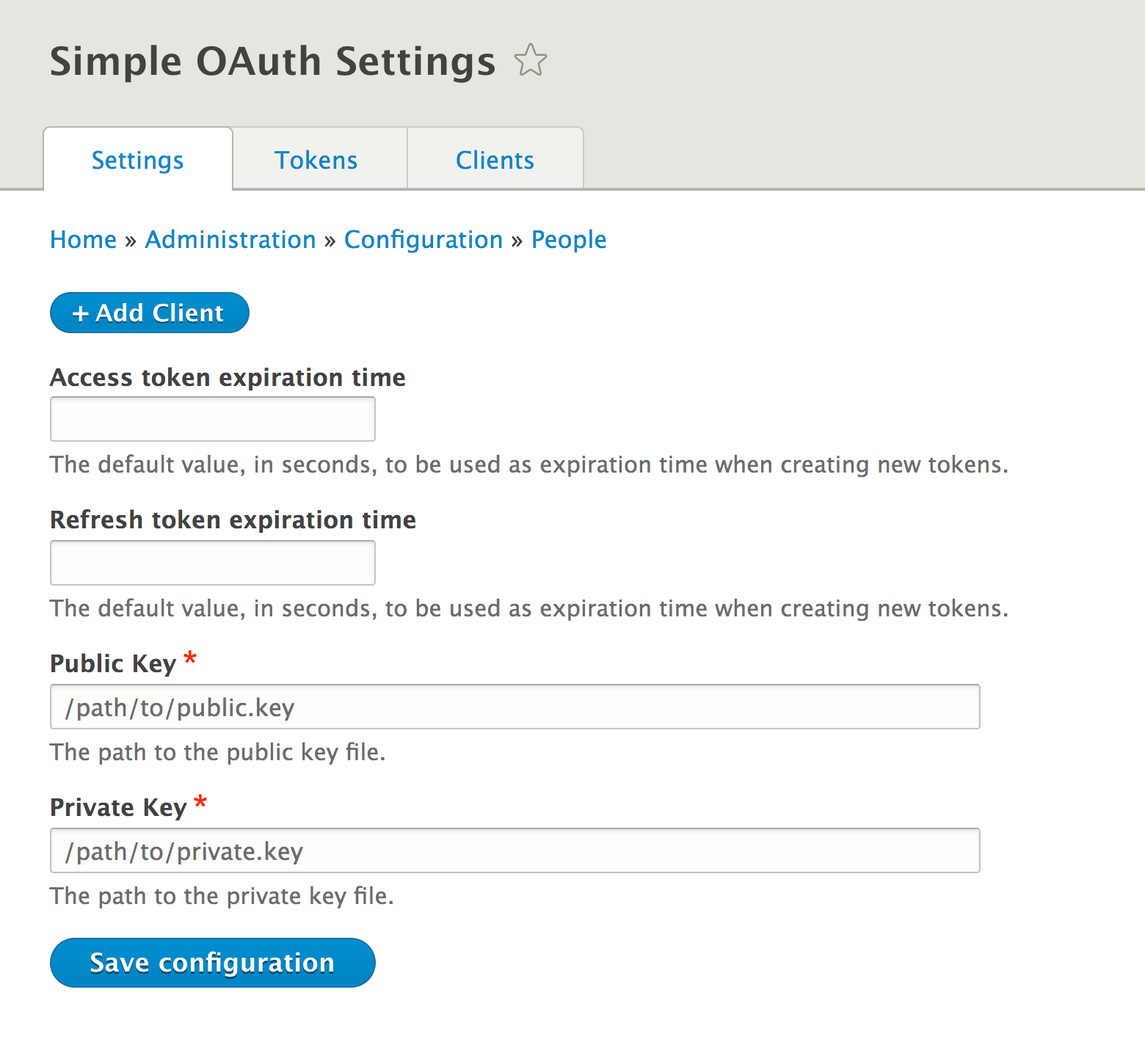
- With the keys generated, go to the Configuration page and then to Simple OAuth. Enter in the paths to your private and public key that were just generated and click on Save configuration:
- From the Simple OAuth configuration form, click on Add client. Provide a label for the client and select the Administrator scope. Click on Save to create the client.
- Next, we will generate a token through the /oauth/token endpoint. You will need the ID from the client you just created. We must pass grant_type, client_id, username, and password. The grant_type is password, the client_id is the ID from the created client, and then the username and password of the account you wish to use:
curl -X POST \
  http://127.0.0.1:8888/oauth/token \
  -H 'content-type: application/x-www-form-urlencoded' \
  -d 'grant_type=password&client_id=3ec55f70-18cd-422f-9abd-2223f6ca3636&username=admin&password=admin'
At the time of writing this book, the endpoint did not accept a JSON body, but only form-encoded values.
- The response will contain an access_token property. This is to be used as your token when making API requests.
- Request a node over REST with the Authorization: Bearer [token] header:
curl -X GET \
    'http://127.0.0.1:8888/node/1?_format=json' \
    -H 'accept: application/json' \
    -H 'authorization: Bearer JT9zgBgMEDlk2QIF0ecpZEOcsYC7-x649Bovo83HXQM'