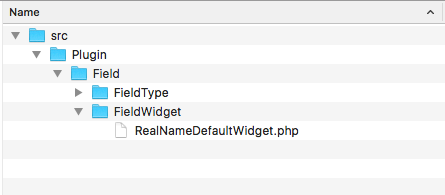
- We will need to create the src/Plugin/Field/FieldWidget directory in the module's base location. The Field module discovers field widgets in the Plugin\Field\FieldWidget namespace.
- Create a RealNameDefaultWidget.php file in the newly created directory so that we can define the RealNameDefaultWidget class. This will provide a custom form element to edit the first and last name values of our field:
- The RealNameDefaultWidget class will extend the \Drupal\Core\Field\WidgetBase class:
<?php

namespace Drupal\mymodule\Plugin\Field\FieldWidget;

use Drupal\Core\Field\WidgetBase;

class RealNameDefaultWidget extends WidgetBase {

}
- We will provide the field widget's identifier, label, and supported field types in the plugin's annotation:
<?php

namespace Drupal\mymodule\Plugin\Field\FieldWidget;

use Drupal\Core\Field\WidgetBase;
use Drupal\Core\Field\FieldItemListInterface;
use Drupal\Core\Form\FormStateInterface;

/**
 * Plugin implementation of the 'realname_default' widget.
 *
 * @FieldWidget(
 *   id = "realname_default",
 *   label = @Translation("Real name"),
 *   field_types = {
 *     "realname"
 *   }
 * )
 */
class RealNameDefaultWidget extends WidgetBase {

}
The @FieldWidget tells Drupal that this is a field widget plugin. It defines id to represent the machine name, the human-readable name as label, and the field types that the widget interacts with.
- We will need to implement the formElement method to satisfy the remaining interface methods after extending \Drupal\Core\Field\WidgetBase. Add the following method to your class:
/**
 * {@inheritdoc}
 */
public function formElement(FieldItemListInterface $items, $delta, array $element, array &$form, FormStateInterface $form_state) {
  $element['first_name'] = [
    '#type' => 'textfield',
    '#title' => t('First name'),
    '#default_value' => '',
    '#size' => 25,
    '#required' => $element['#required'],
  ];
  $element['last_name'] = [
    '#type' => 'textfield',
    '#title' => t('Last name'),
    '#default_value' => '',
    '#size' => 25,
    '#required' => $element['#required'],
  ];
return $element;
}
The formElement method returns a Form API array that represents the widget to be set and edits the field data.
- Next, we will need to modify our original RealName field type plugin class to use the default widget that we created. Modify the src/Plugin/FieldType/RealName.php file, and update the default_widget annotation property as realname_default:
/**
 * Plugin implementation of the 'realname' field type.
 *
 * @FieldType(
 *   id = "realname",
 *   label = @Translation("Real name"),
 *   description = @Translation("This field stores a first and last name."),
 *   category = @Translation("General"),
 *   default_widget = "realname_default",
 *   default_formatter = "string"
 * )
 */
class RealName extends FieldItemBase {
- Rebuild Drupal's cache so that the plugin system can discover the new field widget.
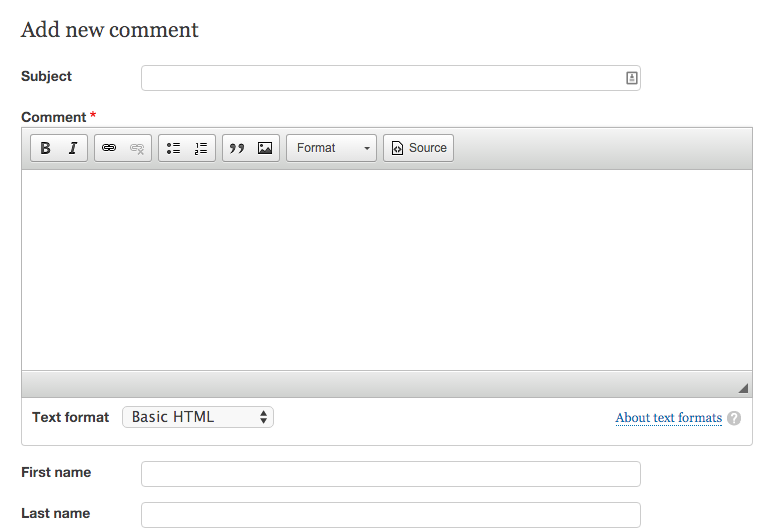
- Add a Real name field and use the new Real name widget. For example, add it to a comment type: