
- Go to Extend and install the Content translation module. It will prompt you to enable the Language modules to be installed, if they are not.
- After the module is installed, go to Configuration and then to the Content language and translation page under the Regional and Language section.
- Check the checkbox next to Content to expose settings for the current content types.
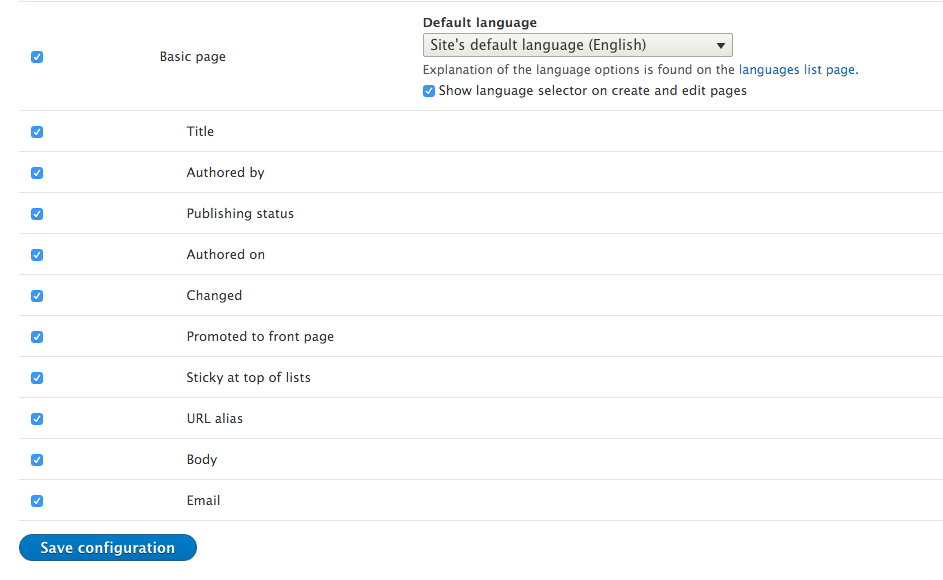
- Enable the content translation for the Basic page and keep the provided default settings that enable translation for each field. Click on Save configuration:
- Create a new Basic page node. We will create this in the site's default language.
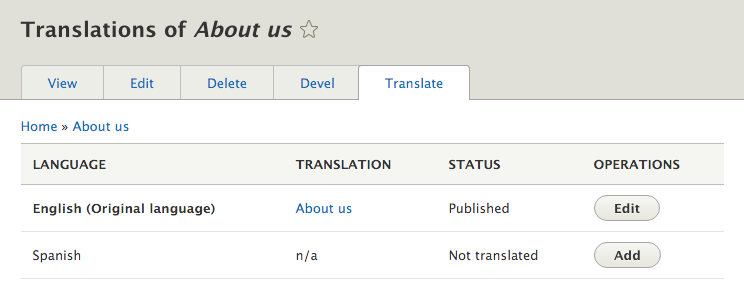
- When viewing the new node, click on the Translate tab. From the Spanish language row, click on Add to create a translated version of the node:
- The content will be prepopulated with the default language's content. Replace the title and body with the translated text:
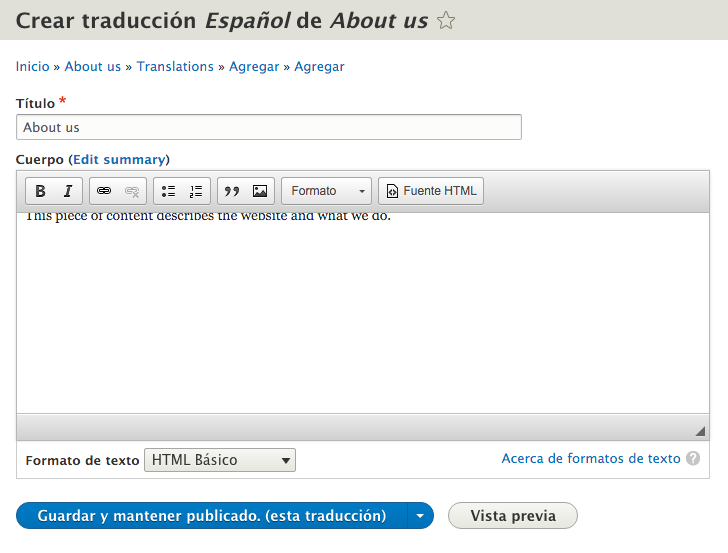
- Click on Save and keep published (this translation) to save the new translation.