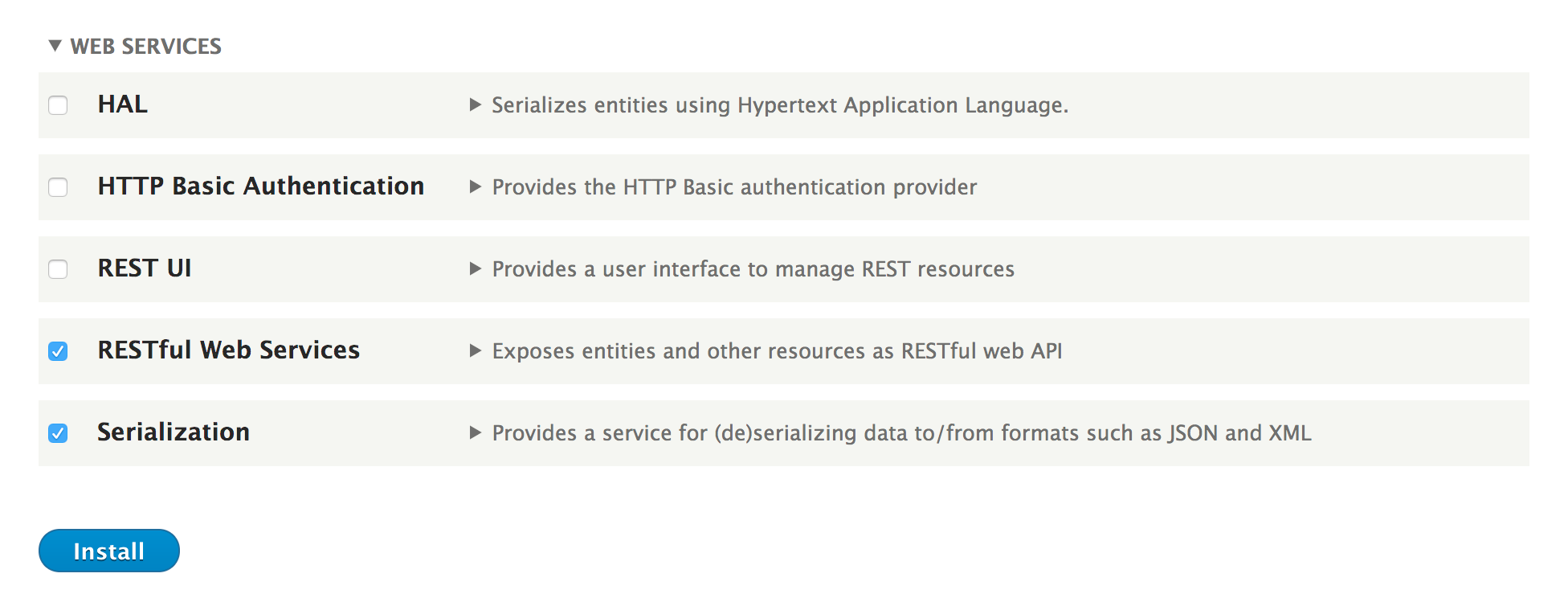
- Got o Extend from the administrative toolbar and install the following Web Services modules: Serialization and RESTful Web Services:
- Go to Structure and then to Views. Click on Add view. Name the view API Users and make it show Users.
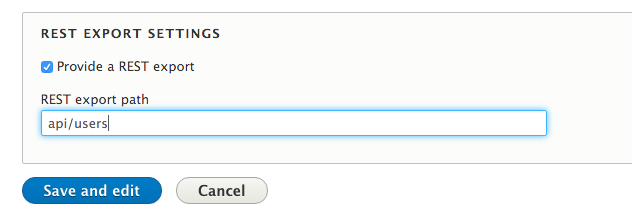
- Check the Provide a REST export checkbox, and type in the api/users path. This is where requests will be made:
- Click on Save and edit.
- Change the format of the row plugin from Entity to Fields instead so that we can control the specific output.
- Ensure that your view has the following user entity fields: Name, Email, and Picture.
- Change the User: Name field to a plain text formatter and do not link it to the user, so the response does not contain any HTML.
- Change the User: Picture field to use URL to image formatter so that only a URL is returned and not HTML.
- Save your view.
- Access your view by visiting /api/users; you will receive a JSON response containing the user information:
[
  {
    "name": "spuvest",
    "mail": "spuvest@example.com",
    "user_picture": "\/sites\/default\/files\/pictures\/2017-07\/generateImage_xIQkfx.jpg"
  },
  {
    "name": "crepathuslus",
    "mail": "crepathuslus@example.com",
    "user_picture": "\/sites\/default\/files\/pictures\/2017-07\/generateImage_eauTko.gif"
  },
  {
    "name": "veradabufrup",
    "mail": "veradabufrup@example.com",
    "user_picture": "\/sites\/default\/files\/pictures\/2017-07\/generateImage_HsEjKW.png"
  }
]