
Translation files can be manually installed by downloading them from the Drupal.org translation server and uploading them through the language interface. You can also use the import interface to upload custom gettext portable object (.po) files.
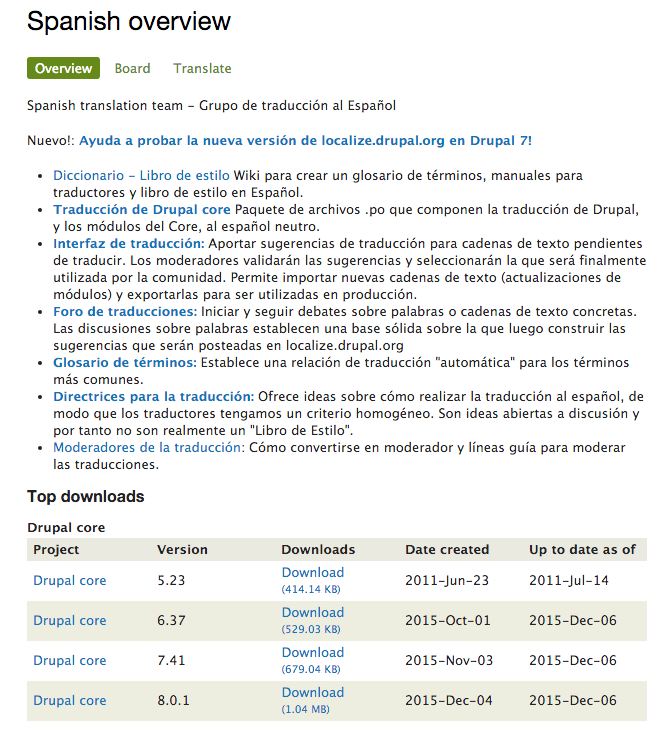
Drupal core and most contributed projects have .po files available at the Drupal translations site, https://localize.drupal.org. On the site, click on Download to download a .po file for Drupal core in all available languages. Additionally, clicking on a language will provide more translations for a specific language across projects, as follows:
You can import a .po file by going to the User interface translation form and selecting the Import tab. You will need to select the .po file and then the appropriate language. You can treat the uploaded files as custom-created translations. This is recommended if you are providing a custom translation file that was not provided by Drupal.org. If you are updating Drupal.org translations manually, make sure that you check the box that overwrites existing noncustom translations. The final option allows you to replace customized translations if the .po file provides them. This can be useful if you have translated missing strings that might now be provided by the official translation file.