
The https://nodejs.org/en/ website offers built-in binaries for Windows, macOS, Linux, and Solaris. We can simply go to the website, click on the Install button, and run the installer. For systems with package managers, such as the ones we've just discussed, it's preferable to use the package management system. That's because you'll find it easier to stay up-to-date with the latest version. But, that doesn't serve all people because:
- Some will prefer to install a binary rather than deal with the package manager
- Their chosen system doesn't have a package management system
- The Node.js implementation in their package management system is out-of-date
Simply go to the Node.js website and you'll see something like the following screenshot. The page does its best to determine your OS and supply the appropriate download. If you need something different, click on the DOWNLOADS link in the header for all possible downloads:
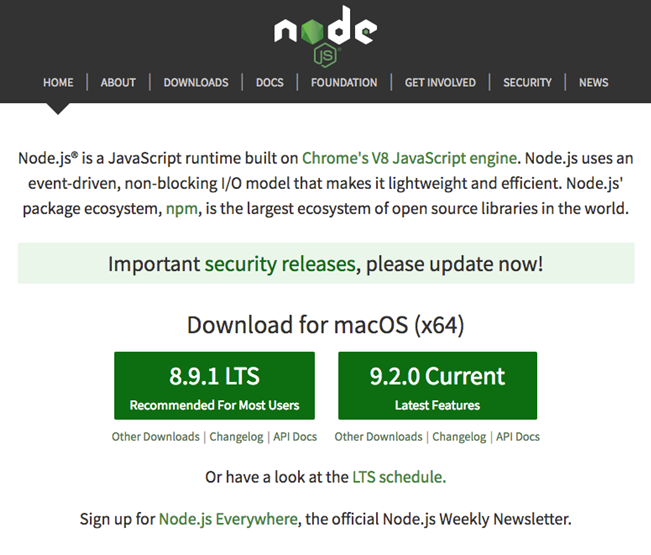
For macOS, the installer is a PKG file giving the typical installation process. For Windows, the installer simply takes you through the typical Install Wizard process.
Once finished with the installer, you have command-line tools, such as node and npm, with which you can run Node.js programs. On Windows, you're supplied with a version of the Windows command shell preconfigured to work nicely with Node.js.