
OAuth is an open standard for third party authorization, it defines a delegation protocol used fer authorizing against a third party authentication providers. OAuth uses special tokens, once issued, identify the user instead of user credentials. Let's look closer at OAuth workflow, with a sample scenario. The main actors in the scenario are - a user interacting with a web application, which consumes a restful service from a back-end system providing some kind of data. The web application delegates its authorization to a separate third-party authorization server.
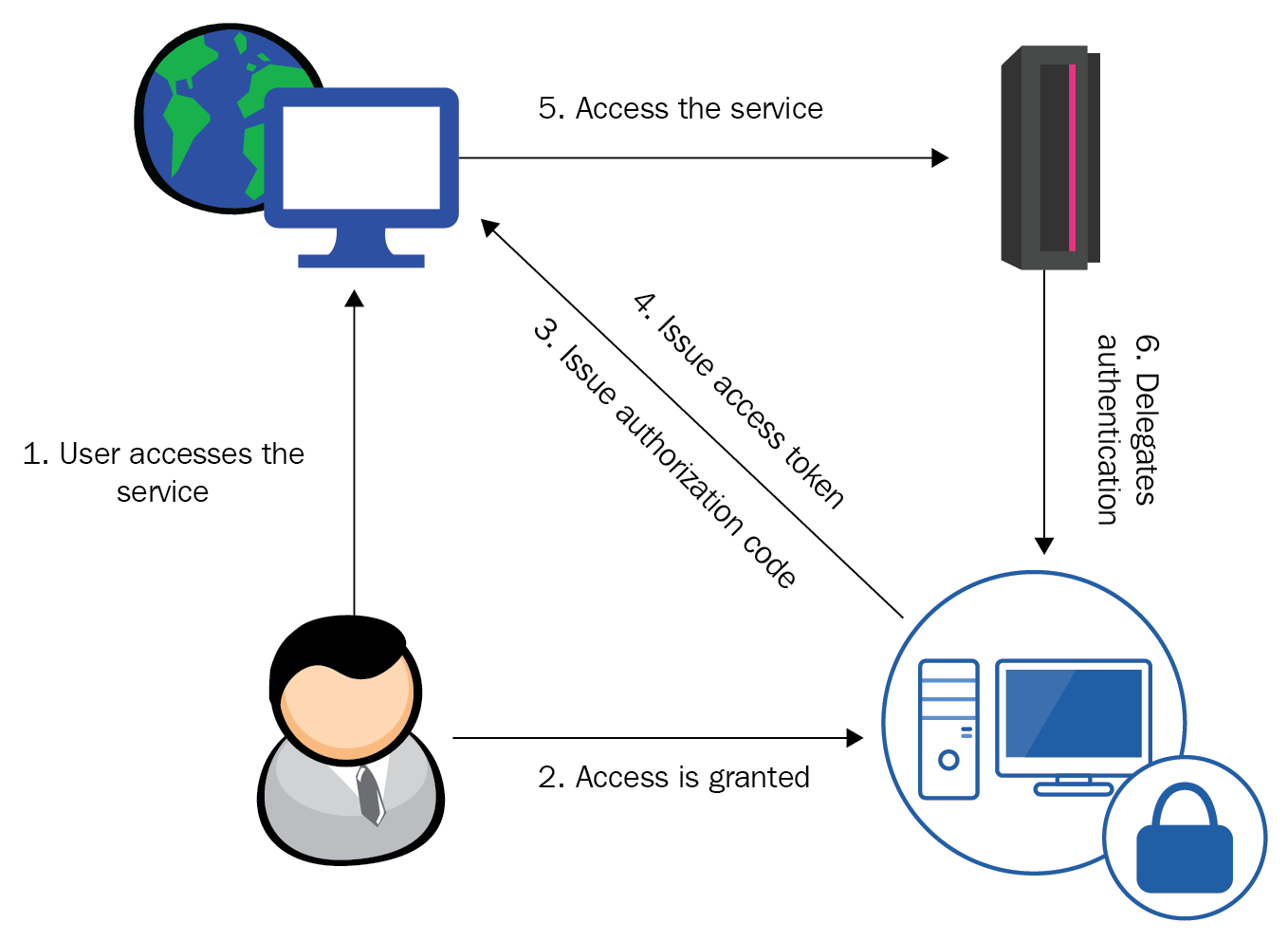
- The user requests a web application which requires authentication to establish communication with the back-end service. This is the initial request thus the user is still not authenticated, so they get redirected to a login page asking for their credentials for the relevant third party account.
- After a successful authentication an authorization code is issued by the authentication server to the web application. This authorization code is a composite combination between an issued client-id and a secret issued by the provider. They should be sent from a web application to the authentication server and is exchanged for an access token that has a limited lifetime.
- The Web application uses the authentication token for authentication until it gets expired. Afterwards it has to request a new token using the authorization code.
Passport.js hides the complexity behind this process with a separate strategy module automating the OAuth workflow. It is available in the npm repository
npm install passport-oauth
Create an instance of the strategy and supply it with the urls for requesting tokens and for authenticating it together, it is your personal consumer key and a secret phrase of your choice.
var passport = require('passport')
  , OAuthStrategy = require('passport-oauth').OAuthStrategy;

passport.use('provider', new OAuthStrategy({
    requestTokenURL: 'https://www.provider.com/oauth/request_token',
    accessTokenURL: 'https://www.provider.com/oauth/access_token',
    userAuthorizationURL: 'https://www.provider.com/oauth/authorize',
    consumerKey: '123-456-789',
    consumerSecret: 'secret'
    callbackURL: 'https://www.example.com/auth/provider/callback'
  }, function(token, tokenSecret, profile, done) {
    //lookup the profile and authenticate   and call done
  }
));
Passport.js provides separate strategy wrapping different providers, like linkedin or github. They ensure that your application stays up to date with the token issuing URLs. Once you have made up your mind about the provider you want to support, you should check for specific strategies for them.