
The window used to verify the desire to delete a Note doesn't look bad, but it can be improved.
Edit views/notedestroy.hbs to contain the following:
<form method='POST' action='/notes/destroy/confirm'>
  <div class="container-fluid">
    <input type='hidden' name='notekey' value='{{#if note}}{{notekey}}{{/if}}'>
    <p class="form-text">Delete {{note.title}}?</p>
    <div class="btn-group">
      <button type="submit" value='DELETE'
              class="btn btn-outline-dark">DELETE</button>
      <a class="btn btn-outline-dark"
              href="/notes/view?key={{#if note}}{{notekey}}{{/if}}"
              role="button">
         Cancel</a>
    </div>
  </div>
</form>
We've reworked everything to use Bootstrap form goodness. The question about deleting the Note is wrapped with class="form-text" so that Bootstrap can display this properly.
The buttons are wrapped with class="btn-group" as before. The buttons have exactly the same styling as on other screens, giving a consistent look across the application:
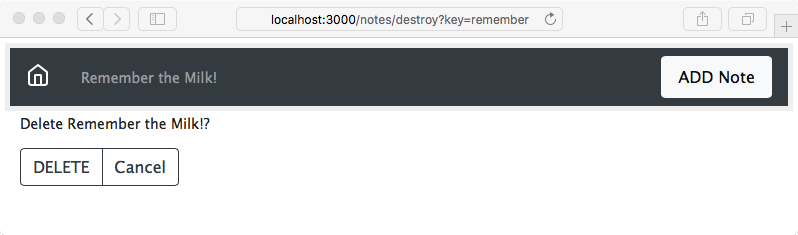
There is an issue that the title text in the navbar does not use the word Delete. In routes/notes.js, we can make this change:
// Ask to Delete note (destroy)
router.get('/destroy', async (req, res, next) => {
  var note = await notes.read(req.query.key);
  res.render('notedestroy', {
    title: note ? `Delete ${note.title}` : "",
    notekey: req.query.key, note: note
  });
});
What we've done is changed the title parameter passed to the template. We'd done this in the /notes/edit route handler and seemingly missed doing so in this handler.