
We're going to modify the starter application to support creating, editing, updating, viewing, and deleting notes. Let's start by fixing up the home page. It should show a list of notes, and the top navigation bar should link to an ADD Note page so that we can always add a new note.
While we will be modifying the generated app.js, it needs no modification to support the home page. These lines of code are related to the home page:
const index = require('./routes/index');
..
app.use('/', index);
Additionally, to support Handlebars templates app.js requires these changes:
const hbs = require('hbs');
...
app.set('view engine', 'hbs');
hbs.registerPartials(path.join(__dirname, 'partials'));
We'll put Handlebars partials in a directory, partials, which is a sibling to the views directory. Change routes/index.js to this:
const express = require('express');
const router = express.Router();
const notes = require('../models/notes-memory');

/* GET home page. */
router.get('/', async (req, res, next) => {
  let keylist = await notes.keylist();
  let keyPromises = keylist.map(key => {
    return notes.read(key)
  });
  let notelist = await Promise.all(keyPromises);
  res.render('index', { title: 'Notes', notelist: notelist });
});

module.exports = router;
This gathers data about the notes that we'll be displaying on the home page. By default, we'll show a simple table of note titles. We do need to talk about the technique.
The Promise.all function executes an array of Promises. The Promises are evaluated in parallel, allowing our code to potentially make parallel requests to a service. This should execute more quickly than making the requests one at a time sequentially.
We could have written a simple for loop like so:
let keylist = await notes.keylist();
let notelist = [];
for (key of keylist) {
    let note = await notes.read(keylist);
    notelist.push({ key: note.key, title: note.title });
}
While simpler to read, the notes are retrieved one at a time with no opportunity to overlap read operations.
The Promise array is constructed using the map function. With map, one iterates over an array to produce a new array. In this case, the new array contains the Promises generated by the notes.read function calls.
Because we wrote await Promise.all, the notelist array will be completely filled with the correct data once all the Promises succeed. If any Promise fails—is rejected, in other words—an exception will be thrown instead. What we've done is enqueue a list of asynchronous operations and neatly waited for them all to finish.
The notelist array is then passed into the view templates we're about to write.
Start with views/layout.hbs, containing:
<!DOCTYPE html>
<html>
 <head>
 <title>{{title}}</title>
 <link rel='stylesheet' href='/stylesheets/style.css' />
 </head>
  <body>
  {{> header }}
  {{{body}}}
  </body>
</html>
This is the generated file, with the addition of a partial for the page header. We already declared partials to live in the partials directory. Create partials/header.hbs, containing:
<header>
 <h1>{{ title }}</h1>
  <div class='navbar'>
  <p><a href='/'>Home</a> | <a href='/notes/add'>ADD Note</a></p>
  </div>
</header>
Change views/index.hbs to this:
{{#each notelist}}
<ul>
  <li>{{ key }}:
  <a href="/notes/view?key={{ key }}">{{ title }}</a>
  </li>
</ul>
{{/each}}
This simply steps through the array of note data and formats a simple listing. Each item links to the /notes/view URL with a key parameter. We have yet to look at that code, but this URL will obviously display the note. Another thing of note is that no HTML for the list is generated if the notelist is empty.
There's of course a whole lot more that could be put into this. For example, it's easy to add jQuery support to every page just by adding the appropriate script tags here.
We now have enough written to run the application; let's view the home page:
$ DEBUG=notes:* npm start

> notes@0.0.0 start /Users/David/chap05/notes
> node ./bin/www

  notes:server Listening on port 3000 +0ms
GET / 200 87.300 ms - 308
GET /stylesheets/style.css 200 27.744 ms - 111
If we visit http://localhost:3000, we will see the following page:
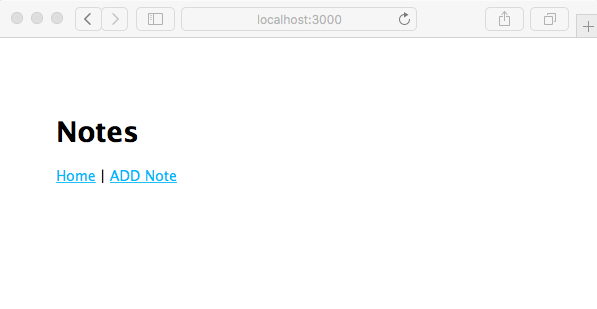
Because there aren't any notes (yet), there's nothing to show. Clicking on the Home link just refreshes the page. Clicking on the ADD Note link throws an error because we haven't (yet) implemented that code. This shows that the provided error handler in app.js is performing as expected.