
Let's install it with the NPM package manager; once again, we will install it globally and make use of the -s option, which will update the package.json file with the new express-cache-control dependency automatically:
npm install -g -s express-cache-control
Enabling caching with the express-cache-control middleware requires three straightforward steps:
- Get the module:
CacheControl = require("express-cache-control")
- Create an instance of the CacheControl middleware:
var cache = new CacheControl().middleware;
- To bind the middleware instance to the routes you want to enable caching for:
router.get('/v2/', cache('minutes', 1), function(request, response) {
    var getParams = url.parse(request.url, true).query;
    if (getParams['page'] !=null || getParams['limit'] != null) {
      catalogV2.paginate(model.CatalogItem, request, response);
    } else {
      var key = Object.keys(getParams)[0];
      var value = getParams[key];
      catalogV2.findItemsByAttribute(key, value, response);
    }
});
Let's test our changes by requesting /catalog/v2 in Postman:
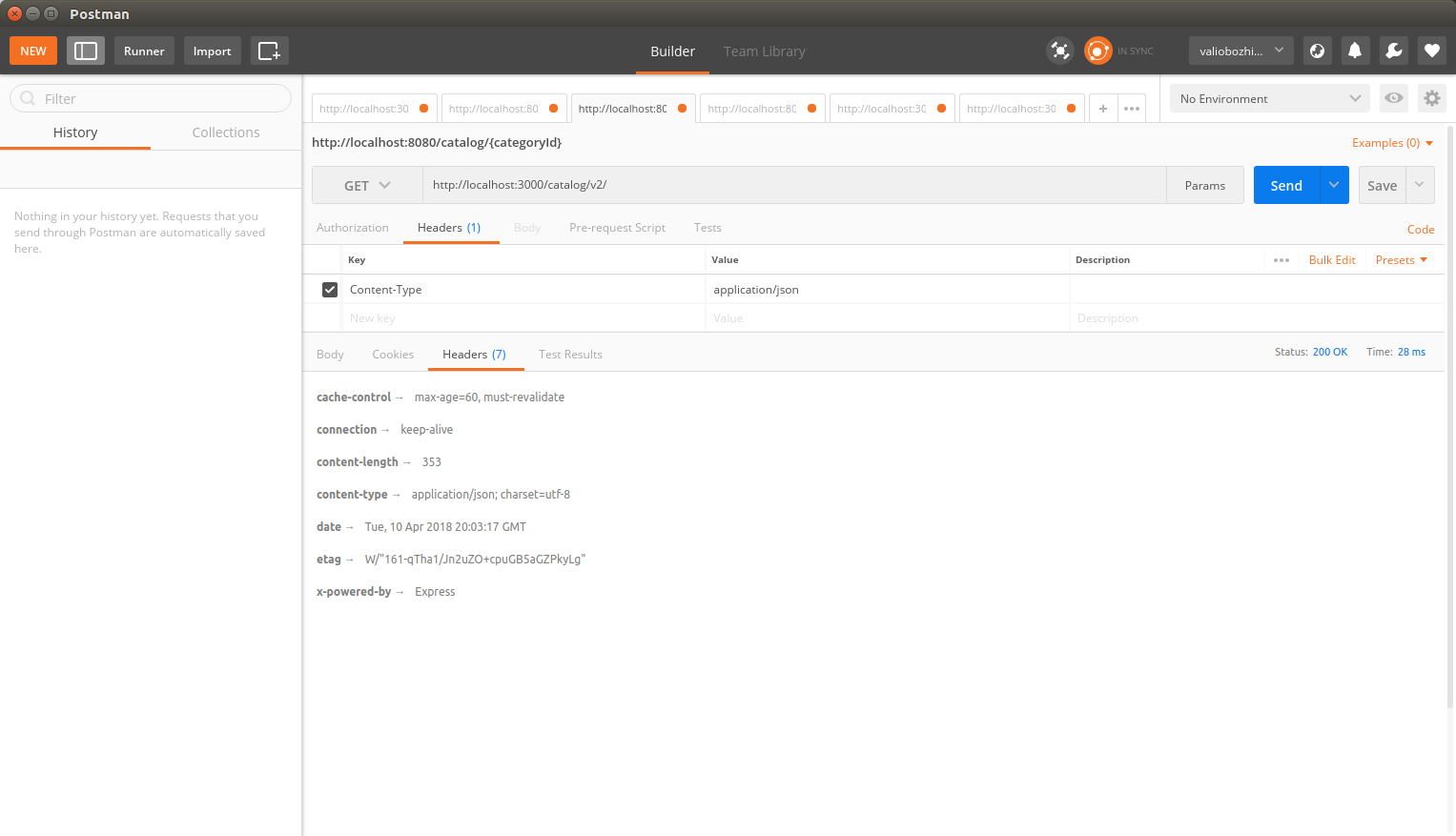
As expected, the express-cache-control middleware has done its job—the Cache-Control header is now included in the response. The must-revalidate option ensures that the cache content is invalidated after the max-age interval expires. Now, if you make another request for a specific item, you will see that the response does not make use of the express-cache-control middleware, which is because it needs to be explicitly provided in each individual route. It will not be used in URIs deriving from one another.
Responses from GET requests against any route /v1/ will not contain the Cache-Control header, as it is supported only in Version 2 of our API, and the Cache-Control middleware is used only in the main catalog routes: /catalog/v2/ or /catalog.