
Now that we've looked at how to create notes, we need to move on to reading them. This means implementing controller logic and view templates for the /notes/view URL.
To routes/notes.js, add this router function:
// Read Note (read)
router.get('/view', async (req, res, next) => {
    var note = await notes.read(req.query.key);
    res.render('noteview', {
        title: note ? note.title : "",
        notekey: req.query.key, note: note
    });
});
Because this route is mounted on a router handling /notes, this route handles /notes/view.
If notes.read successfully reads the note, it is rendered with the noteview template. If something goes wrong, we'll instead display an error to the user through Express.
To the views directory, add the noteview.hbs template, referenced by this code:
{{#if note}}<h3>{{ note.title }}</h3>{{/if}}
{{#if note}}<p>{{ note.body }}</p>{{/if}}
<p>Key: {{ notekey }}</p>
{{#if notekey }}
    <hr/>
    <p><a href="/notes/destroy?key={{notekey}}">Delete</a>
     | <a href="/notes/edit?key={{notekey}}">Edit</a></p>
{{/if}}
This is straightforward: taking data out of the note object and displaying using HTML. At the bottom are two links, one to /notes/destroy to delete the note and the other to /notes/edit to edit it.
The code for neither of these exists at the moment. But that won't stop us from going ahead and executing the application:
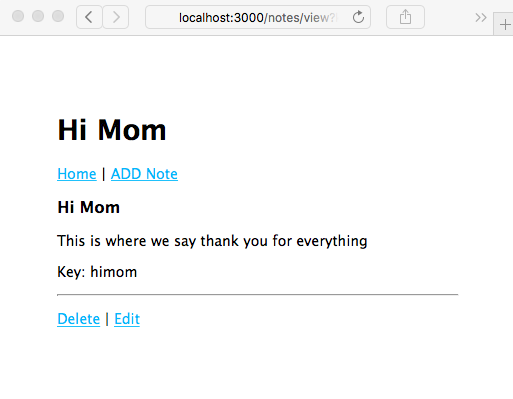
As expected, with this code, the application correctly redirects to /notes/view, and we can see our handiwork. Also, as expected, clicking on either the Delete or Edit links will give you an error, because the code hasn't been implemented.