
Many scripts that you'll run are server processes. We'll be running lots of these scripts later on. Since we're still in the dual mode of verifying the installation and familiarizing you with using Node.js, we want to run a simple HTTP server. Let's borrow the simple server script on the Node.js home page (http://nodejs.org).
Create a file named app.js containing the following:
const http = require('http');
http.createServer(function (req, res) {
  res.writeHead(200, {'Content-Type': 'text/plain'});
  res.end('Hello, World!\n');
}).listen(8124, '127.0.0.1');
console.log('Server running at http://127.0.0.1:8124');
Run it as follows:
$ node app.js
Server running at http://127.0.0.1:8124
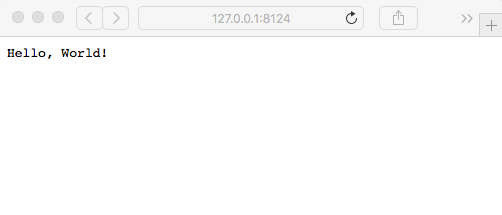
This is the simplest of web servers you can build with Node.js. If you're interested in how it works, flip forward to Chapter 4, HTTP Servers and Clients; Chapter 5, Your First Express Application; and Chapter 6, Implementing the Mobile-First Paradigm. For the moment, just visit http://127.0.0.1:8124 in your browser to see the Hello, World! message:
A question to ponder is why this script did not exit when ls.js did exit. In both cases, execution of the script reaches the end of the script; the Node.js process does not exit in app.js, while in ls.js it does.
The reason is the presence of active event listeners. Node.js always starts up an event loop, and in app.js, the listen function creates an event listener that implements the HTTP protocol. This event listener keeps app.js running until you do something such as typing Ctrl + C in the Terminal window. In ls.js, there is nothing that creates a long-running event listener, so when ls.js reaches the end of its script, the node process will exit.