
By default, npm modules are retrieved over the internet from the public package registry maintained on http://npmjs.com. If you know the module name, it can be installed simply by typing the following:
$ npm install moduleName
But what if you don't know the module name? How do you discover the interesting modules? The website http://npmjs.com publishes a searchable index of the modules in that registry.
The npm package also has a command-line search function to consult the same index:
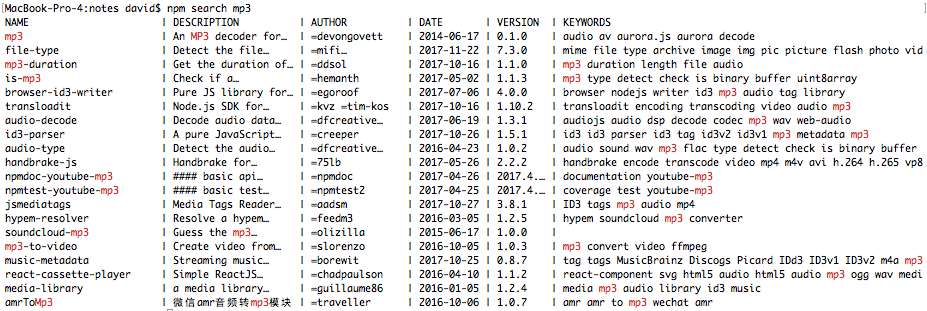
Of course, upon finding a module, it's installed as follows:
$ npm install acoustid
After installing a module, you may want to see the documentation, which would be on the module's website. The homepage tag in package.json lists that URL. The easiest way to look at the package.json file is with the npm view command, as follows:
$ npm view akasharender
...
{ name: 'akasharender',
  description: 'Rendering support for generating static HTML websites
  or EPUB eBooks',
  'dist-tags': { latest: '0.6.15' },
  versions:
   [ '0.0.1',
  ...
  author: 'David Herron <david@davidherron.com>
  (http://davidherron.com)',
  repository: { type: 'git', url:
  'git://github.com/akashacms/akasharender.git' },
  homepage: 'http://akashacms.com/akasharender/toc.html',
...
}
You can use npm view to extract any tag from package.json, like the following, which lets you view just the homepage tag:
$ npm view akasharender homepage
http://akashacms.org/akasharender/toc.html
Other fields in the package.json can be viewed by simply giving the desired tag name.