
Now that we've looked at the create and read operations, let's look at how to update or edit a note.
To routes/notes.js, add this router function:
// Edit note (update)
router.get('/edit', async (req, res, next) => {
    var note = await notes.read(req.query.key);
    res.render('noteedit', {
        title: note ? ("Edit " + note.title) : "Add a Note",
        docreate: false,
        notekey: req.query.key, note: note
    });
});
We're reusing the noteedit.ejs template, because it can be used for both create and update/edit operations. Notice that we pass false for docreate, informing the template that it is to be used for editing.
In this case, we first retrieve the note object and then pass it through to the template. This way, the template is set up for editing rather than note creation. When the user clicks on the Submit button, we'll end up in the same /notes/save route handler shown in the preceding screenshot. It already does the right thing: calling the notes.update method in the model rather than notes.create.
Because that's all we need do, we can go ahead and rerun the application:
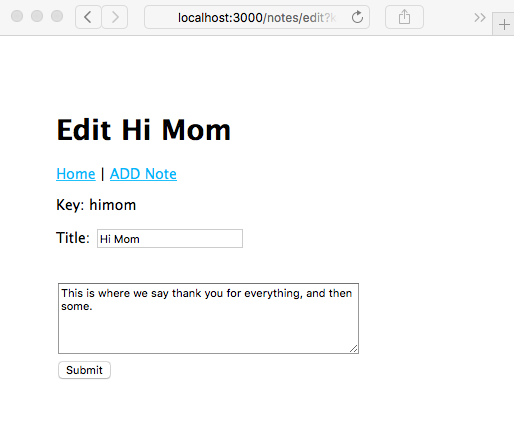
Click on the Submit button here, and you will be redirected to the /notes/view screen and will then be able to read the newly edited note. Back to the /notes/view screen: we've just taken care of the Edit link, but the Delete link still produces an error.