Express is perhaps the most popular Node.js web app framework. It's so popular that it's part of the MEAN Stack acronym. MEAN refers to MongoDB, ExpressJS, AngularJS, and Node.js. Express is described as being Sinatra-like, referring to a popular Ruby application framework, and that it isn't an opinionated framework, meaning the framework authors don't impose their opinions about structuring an application. This means Express is not at all strict about how your code is structured; you just write it the way you think is best.
You can visit the home page for Express at http://expressjs.com/.
Shortly, we'll implement a simple application to calculate Fibonacci numbers using Express, and in later chapters, we'll do quite a bit more with Express. We'll also explore how to mitigate the performance problems from computationally intensive code we discussed earlier.
As of writing this book, Express 4.16 is the current version, and Express 5 is in Alpha testing. According to the ExpressJS website, there are very few differences between Express 4 and Express 5.
Let's start by installing the express-generator. While we can just start writing some code, the express-generator provides a blank starting application. We'll take that and modify it.
Install it using the following commands:
$ mkdir fibonacci
$ cd fibonacci
$ npm install express-generator@4.x
This is different from the suggested installation method on the Express website, which was to use the -g tag for a global install. We're also using an explicit version number to ensure compatibility. As of writing this book, express-generator@5.x does not exist. When it does exist, one should be able to use the 5.x version with the following instructions.
Earlier, we discussed how many now recommend against installing modules globally. In the Twelve-Factor model, it's strongly recommended to not install global dependencies, and that's what we're doing.
The result is that an express command is installed in the ./node_modules/.bin directory:
$ ls node_modules/.bin/
express
Run the express command like so:
$ ./node_modules/.bin/express --help

  Usage: express [options] [dir]

  Options:

    -h, --help          output usage information
    -V, --version       output the version number
    -e, --ejs           add ejs engine support (defaults to jade)
        --hbs           add handlebars engine support
    -H, --hogan         add hogan.js engine support
    -c, --css <engine>  add stylesheet <engine> support
    (less|stylus|compass|sass) (defaults to plain css)
        --git           add .gitignore
    -f, --force         force on non-empty directory
We probably don't want to type ./node_modules/.bin/express every time we run the express-generator application or, for that matter, any of the other applications that provide command-line utilities. Refer back to the discussion in Chapter 3, Node.js Modules about adding that directory to the PATH variable.
Now that you've installed express-generator in the fibonacci directory, use it to set up the blank framework application:
$ ./node_modules/.bin/express --view=hbs --git .
destination is not empty, continue? [y/N] y

   create : .
   create : ./package.json
   create : ./app.js
   create : ./.gitignore
   create : ./public
   create : ./routes
   create : ./routes/index.js
   create : ./routes/users.js
   create : ./views
   create : ./views/index.hbs
   create : ./views/layout.hbs
   create : ./views/error.hbs
   create : ./bin
   create : ./bin/www
   create : ./public/javascripts
   create : ./public/images
   create : ./public/stylesheets
   create : ./public/stylesheets/style.css

   install dependencies:
     $ cd . && npm install

   run the app:
     $ DEBUG=fibonacci:* npm start

    $ npm uninstall express-generator
    added 83 packages and removed 5 packages in 4.104s
This created a bunch of files for us, which we'll walk through in a minute. The node_modules directory still has the express-generator module, which is now not useful. We can just leave it there and ignore it, or we can add it to the devDependencies of the package.json it generated. Alternatively, we can uninstall it as shown here.
The next thing to do is run the blank application in the way we're told. The command shown, npm start, relies on a section of the supplied package.json file:
"scripts": {
    "start": "node ./bin/www"
},
The npm tool supports scripts that are ways to automate various tasks. We'll use this capability throughout the book to do various things. When the Twelve-Factor Application model suggests automating all your administrative tasks, the npm scripts feature is an excellent mechanism to do so. Most npm scripts are run with the npm run scriptName command, but the start command is explicitly recognized by npm and can be run as shown previously.
The steps are:
- Install the dependencies npm install.
- Start the application using npm start.
- Optionally modify package.json to always run with debugging.
To install the dependencies, and run the application, type these commands:
$ npm install
$ DEBUG=fibonacci:* npm start

> fibonacci@0.0.0 start /Users/David/chap04/fibonacci
> node ./bin/www

 fibonacci:server Listening on port 3000 +0ms
Setting the DEBUG variable this way turns on some debugging output, which includes this message about listening on port 3000. Otherwise, we aren't told this information. This syntax is what's used in the Bash shell to run a command with an environment variable. If you get an error try running just "npm start" then read the next section.
We can modify the supplied npm start script to always run the app with debugging enabled. Change the scripts section to the following:
"scripts": {
    "start": "DEBUG=fibonacci:* node ./bin/www"
},
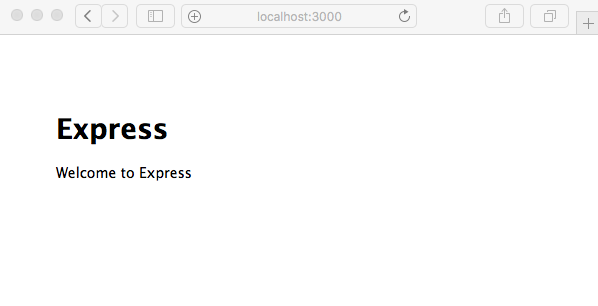
Since the output says it is listening on port 3000, we direct our browser to
http://localhost:3000/ and see the following output: