
Table of Contents for
Mastering Wireshark 2

Version ebook / Retour

Cover image for bash Cookbook, 2nd Edition Mastering Wireshark 2 by Andrew Crouthamel Published by Packt Publishing, 2018
  1. Mastering Wireshark 2
  2. Title Page
  3. Copyright and Credits
  4. Mastering Wireshark 2
  5. Packt Upsell
  6. Why subscribe?
  7. PacktPub.com
  8. Contributor
  9. About the author
  10. Packt is searching for authors like you
  11. Table of Contents
  12. Preface
  13. Who this book is for
  14. What this book covers
  15. To get the most out of this book
  16. Download the color images
  17. Conventions used
  18. Get in touch
  19. Reviews
  20. Installing Wireshark 2
  21. Installation and setup
  22. Installing Wireshark on Windows
  23. Installing Wireshark on macOS
  24. Installing Wireshark on Linux
  25. Summary
  26. Getting Started with Wireshark
  27. What's new in Wireshark 2?
  28. Capturing traffic
  29. How to capture traffic
  30. Saving and exporting packets
  31. Annotating and printing packets
  32. Remote capture setup
  33. Prerequisites
  34. Remote capture usage
  35. Summary
  36. Filtering Traffic
  37. Berkeley Packet Filter (BPF) syntax
  38. Capturing filters
  39. Displaying filters
  40. Following streams
  41. Advanced filtering
  42. Summary
  43. Customizing Wireshark
  44. Preferences
  45. Appearance
  46. Layout
  47. Columns
  48. Fonts and colors
  49. Capture
  50. Filter buttons
  51. Name resolution
  52. Protocols
  53. Statistics
  54. Advanced
  55. Profiles
  56. Colorizing traffic
  57. Examples of colorizing traffic
  58. Example 1
  59. Example 2
  60. Summary
  61. Statistics
  62. TCP/IP overview
  63. Time values and summaries
  64. Trace file statistics
  65. Resolved addresses
  66. Protocol hierarchy
  67. Conversations
  68. Endpoints
  69. Packet lengths
  70. I/O graph
  71. Load distribution
  72. DNS statistics
  73. Flow graph
  74. Expert system usage
  75. Summary
  76. Introductory Analysis
  77. DNS analysis
  78. An example for DNS request failure
  79. ARP analysis
  80. An example for ARP request failure
  81. IPv4 and IPv6 analysis
  82. ICMP analysis
  83. Using traceroute
  84. Summary
  85. Network Protocol Analysis
  86. UDP analysis
  87. TCP analysis I
  88. TCP analysis II
  89. Graph I/O rates and TCP trends
  90. Throughput
  91. I/O graph
  92. Summary
  93. Application Protocol Analysis I
  94. DHCP analysis
  95. HTTP analysis I
  96. HTTP analysis II
  97. FTP analysis
  98. Summary
  99. Application Protocol Analysis II
  100. Email analysis
  101. POP and SMTP
  102. 802.11 analysis
  103. VoIP analysis
  104. VoIP playback
  105. Summary
  106. Command-Line Tools
  107. Running Wireshark from a command line
  108. Running tshark
  109. Running tcpdump
  110. Running dumpcap
  111. Summary
  112. A Troubleshooting Scenario
  113. Wireshark plugins
  114. Lua programming
  115. Determining where to capture
  116. Capturing scenario traffic
  117. Diagnosing scenario traffic
  118. Summary
  119. Other Books You May Enjoy
  120. Leave a review - let other readers know what you think

Capturing scenario traffic

In this section, we'll take a look at capturing some traffic for our troubleshooting scenario, and checking for some obvious issues before we look into the packet capture a bit more in-depth.

In the following screenshot, we have captured the traffic from the client connecting to the server:

We will now put a filter in here for port 21 because we know that the client is connecting over standard unencrypted FTP. For that we use tcp.port == 21:

So, we got rid of everything else. We can see that there are three packets, and it looks like we have a SYN and two retransmissions. So the client, which is .152, is trying to connect to the server running on .160, and it's not even beginning the TCP handshake. So the server is not doing something correctly in order to negotiate port 21. It's not that the server is rejecting the user credentials or there's some sort of other obvious issue. It's definitely not listening on 21 or something like that. Let's start a capture on the server side, and when the client connects, we'll see what it does as well:
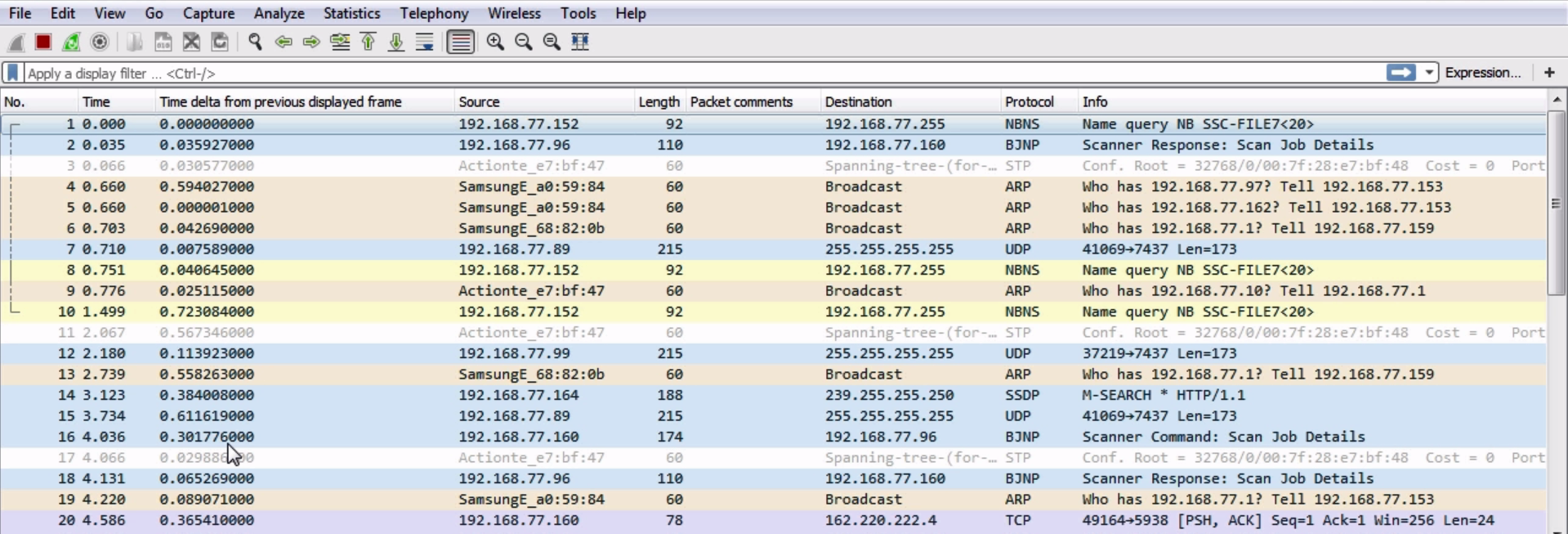
We have the server running, so let's go ahead and try our login attempt. You can see the packets updating and the client's trying to connect, and you can see that it has failed. So we'll stop that and also our capture, and then we'll do what we did earlier.

Let's enter tcp.port == 21 and see what happens:

So on the server side, it looks identical. What we're seeing is the source coming into the server as the 152 client, hitting the server's destination IP 160. It's reaching the server at least, so we know that the IP is working correctly. We'll get a SYN, then a retransmission from the client, and then we'll get another retransmission. Obviously, something on the server's not running correctly. Since that's pretty obvious, let's take a look and see whether our FTP server's even running correctly. Let's take a look at our services in here:
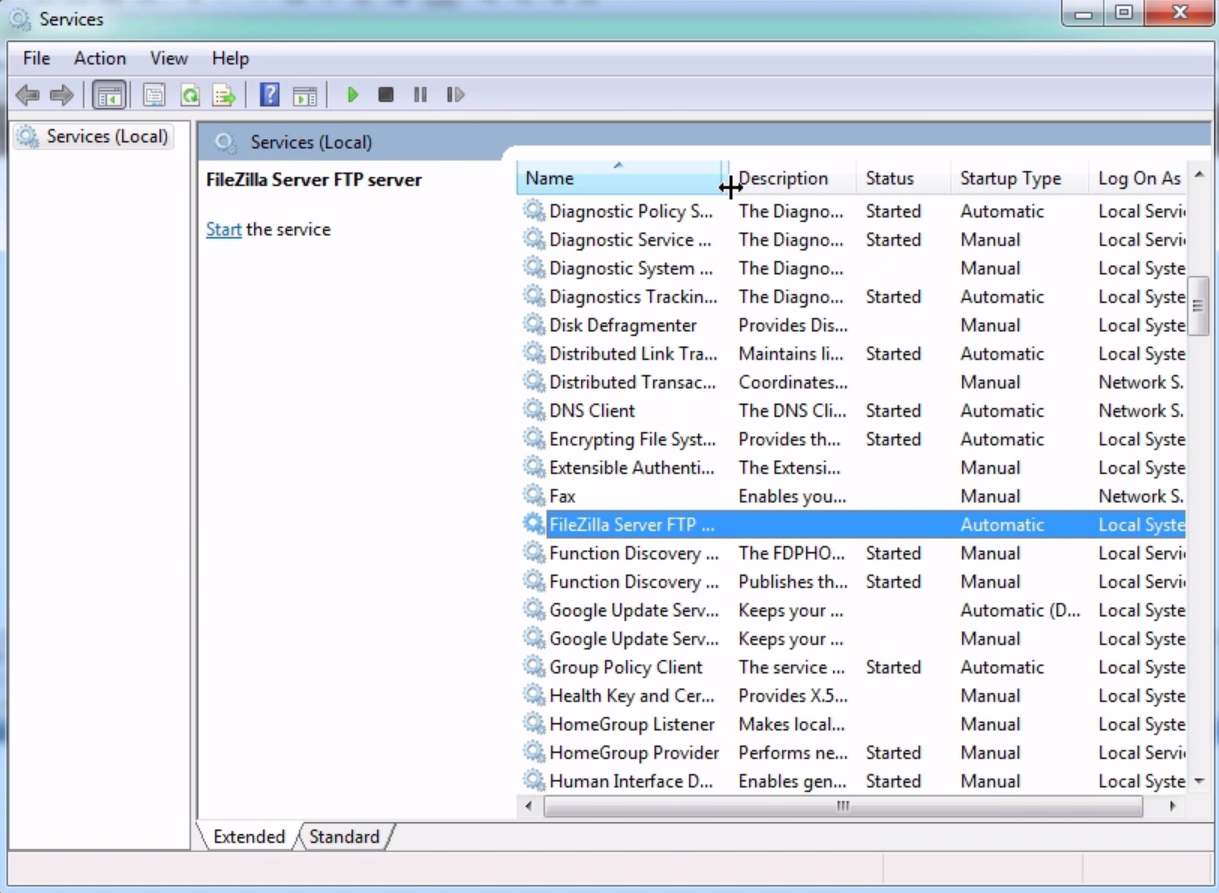
You can see that we have the FileZilla FTP server that's supposed to be running, but it's not started. Let's go ahead and start this service:
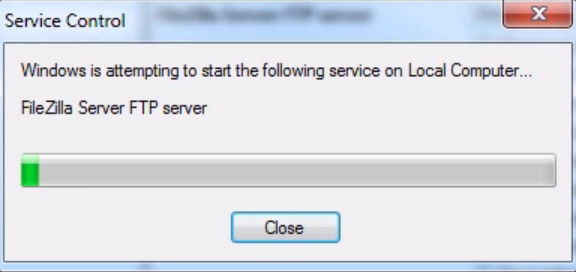
Now our server's running and we know that everything looks good; we'll refresh just to make sure; then, let's go ahead and start another capture on the server.

From the client, we will begin a connection, and we can see this:

So we have a SYN, a retransmission again, and another retransmission. The server is running and the service is operational. What we can also do is check our ports that are listening on the server with netstat -an:

netstat -an

Now, let's take a look at port 21:
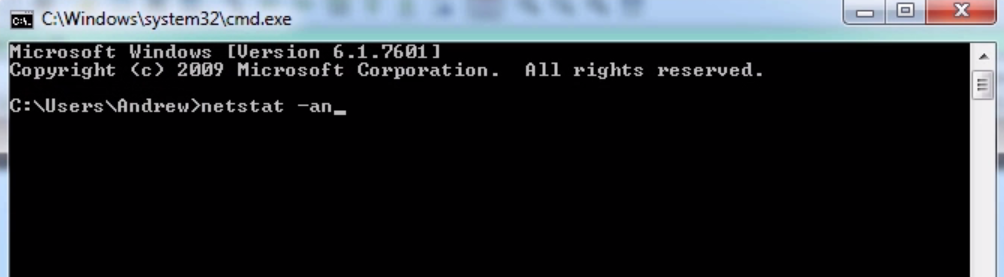
We can see here that we do have port 21 listening on the server, so the service is running correctly. It looks like we'll need to investigate the server a little bit further, and take a look at the packet capture once we eventually get this SYN connectivity issue resolved in the next section.

Now we'll actually perform these packet captures. We'll dive into the diagnostics of our connection issue with FTP here a little bit further.