
In this section, we'll take a look at diving into the captured packets and taking a look at how that FTP server is causing some sort of problem with our connectivity. In our last section, we saw some of the basic settings to make sure that the service was running for the FTP server. We took a capture from the client and saw that there was a TCP SYN with some retransmits, so port 21 was not answering. Then, when that service was up and running, we took a look at the server side again and saw that there was still a TCP SYN with some retransmits. There's still something on the server that's not working correctly, and we know it's on the server side (at least, seemingly) because there's a TCP SYN that is arriving at the server. If it's arriving at the server, it's getting through the firewalls at both ends of the connection; it's getting through the routing on the internet, so we know we're getting partway there, but there's something on the server that's not quite right.
Let's try a connection from the client: just make sure nothing has changed:
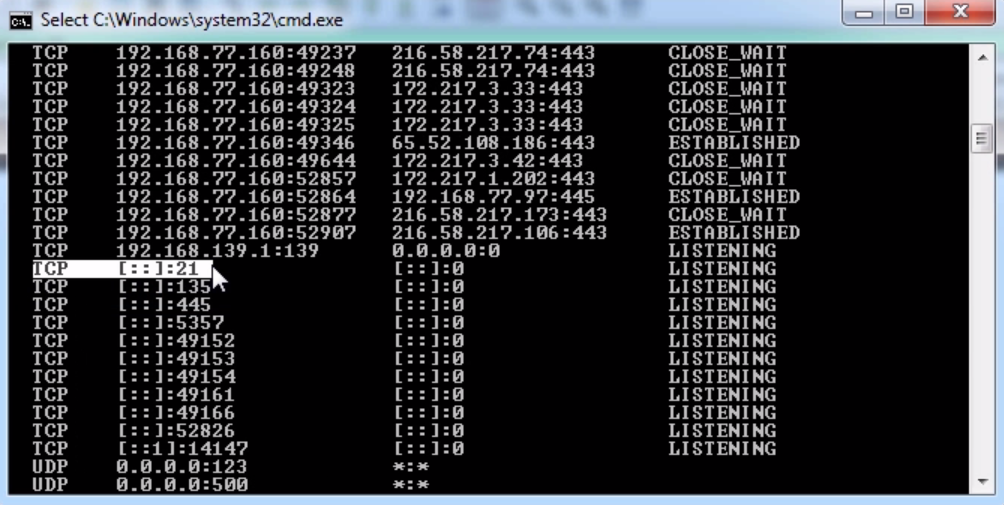
We see our TCP SYN come in, and we have two retransmits from the client. At that point, the client gives up and states that it cannot connect. Since this server is running on Windows, we should take a look at whatever on Windows might be blocking port 21 from responding. So we know the service is running, and we looked at netstat -an last time and we saw that port 21 was listening, so that's all good; but something else in the system is blocking it.
If we take a look at the Windows Firewall settings, we see that our firewall is on:
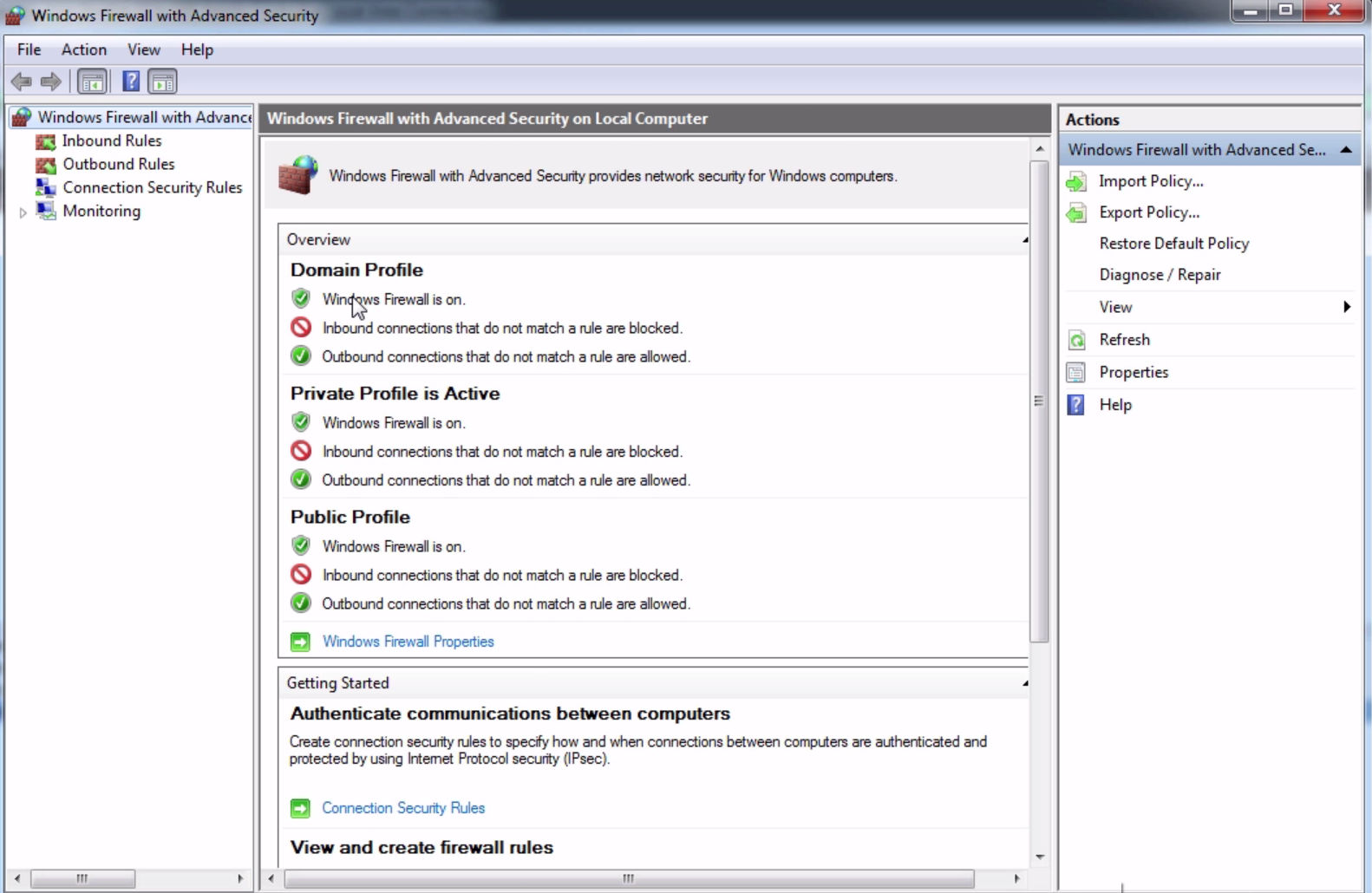
It is most likely that the firewall is blocking it, because the FTP server did not put an exception into the firewall rule. We can create an inbound rule for port 21, or we can just go ahead and disable it for the sake of testing.
For now, we'll just turn this Off:
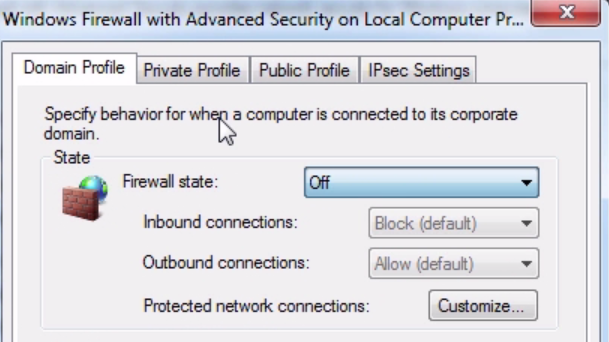
We will do that on all of the profiles.
Now, let's go ahead and do another connection attempt. We will start the connection from the client:
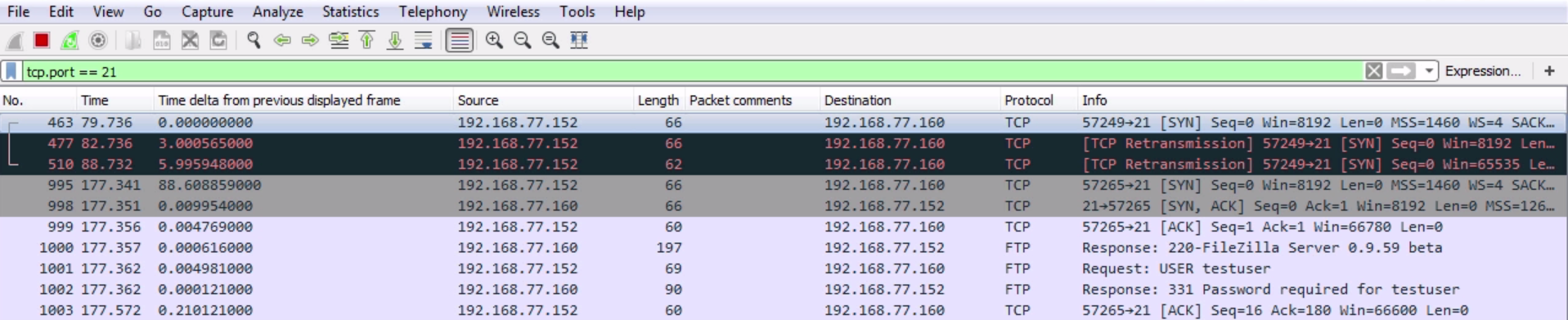
Now, we can see that we have some FTP traffic. So finally, our client is able to connect partially. On the client side, it's currently telling me that it wants a password. We can see that we have [SYN, ACK] and [ACK] for the TCP handshake. Then the server responds, and says it's running the FileZilla server. My client then requests that it logs in with the testuser, and then the server responds, saying that a password is required. My client then acknowledges that request.
So now, let's go ahead and try to log in with the credentials that the client received:

You can see at the bottom that we've actually got testuser and password. Let's log in with the credentials that the client was provided with. You will get a access denied error, so the client still can't connect correctly. After fixing two different things, the client still cannot connect. Let's go ahead and look in our packet capture here, and see if we can find out why:
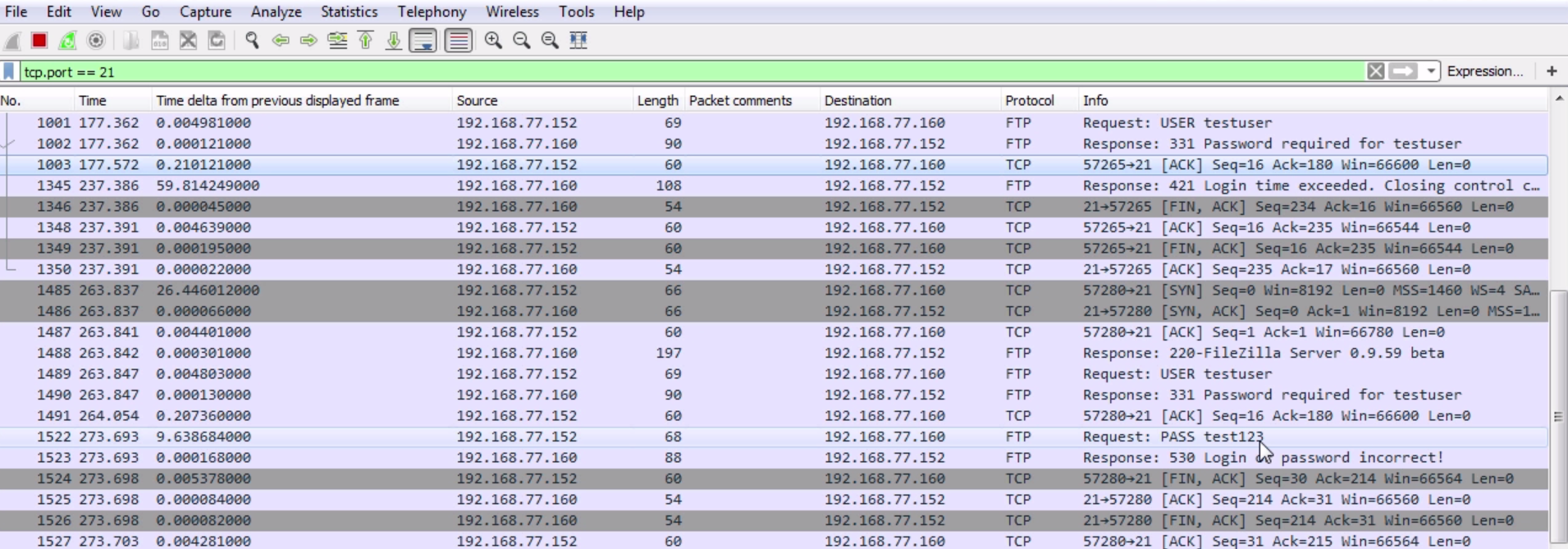
So we have our SYN; SYN, ACK; and ACK—the server responded. We tried to log in with testuser. The server says: log in with a password. We acknowledged that. Then the client provides a password test123. Then the server states that the login is incorrect. What we'll need to do is reset the password in the server:
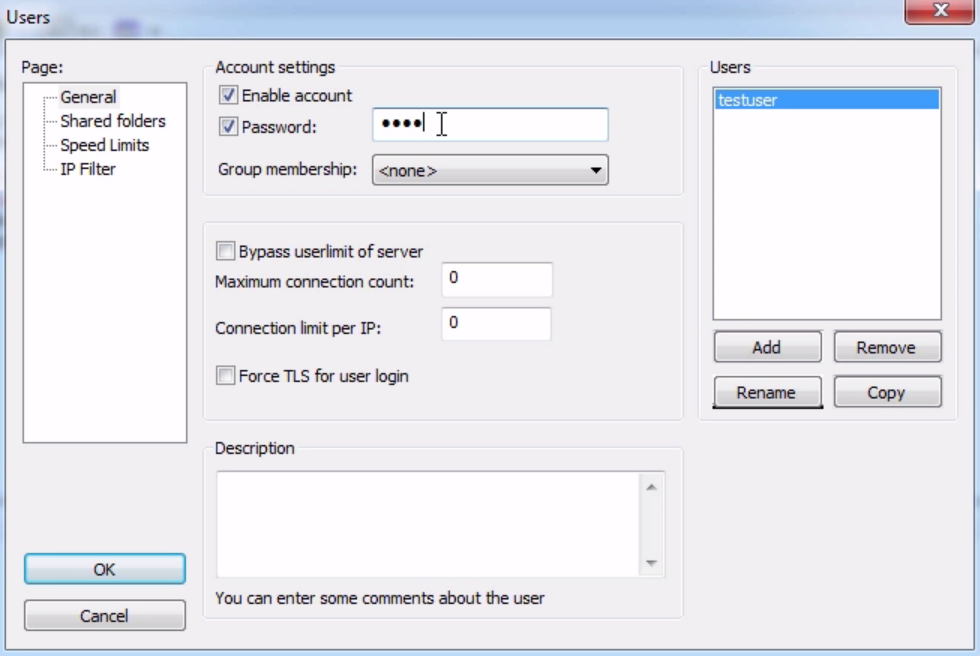
You can see on to the server running FileZilla. Go ahead into the Users section, and we will change the password on this to test123, which is what the client is expecting it to be. Let's go ahead and try that connection again:
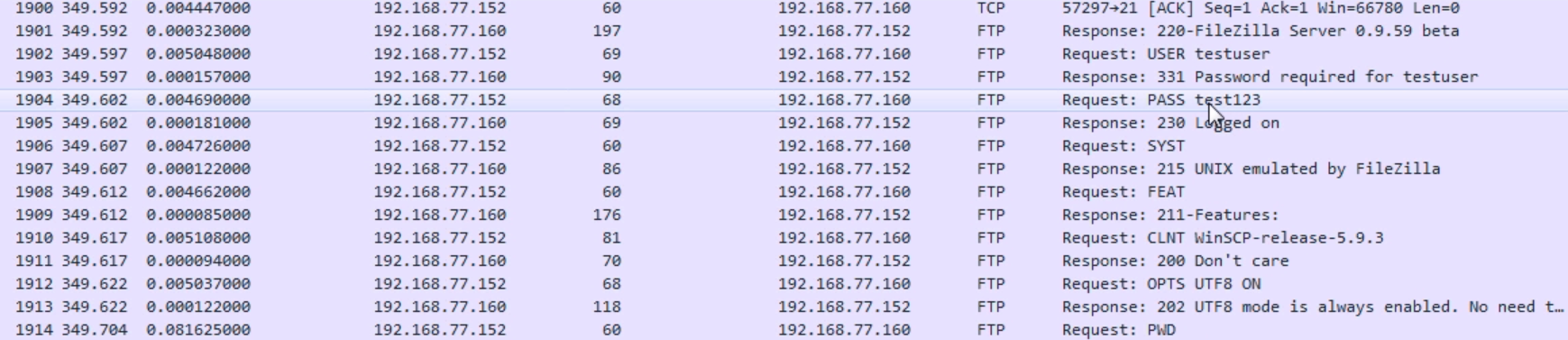
If we take a look here, we can see that we need testuser and password. The test123 password is sent. The server states that it has now logged on—so that was a successful login with the correct credentials. Then, go ahead and continue with the additional commands that we referenced in the prior sections. What we'll do then is disconnect:

We can see that from the client we initiated a finalization, a FIN; ACK; FIN from the server; and acknowledge. We've got the four-way handshake to terminate the connection.