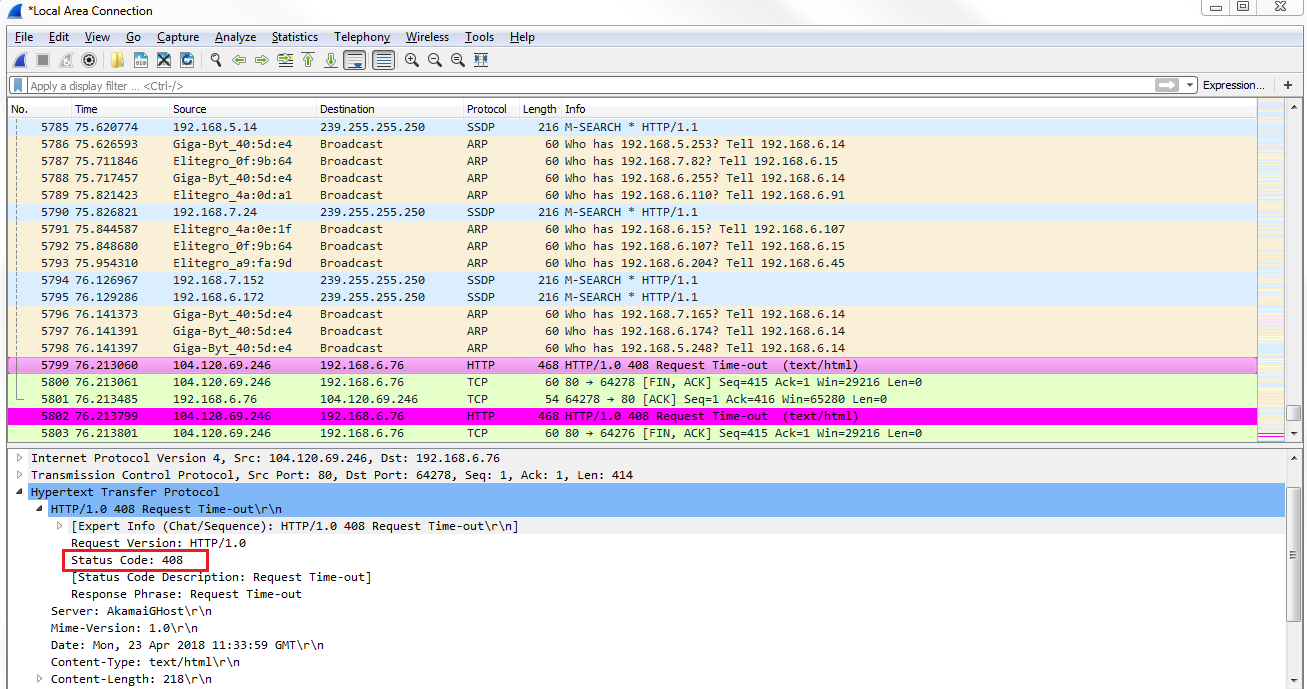
In this example, we will need to open up a web page that is to a nonexistent location on MIT's website, so there should be a response code from HTTP in here stating 404, that it couldn't find that file. What we'll do is create a coloring rule that will easily show that the error message in the packet list will pop out to us:
- Let's go to View | Coloring Rules... and we'll create a custom coloring rule for HTTP response codes by clicking on the plus icon.
- Type in http.response.code > 399 in the Filter column:
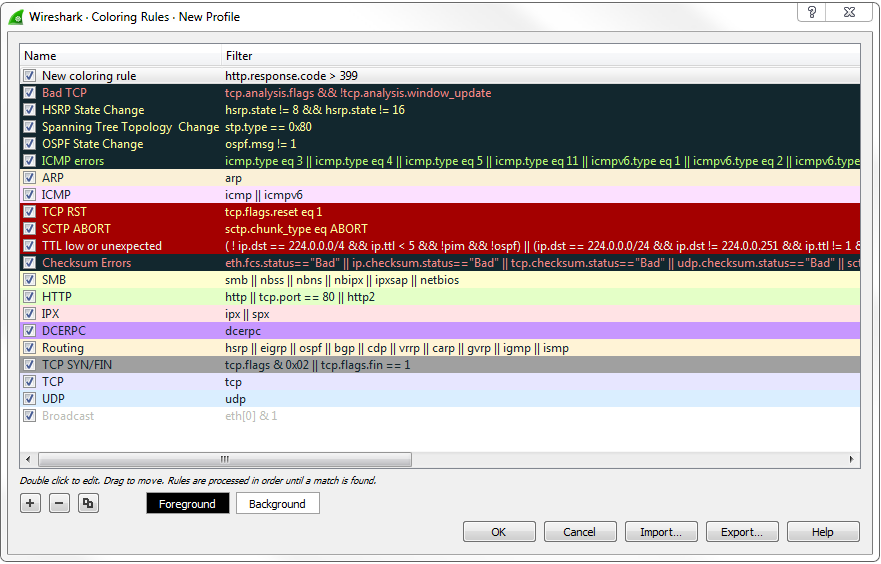
All of the HTTP response codes that are above 400 are server and client errors, in the 400 and 500 range respectively.
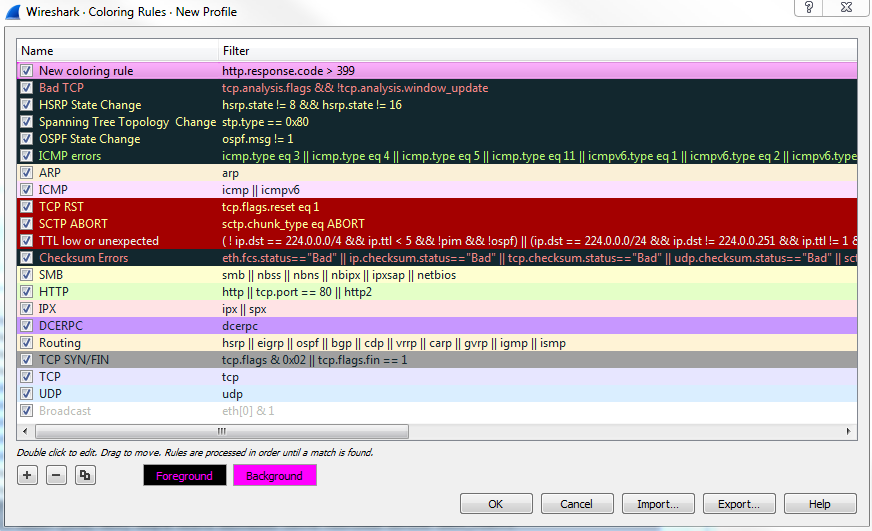
- Since we want to see all of the errors in a very vibrant color, we will make the Background bright pink and the Foreground black. You'll see that's right up at the top there in our list, so that'll be applied first. Let's click on OK:
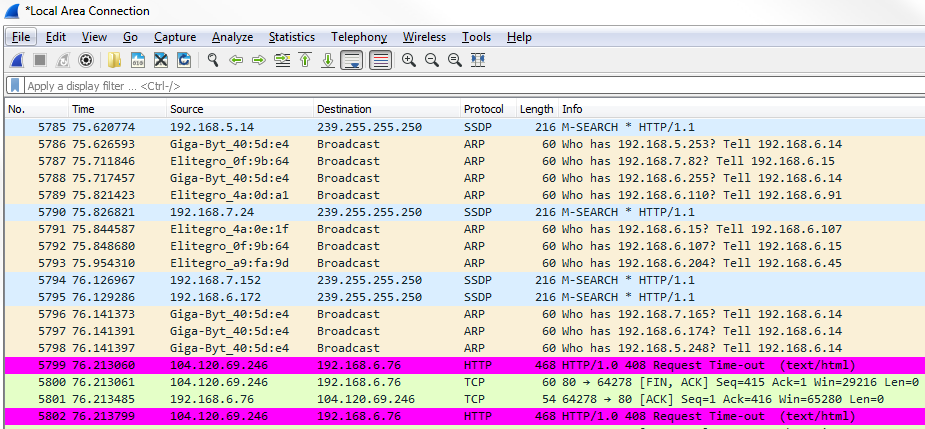
- We'll scroll down through our list looking for that bright pink packet. It pops in real easy and is very visible to us. So, as you can see, it says HTTP/1.1 408 Request Time-out (text/html):
- We can expand it in detail by clicking on Hypertext Transfer Protocol at the bottom and take a look at that. We'll then see the status code of 408: