
In this section, we'll reconstruct and play back VoIP calls and listen to quality issues.
What we'll do is use the same magicJack call that was used in the previous section.
One of the really great features of Wireshark, in addition to all of its many filters and statistics and graphs that it can create, is that it has the ability to play back voice traffic. Some people might find this kind of creepy if you're an end user, that you can listen to someone's phone call, but it is data. Just like we can read all of these commands back and forth, we can read the username and password if it's unencrypted; if the SIP traffic is also unencrypted then we can listen to the phone call, too, just because it's standard data; it just happens to be voice traffic. We can do that in Wireshark very easily.
In order to do that, we opened up our call. We simply go to Telephony | VoIP Calls, and select the call:

After selecting the call, click on Play Streams. And when you click on that, you'll see a histogram of exactly what's going on in the voice call:
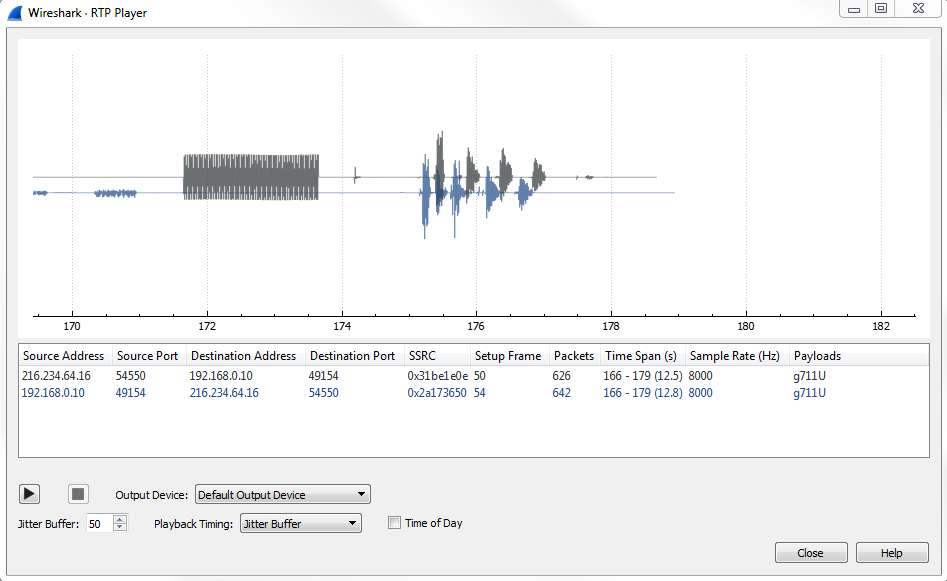
This alone may be able to tell you something about what's going on, once you get used to what certain things look like. If it's a phone that's ringing, or actual words and discussions, you might be able to pick that out just by looking at the histogram shown in the preceding screenshot. And then, of course, you can select one side or the other to bring it to your attention, so you can see what might be occurring on one of these channels or the other, whether it's the source to destination or the destination to the source from one phone to another. What we can do is, leave everything as default, and go ahead and click on the play button.
You can hear the phone ringing, after which it says Test, 1, 2, 3.
You'll see that it played back the audio of the phone call. It played back both directions of that phone call, so we got to hear both the sender side and the receiver side. So, what we had first in the top was one side of the conversation, and then below it is the other side of the conversation. So, that's very useful, to be able to actually hear both sides of the call at the same time. That way, if one user is complaining about something and the other one isn't, you can actually listen to that as if you had both telephones up to both of your ears at the same time.
What you can also do is adjust the jitter in the player, and listen to what that might sound like and what kind of problems might occur.
Now, you will notice that the preceding graph was real-time, and as the audio plays, you will see the playback line go across. This is a relatively clean capture. If there are any problems in the capture, they will show up on this graph, and you'll see them begin to occur as you change things such as the Jitter Buffer. So what we'll do is we'll drop that down to something very low, let's say 5:
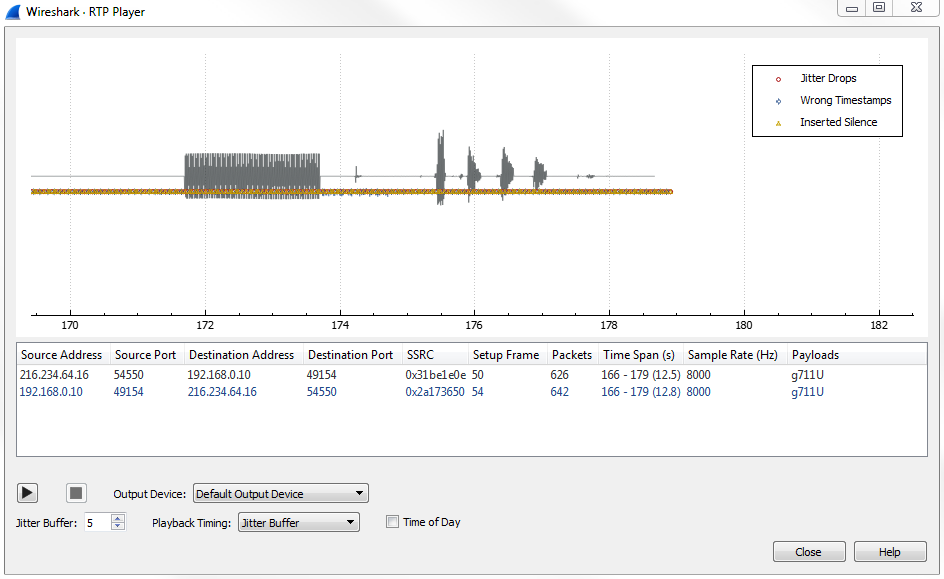
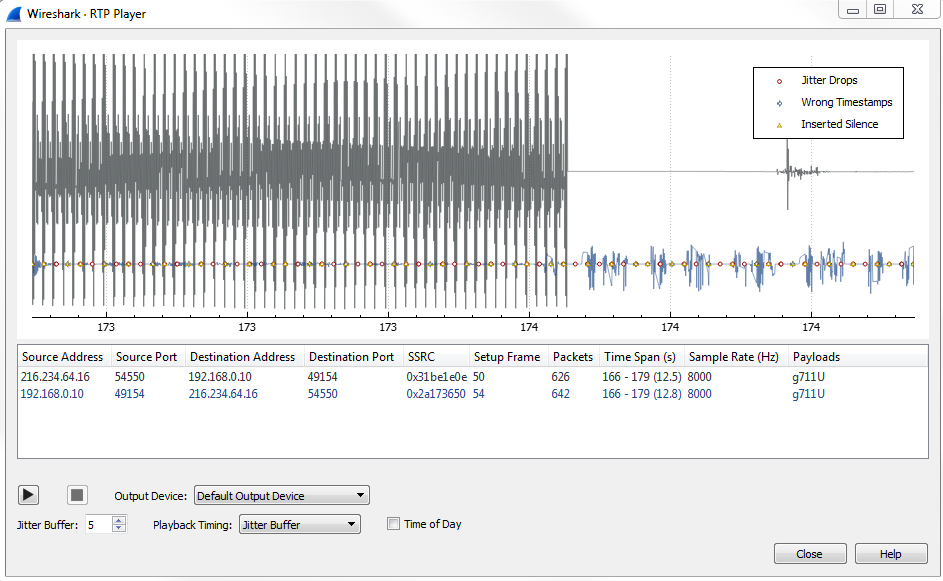
You can already see that we have some silence that was created, as well as some additional errors. If we zoom in, we have some jitter drops that have also been created, and we've actually manufactured some problems in our connection:
And, if you zoom out far enough, you'll see there's that initial ringtone that occurred, which was off screen before:
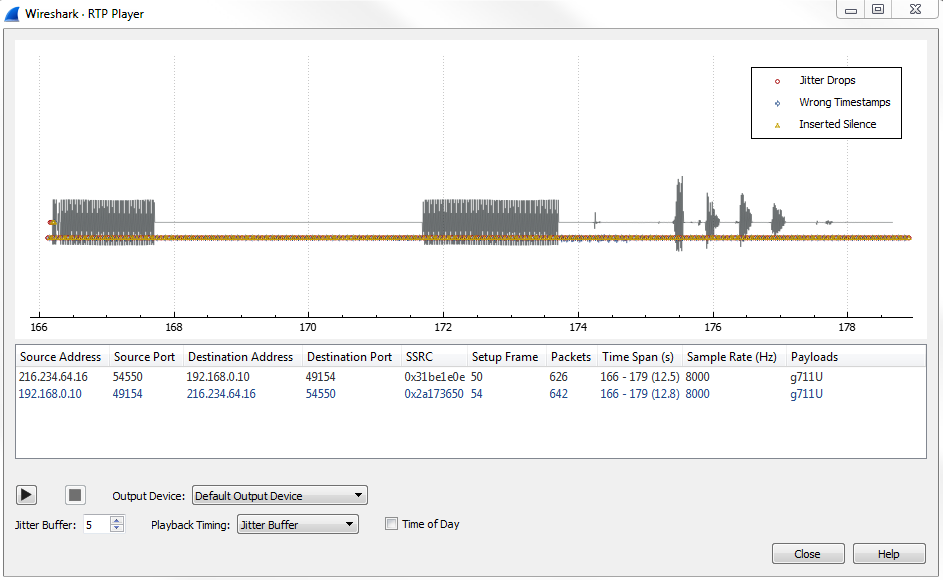
Now that we've inserted all of these problems in our packet capture, let's go ahead and play it.
You can hear the phone ringing and it says Test 1, 2, 3.
This time you should be able to hear that difference. In the beginning of the phone call, we had a bit of a crackly sound. As the phone was ringing we also had some kind of dropped packets there; you could hear it kind of was crackly and didn't sound that great. And the voice in the beginning there also had some words that were kind of clipped and missing. Additionally, one side is completely silent. If you remember looking at the histogram, there was a duplicate of each word in the test 1, 2, 3. One side is now completely silent; it's dropping all of that and is now completely missed because there are too many problems in the jitter. So this is a great tool to use to be able to recreate different problems and be able to listen to what they actually sound like in real life.