One of the helpful sections in here is the Layout section, underneath Appearance:
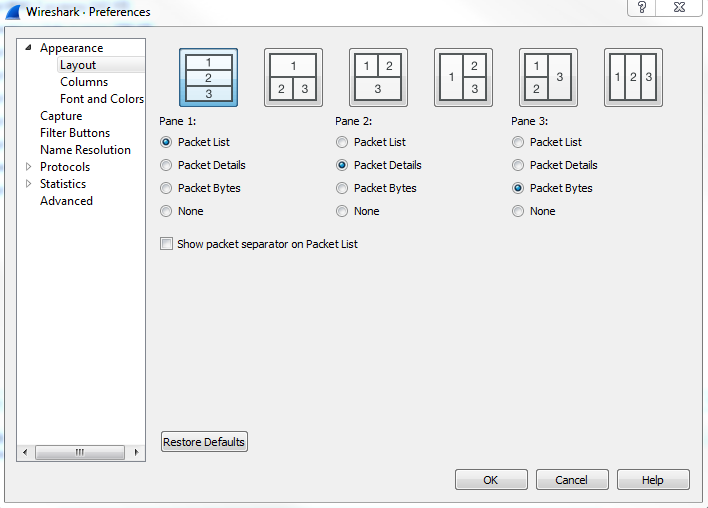
In the Layout section, you can change what that default view looks like within Wireshark. You might have noticed that, as I've done captures previously in this book so far, that the Layout section breaks the default view up in Wireshark into three panes, and the three panes are on top of each other. The top one being the list of packets, the middle one being the details of a selected packet, and the bottom one being the bytes. If you don't like that and you want to change how it looks, either the overall organization or removing one of these panes, you can do that here; you can see a number of options across the top as to how you might want things broken up. You could also change which information goes in which pane, and whether or not you even want any to show up, as some people don't really care about the packet bytes, but only about the list and the details. You can certainly go and turn off the Packet Bytes if that's not something that you need.