Table of Contents for
Gaming Hacks
 Gaming Hacks
Published by
O'Reilly Media, Inc., 2004
Gaming Hacks
Published by
O'Reilly Media, Inc., 2004
- Cover
- Gaming Hacks
- Credits
- Contributors
- Acknowledgments
- Foreword
- Preface
- How to Use This Book
- How This Book Is Organized
- Conventions Used in This Book
- Using Code Examples
- Comments and Questions
- Got a Hack?
- 1. Playing Classic Games
- Legal Emulation
- Play Commodore 64 Games Without the C-64
- Play Atari ROMs Without the Atari
- Use Atari Paddles with Your PC
- Run Homebrew Games on the Atari 2600
- Create Your Own Atari 2600 Homebrew Games
- Play Classic PC Graphic Adventures
- Play Old Games Through DOSBox
- Play Reissued All-in-One Joystick Games
- Play Arcade Games Without the Arcade
- Add and Manipulate a MAME Frontend
- Keep Your ROMs Tidy and Organized
- Learn Game-Specific MAME Controls
- Filter Inappropriate MAME ROMs
- Autoboot into MAME Heaven
- Play Emulated Arcade Games Online
- Play Classic Pinball Without the Table
- Emulate the SNES on the Dreamcast
- 2. Playing Portably
- Play Games on Your iPod
- Mod Your Game Boy
- Take and Print Photos with Your Game Boy
- Compose Music on Your Game Boy
- Explore the GP32 Handheld Gaming System
- Take Your Console with You
- Explore the Bandai WonderSwan
- Play Real Games on Your PDA
- Install a PlayStation 2 in Your Car
- 3. Playing Well with Others
- Practice Proper MMORPG Etiquette
- Understand MMORPG Lingo
- Grind Without Going Crazy
- Make a Profit in Vana’diel
- Write MMORPG Macros
- Build an Effective Group
- Catch Half-Life FPS Cheaters Redhanded
- 4. Playing with Hardware
- Build a Quiet, Killer Gaming Rig
- Find and Configure the Best FPS Peripherals
- Adapt Old Video Game Controllers to the PC
- Choose the Right Audio/Video Receiver
- Place Your Speakers Properly
- Connect Your Console to Your Home Theater
- Tune Console Video Output
- Tune Your TV for Console Video
- PC Audio Hacking
- Optimize PC Video Performance
- Build a Dedicated Multimedia PC
- Use a Multimedia Projector for Gaming
- 5. Playing with Console and Arcade Hardware
- Play LAN-Only Console Games Online
- Hack the Nuon DVD Player/Gaming System
- Play Import Games on American Consoles
- Find a Hackable Dreamcast
- Play Movies and Music on Your Dreamcast
- Hack the Dreamcast Visual Memory Unit
- Unblur Your Dreamcast Video
- Use Your Dreamcast Online
- Host Dreamcast Games Online
- Burn Dreamcast-Compatible Discs on Your PC
- Burn Dreamcast Homebrew Discs
- Buy Your Own Arcade Hardware
- Configure Your Arcade Controls, Connectors, and Cartridges
- Reorient and Align Your Arcade Monitor
- Buy Cart-Based JAMMA Boards
- Programming Music for the Nintendo Entertainment System
- 6. Playing Around the Game Engine
- Explore Machinima
- Choose a Machinima Engine
- Film Your First Machinima Movie
- Improve Your Camera Control
- Record Game Footage to Video
- Speedrun Your Way Through Metroid Prime
- Sequence-Break Quake
- Run Classic Game ROM Translations
- Change Games with ROM Hacks
- Apply ROM Hacks and Patches
- Create PS2 Cheat Codes
- Hack Xbox Game Saves
- Cheat on Other Consoles
- Modify PC Game Saves and Settings
- Buff Your Saved Characters
- Create Console Game Levels
- 7. Playing Your Own Games
- Adventure Game Studio Editing Tips
- Create and Play Pinball Tables
- Put Your Face in DOOM
- Create a Vehicle Model for Unreal Tournament 2004
- Add a Vehicle to Unreal Tournament 2004
- Modify the Behavior of a UT2004 Model
- Download, Compile, and Create an Inform Adventure
- Decorate Your IF Rooms
- Add Puzzles to Your IF Games
- Add Nonplayer Characters to IF Adventures
- Make Your IF NPCs Move
- Make Your IF NPCs Talk
- Create Your Own Animations
- Add Interactivity to Your Animations
- Write a Game in an Afternoon
- 8. Playing Everything Else
- Tweak Your Tactics for FPS Glory
- Beat Any Shoot-Em-Up
- Drive a Physics-Crazed Motorcycle
- Play Japanese Games Without Speaking Japanese
- Back Up, Modify, and Restore PlayStation Saved Games
- Access Your Console’s Memory Card Offline
- Overclock Your Console
- Index
- Colophon
Know the hardware to buy when it comes to playing arcade games.
Having your own, personal arcade machine is a very cool thing, and there are several ways you can make this a reality. Of course, there are plenty of intricacies to deal with; for example, what’s the JAMMA standard? Should you buy a large American cabinet at auction or hold out for a sweet sit-down Japanese minicabinet? Even if you’re not interested in the titanic task of building an arcade cabinet from scratch, there’s still plenty to learn about buying, understanding, and customizing your own arcade hardware.
If you’re starting from scratch and know absolutely nothing about arcade machine hardware, think of an arcade machine as a big games console and the games as cartridges. Simply open your cabinet, plug in the cartridge (the circuit board containing the game), and turn on the cabinet to play that game. You don’t need any detailed electrical knowledge at all.
However, the console/cartridge analogy doesn’t quite hold water because there’s no built-in CPU in the arcade machine itself; the arcade game circuit board is a self-contained computer that has all the gaming hardware needed to play that game. Obviously, this makes arcade games potentially expensive propositions. Imagine buying a whole new PlayStation 2 every time you want to play a new game! Fortunately, because arcade operators very quickly switch games, there’s a flood of older titles that nobody except collectors want, so secondhand prices for arcade boards are relatively reasonable.
Although there was a mess of conflicting standards early in the life of the arcade machine, the Japanese Amusement Machine Manufacturer Association, or JAMMA, introduced a standard in the mid ’80s that most games have since followed. If you have a JAMMA cabinet, you can easily swap Final Fight for Bad Dudes Vs. Dragon Ninja, because they both connect to your cabinet using the same pin-based connector.
However, there are custom variants of the JAMMA standard. Some recent games, usually with custom controllers or cabinets, don’t adhere to JAMMA at all. You can still go a long way by buying a JAMMA cabinet, though. Browse the Killer List Of Videogames (http://www.klov.com/index.php) to see the percentage that support JAMMA and you’ll see what I mean.
If you’re really a classic-game fan, you have to accept that Pac-Man won’t easily play in the same cabinet as Q-Bert, because they both use nonstandard, non-JAMMA connectors. If your classic games have fairly standard controls, you may be able to find JAMMA adaptors for each in places such as the Multigame.com web site (http://www.multigame.com/KITS.HTM), but it’s really not straightforward. Worse yet, Pac-Man cartridges rarely exist outside of Pac-Man cabinets, and it’s the artwork of classic cabinets that makes them particularly good-looking. You may do best buying specific old arcade titles as separate machines, then buying a generic JAMMA cabinet for everything else.
The other alternative for running those classic arcade titles is to run the MAME emulator through JAMMA. See the PC2JAMMA project (http://www.mameworld.net/pc2jamma/) for more information. Heck, you could skip the JAMMA step altogether and make a fake arcade machine. It’s not the real thing, of course, though it’s workable. It’s also ethically and legally dubious unless you own the original boards or run legal ROMs from places such as StarROMs.
You’ve made the momentous decision to buy a JAMMA cabinet somehow. What are your options, and how much will they cost you? The following sections describe what’s available.
If you’re looking for a JAMMA cabinet originally constructed in the States—the larger, stand-up, heavy arcade cabinets, generally made of wood, that you’ll see in your local game room or bar—then you have a few choices. Go on eBay, find a live auction, or talk to your local arcade operator.
Because eBay has a Location/International option in its advanced search that will find items local to you, you can search for arcade cabinets in your area. Be aware that shipping cabinets can be as or more expensive than the cabinet itself—even brief freight trips to you, the lucky buyer, can cost over $300. If you can manage it, try to buy a cabinet you can pick up yourself.
You may need to do some detective work to see if the cabinet in that perfect eBay auction supports JAMMA. Search for information on the game currently working in the cabinet with KLOV (http://www.klov.com/index.php). Many cabinets that include games won’t have the phrase “JAMMA compatible” in their listings, even though they actually are.
Make a note of the button configuration, too. The basic JAMMA setup supports two players with three buttons per player as well as a Start button. If the cabinet you’re bidding on has fewer buttons, you may have trouble playing standard JAMMA games without modifying your control panel.
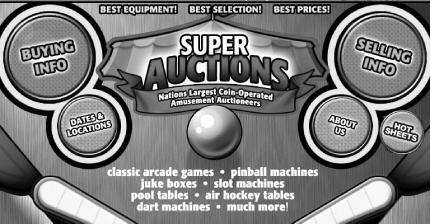
As for auctions, Super Auctions (http://www.superauctions.com/, shown in Figure 5-7) is probably the most famous regular arcade game auctioneer in the United States. It holds multiple yearly auctions across the country. Prices range from a hundred to over a thousand dollars, depending on the size and quality of the cabinet and the ferocity of the bidding.
Finally, it might be worth going into your local (perhaps slightly run-down) arcade to see if there are any old cabinets the owner might sell cheaply. Unfortunately, given the upkeep of a lot of these establishments, you may not find a perfectly preserved artifact, but it’s better than nothing.
Although the mid- and late-’90s Japanese arcade cabinets that made their way to the States have the same basic design and no region lockouts, they have quite a different style and form factor than American cabinets. To start with, they’re generally made of metal and are much shorter, so players sit, not stand, at them. They also have larger monitors—at least 25 inches diagonally—and have generic, good-looking decals on the sides that should suit almost any game you put in them. If you can deal with sitting down to play and sometimes being uncomfortably close to your fellow player when dueling in two-player combat due to the smaller size, then Japanese cabinets are the stylish, cool-looking choice for the JAMMA acolyte in a hurry. Remember, you can play American games in Japanese cabinets and vice versa.
Finding Japanese cabinets is a little trickier than old American cabinets, though. The vast majority of these cabinets enter the United States via container ships steaming into Los Angeles. You’ll always find at least one seller on eBay selling generic Japanese JAMMA cabinets. Prices start at around $250 for 25-inch monitor models and can reach $700 or more for deluxe 29-inch versions. These cabinets are actually branded around specific arcade game manufacturers, but will work for all JAMMA titles nonetheless.
Some common Japanese cabinet brands turning up in the States include the Sega Aero City and Astro City, the quirky but excellent-looking Taito Egret, and a variety of SNK Candy cabinets that come ready with the extra JAMMA connections to play Neo Geo games. Most of these cabinets sell without any included games, incidentally. Unlike the majority of U.S. arcade cabinets, which started life with a specific game inside, Japanese cabinets are completely generic by design.
The biggest problem with buying Japanese cabinets is probably location, location, location. Unless you live close to Los Angeles, you’ll probably spend $300 to $500 just to ship the cabinet to your house. The problem is similar to that of buying nonlocal American cabinets, which means that the relatively competitive pricing on these Japanese-imported cabinets becomes uncompetitive pretty quickly. Many collectors think the extra shipping is still worth it to pick up good-looking, versatile Japanese cabinets, though.
Cabinet building is an extremely complex topic all on its own, admirably covered in another O’Reilly Hacks title, Hardware Hacking Projects For Geeks, which you should check out at your leisure. Suffice to say that many cabinet-building projects don’t include JAMMA connections; they are set up for the player to simply put a PC and a normal computer monitor into the cabinet and pretend like it’s a real arcade machine. I call that cheating, but your mileage, naturally, may vary.
Anyhow, if you want to build a cabinet and then build JAMMA connections into it, the ArcadeRestorations.com site has a good explanation of how to go from an empty cabinet to a JAMMA cabinet (http://www.arcaderestoration.com/index.asp?OPT=3&DATA=63&CBT=24). This page explains the full, if complex, wiring setup you’ll need.
Safety is really important, even if you’re just buying an already constructed video game cabinet, so bear in mind that you shouldn’t interfere with the innards of the machine while it’s turned on. Make sure the machine is properly electrically grounded (many Japanese machines are not, as they use two-pronged plugs only), and especially avoid the back of the monitor, even when the machine is off. In most arcade machines, if you have the keys to open the cabinet and are dumb enough to wiggle your hands into the dangerous parts around the back of the monitor, there’s enough voltage to kill you.
Be careful, and by all means touch the adjustment knobs often situated around the back of the arcade monitor, but try not to expire in the name of playing arcade-perfect Street Fighter II.