
You'll be presented with a screen where we can configure the VPS. The first section on that screen is Choose an image, which is where we select the Linux distribution we want our VPS to run on. We are going to select the Ubuntu 18.04 x64 option for our VPS.
We picked 18.04 because it is a Long Term Support (LTS) version, which means it will receive hardware and maintenance updates for five years, whereas standard Ubuntu releases are only supported for nine months. This is important for enterprise-level services because it ensures any security vulnerabilities or performance updates are treated as priority over other standard releases:
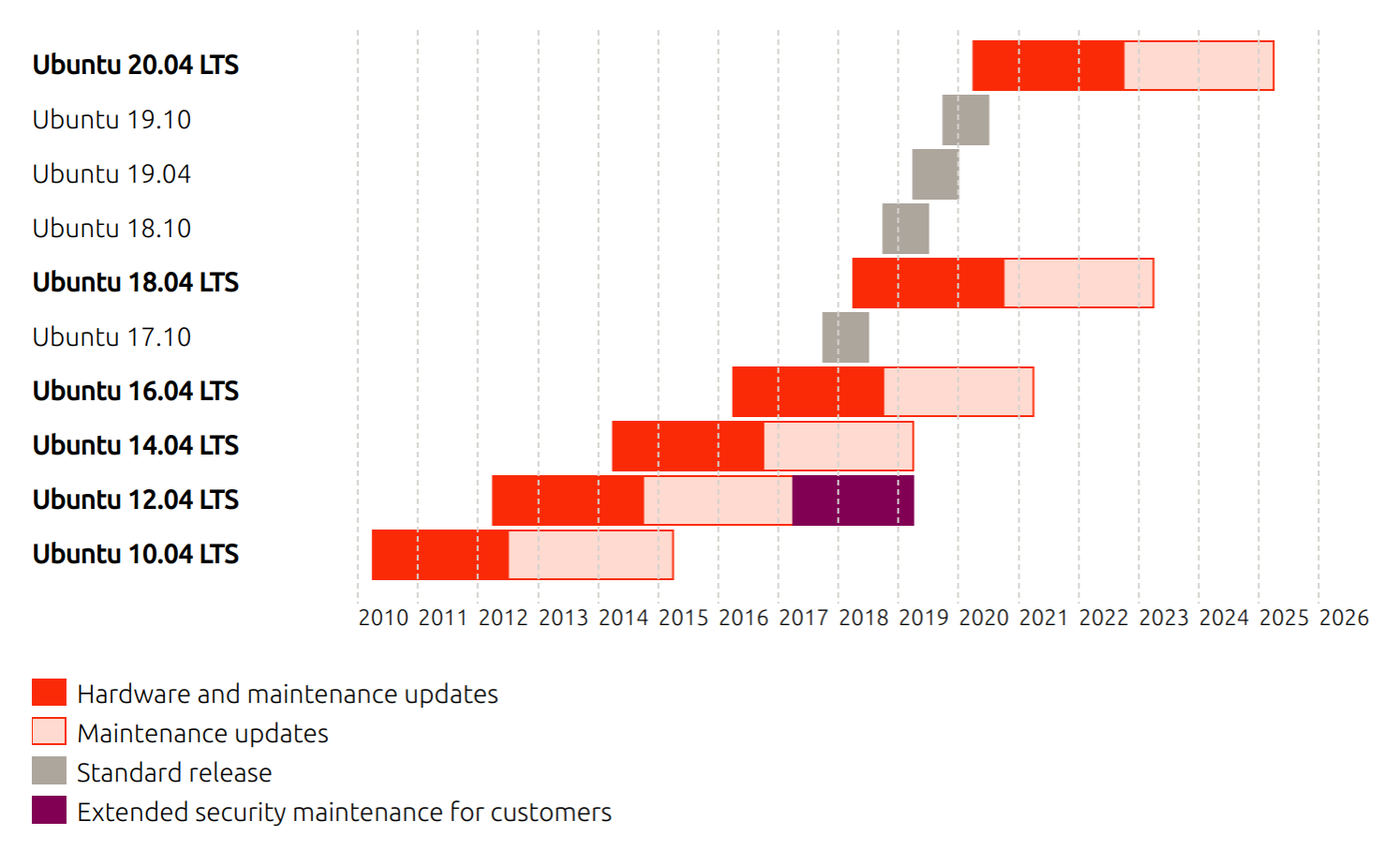
This diagram is reproduced from the Ubuntu lifecycle and release cadence page on the Ubuntu website (ubuntu.com/about/release-cycle)