
The Swagger UI source files are located in the dist/ directory of the official repository. The official way of generating documentation UI for our own specification is to download the Swagger UI source files from github.com/swagger-api/swagger-ui/releases and statically serve the page at dist/index.html.
However, it'll more preferable to have the source code of the web UI in the same repository as our API. A naive approach would be to download the latest source files for Swagger UI from github.com/swagger-api/swagger-ui/releases, unpack the contents, and copy the contents of the dist/ directory into a docs/ directory inside our repository. However, this requires us to manually update the contents of the docs/ directory each time there's an update on Swagger UI; obviously, that's not ideal. Luckily, there's a cleaner way of achieving the same thing using Git submodules. Run the following at our project's root directory:
$ git submodule add https://github.com/swagger-api/swagger-ui docs
Locally, this will download the entire contents of the Swagger UI repository and save it into the docs/ directory at the root of your project. However, in Git, only the .gitmodules file and a small docs file is tracked:
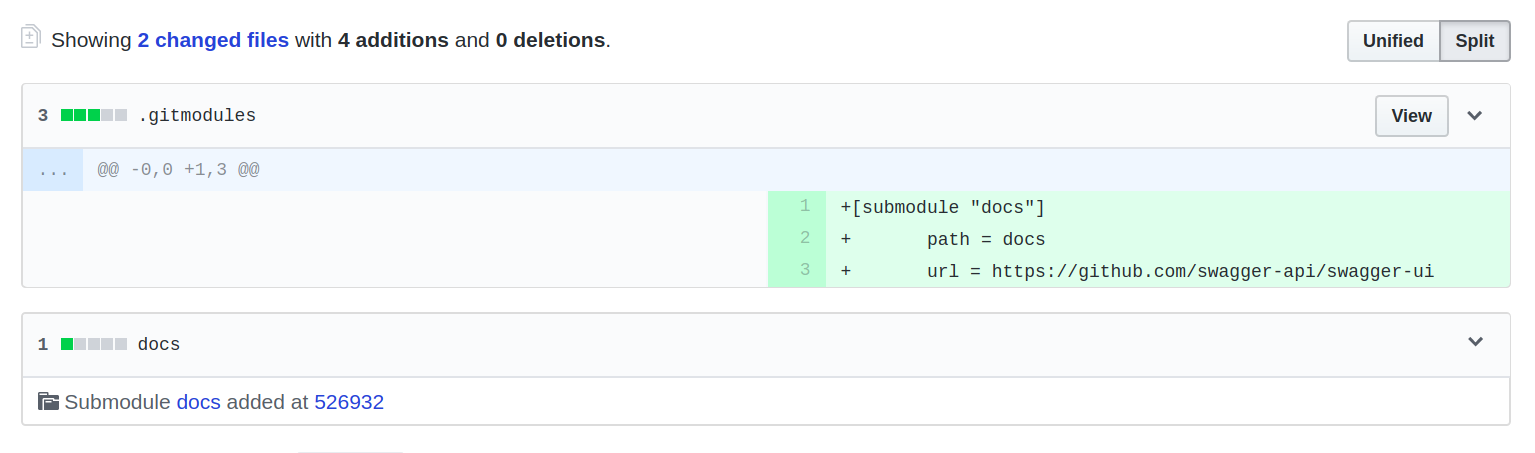
This keeps our Git repository clean, and tracks only code which is our own (and not third-party code). When we want to update to the latest version of Swagger UI, all we have to do is update the Git submodule:
$ git submodule update --init --recursive
We can add the update script as an npm script to make it easier to remember:
"docs:update": "git submodule update --init --recursive"