
Lastly, let's go into our remote server and deploy our documentation site. We do this by pulling in our changes and installing the dependencies.
$ ssh hobnob@142.93.241.63
hobnob@hobnob:$ cd projects/hobnob/
hobnob@hobnob:$ git fetch --all
hobnob@hobnob:$ git reset --hard origin/master
hobnob@hobnob:$ yarn
Next, we'll also need to generate a new set of keys and set the SWAGGER_UI_* environment variables inside the .env file:
SWAGGER_UI_PROTOCOL=http
SWAGGER_UI_HOSTNAME=docs.hobnob.social
SWAGGER_UI_PORT=80
PRIVATE_KEY="..."
PUBLIC_KEY="..."
Then, run the docs:update script to generate the static files which would be served by NGINX. To give NGINX access to these files, we should also update the owner and group of the docs directory to nginx:
hobnob@hobnob:$ yarn run docs:update
hobnob@hobnob:$ sudo chown -R nginx:nginx ./docs/*
Then, restart the API server:
hobnob@hobnob:$ npx pm2 delete 0
hobnob@hobnob:$ yarn run serve
After this, add a new virtual host definition at /etc/nginx/sites-available/docs.hobnob.social:
server {
    listen 80;
    server_name docs.hobnob.social;
    root /home/hobnob/projects/hobnob/docs/dist;
    location / {
        index index.html;
    }
}
This will simply ask NGINX to serve the static files at /home/hobnob/projects/hobnob/docs/dist. Then, to enable this server block, link it to the /etc/nginx/sites-enabled/ directory and restart NGINX.
hobnob@hobnob:$ sudo ln -s /etc/nginx/sites-available/docs.hobnob.social /etc/nginx/sites-enabled/
hobnob@hobnob:$ sudo systemctl restart nginx.service
Lastly, go to the DigitalOcean administrative panel and add an A record for docs.hobnob.social, pointing to our server:
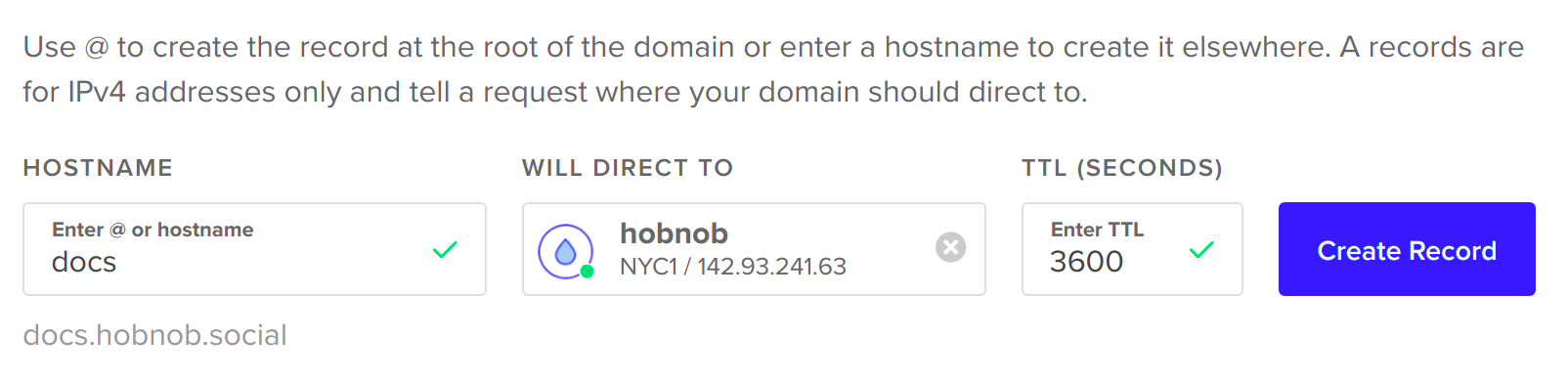
Now, you should be able to see our documentation at docs.hobnob.social!