
If you've ever used CoffeeScript, JSX is similar to that. You can't run CoffeeScript in the browser; you must first transpile it to JavaScript. Or if you've used a CSS preprocessor, such as Sass, JSX is also similar. Sass features such as @include or @extend are not valid CSS, and you must use a preprocessor to transform Sass to CSS. The same is true for JSX; we must use a transpiler/preprocessor to transform it into plain JavaScript.
For JSX, the most popular transpiler is the Babel transpiler, which we have already used when developing our API. In a way, you can think of JSX in the same way as newer ECMAScript syntax. Some ECMAScript features are not supported in the browser, and therefore we must transpile it down into JavaScript that the browser can understand. JSX is not supported in the browser, and therefore, we must transpile it down to JavaScript that is supported by the browser.
To see how Babel transforms JSX into JavaScript, we can use the Babel REPL, available at babeljs.io/repl/. Open it up, and paste in everything inside our <script> tag. You should see the transpiled JavaScript on the right:
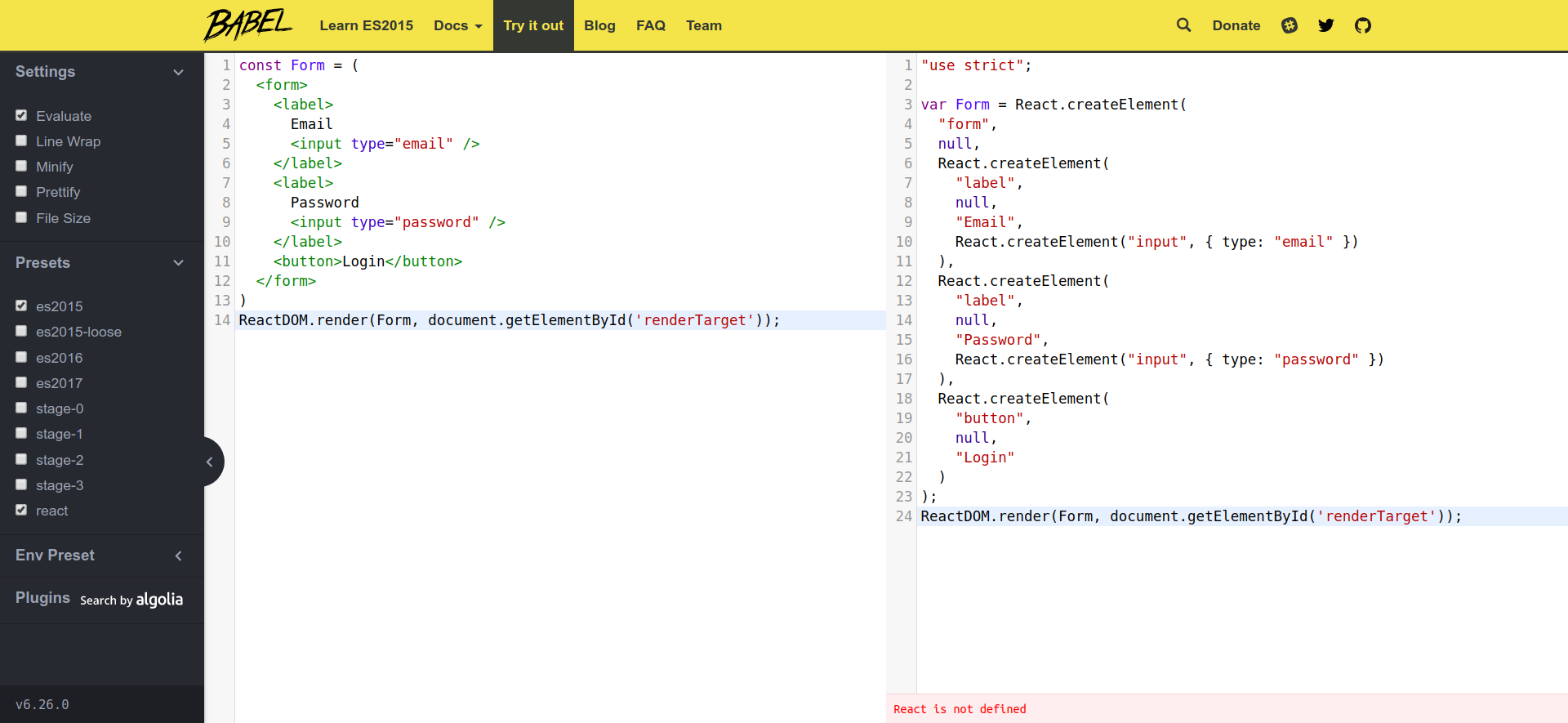
On the server, we used Babel to precompile our code from the src/ directory to the dist/ directory. On the client, we can transpile JSX directly inside the browser itself. To do that, we need to include the Babel Standalone Library as a script inside the <head> tag:
  ...
  <script crossorigin src="https://unpkg.com/react-dom@16/umd/react-dom.production.min.js"></script>
  <script src="https://unpkg.com/@babel/standalone@7.1.0/babel.min.js"></script>
</head>
...
We also need to change our <script> tag to include the attribute type="text/babel".
<body>
  <div id="renderTarget"></div>
  <script type="text/babel">
    ...
  </script>
</body>
The type="text/babel" attribute tells our browser to not treat what's inside as JavaScript, but as plain text. This means our JSX would no longer throw an error. The Babel Standalone Library we included in the <head> element would then search for any script tags with the type text/babel and transpile it to JavaScript, and then execute the transpiled JavaScript.
Open up your browser, and you should see the same thing as we had before, but now we are writing in JSX!