
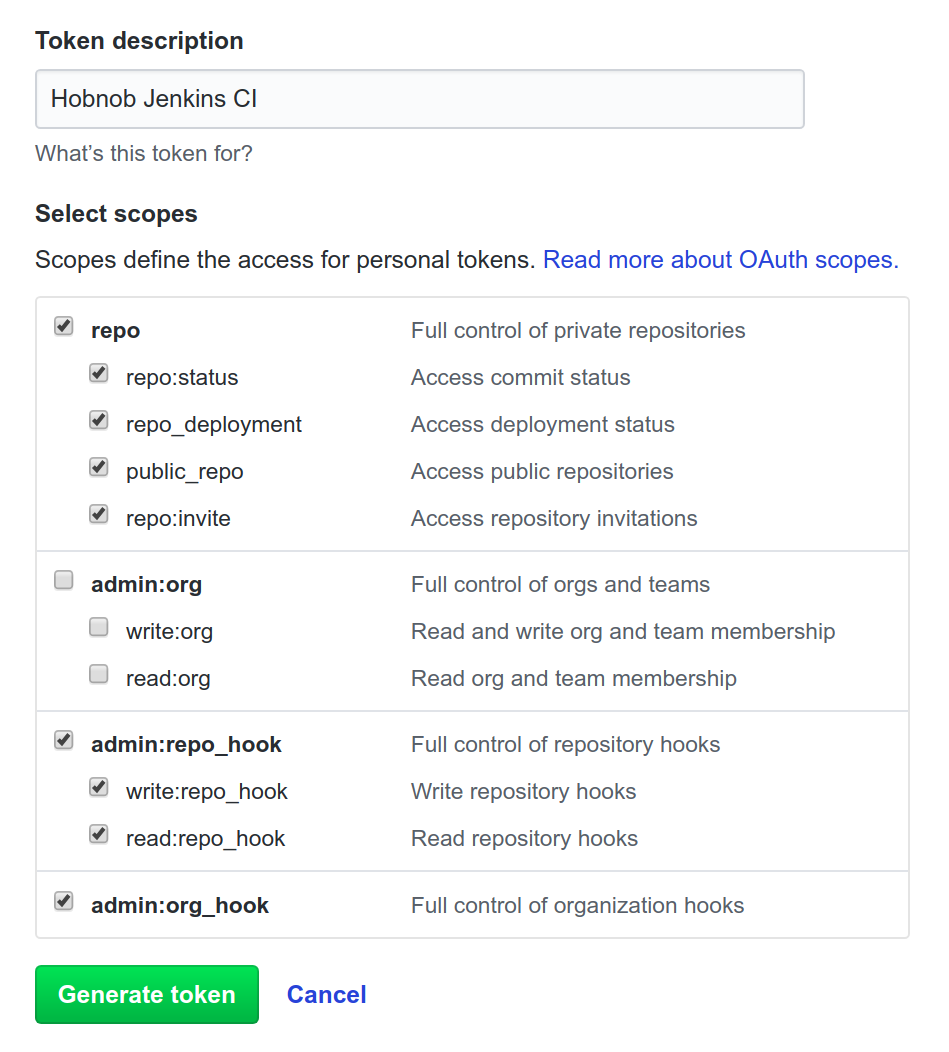
Go to github.com/settings/tokens and click on Generate new token. Select the repo, admin:repo_hook, and admin:org_hook scopes:
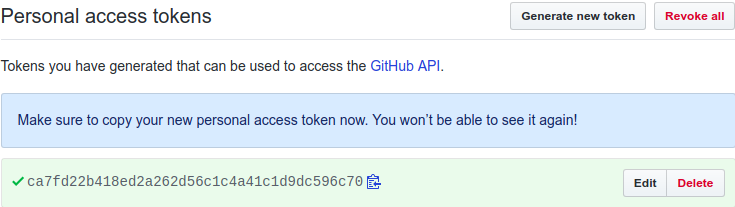
Now, a new token is generated:
Next, we can add this token to the Credentials store in Jenkins, which is like a password manager and stores our credentials for us to reference inside our configuration. Click on the Credentials entry from the sidebar on the left of the Jenkins UI.
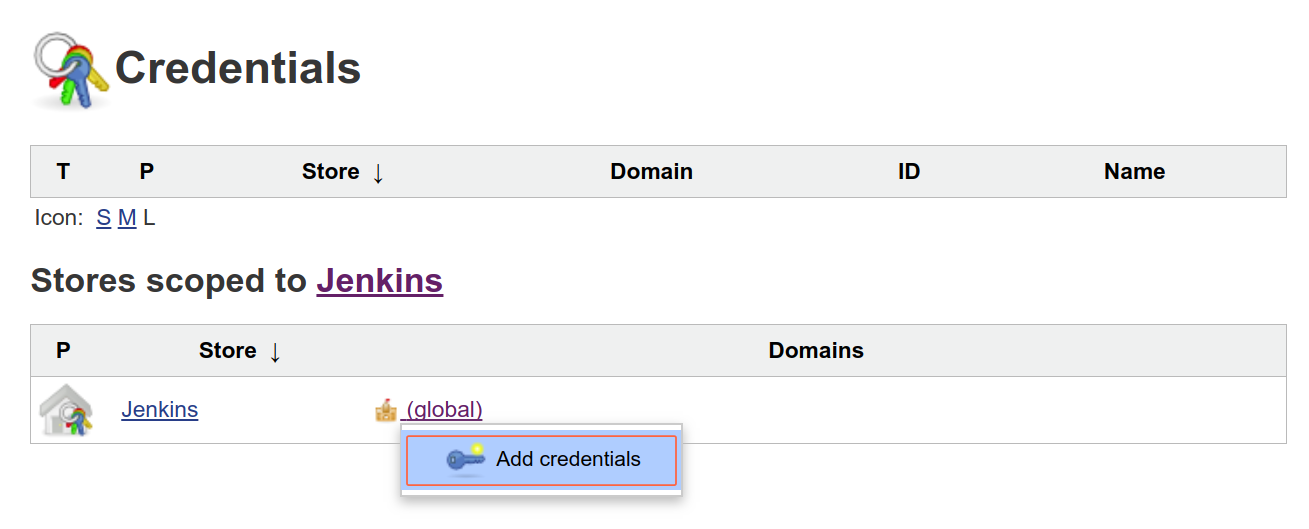
Next, under Stores scoped to Jenkins, click on the arrow next to the (global) link and then Add credentials. This will allow you to add your Personal Access Token to be available to the whole of Jenkins server:
Then, in the form that appears, input the following values:
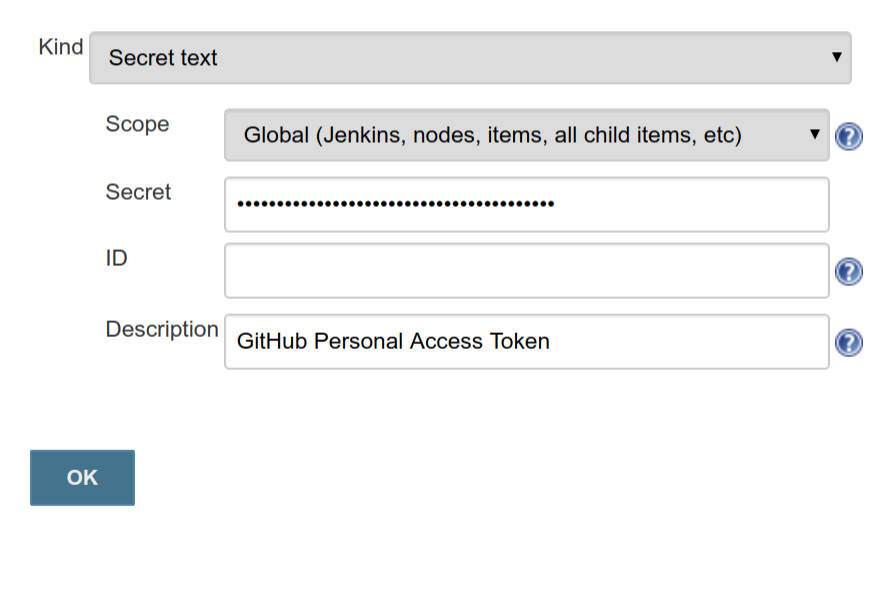
There are two options available for the Scope field—system or global. A system-scoped credential can be used by the Jenkins instance itself, but not in freestyle projects or pipelines. Global-scoped credentials can be used by all. The ID is an internal unique ID that is used to identify this credential; if left blank, an ID will be generated automatically.