
Now that we know what Docker is, and have a rough idea of how to work with it, let’s see how Docker can patch up the flaws in our current workflow:
- Provides consistency: We can run multiple containers on the same image. Because setup and configuration are done on the image, all of our containers will have the same environment. By extension, this means that a test that passes in our local Docker instance would pass on production. This is also known as reproducibility, and reduce cases where a developer says “But it works on my machine!”. Furthermore, a Docker container should have all dependencies packaged inside it. This means it can be deployed anywhere, regardless of the operating system. Ubuntu Desktop, Red Hat Enterprise Linux Server, MacOS – it doesn’t matter.
- Provides independence: Every container includes all of its own dependencies, and can choose whichever version it wants to use.
- Saves time and reduces errors: Each setup and configuration step used to build our image is specified in code. Therefore, the steps can be carried out automatically by Docker, mitigating the risk of human error. Furthermore, once the image is built, you can reuse the same image to run multiple containers. Both of these factors mean a huge saving in man-hours.
- Risky deployment: Server configuration and building of our application happen at build time, and we can test the running of the container beforehand. The only difference between our local or staging environment, and the production environment, would be the differences in hardware and networking.
- Easier to maintain: When an update to the application is required, you’d simply update your application code and/or Dockerfile, and build the image again. Then, you can run these new images and reconfigure your web server to direct requests at the new containers, before retiring the outdated ones.
- Eliminate downtime: We can deploy as many instances of our application as we want with ease, as all it requires is a single docker run command. They can run in parallel as our web server begins directing new traffic to the updated instances, while waiting for existing requests to be fulfilled by the outdated instances.
- Version control: The Dockerfile is a text file, and should be checked into the project repository. This means that if there’s a new dependency for our environment, it can be tracked, just like our code. If our environment starts to produce a lot of errors, rolling back to the previous version is as simple as deploying the last-known-good image.
- Improve efficient usage of resources: Since containers are standalone, they can be deployed on any machine. However, this also means multiple containers can be deployed on the same machine. Therefore, we can deploy the more lightweight or less mission-critical services together on the same machine:
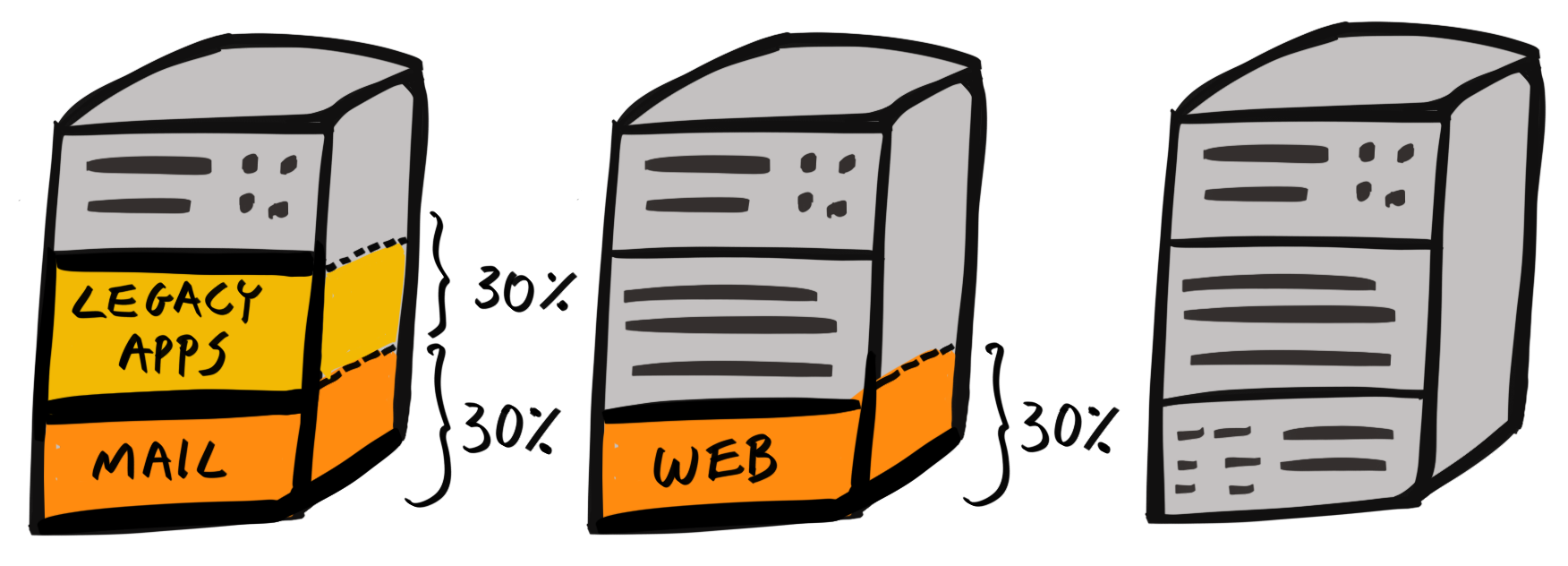
For instance, we can deploy our frontend client and Jenkins CI on the same host machine. The client is lightweight as it’s a simple static web server, and Jenkins is used in development and is fine if it is slow to respond at times.
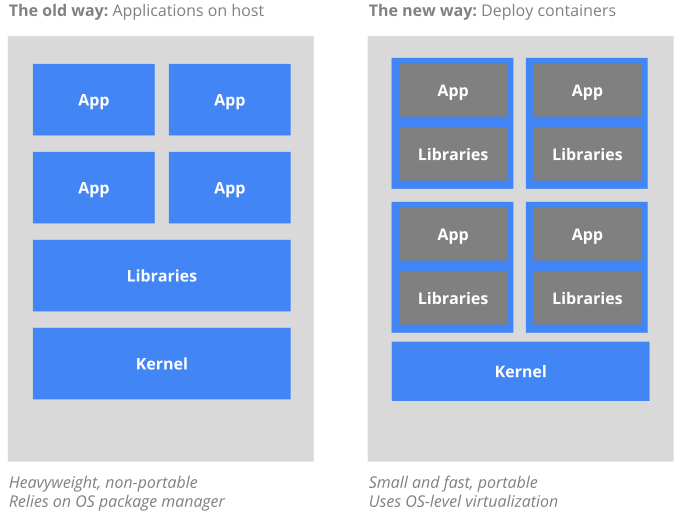
This has the added benefit that two services share the same OS, meaning the overall overhead is smaller. Furthermore, pooling resources, leads to an overall more efficient use of our resources:
All of these benefits stem from the fact that our environments are now specified as code.