
An Ingress Object requires a Controller to enact it. Unlike other Kubernetes controllers, which are part of the kube-controller-manager binary, the Ingress controller is not. Apart from the GCE/Google Kubernetes Engine, the Ingress controller needs to be deployed separately as a Pod.
The most popular Ingress controller is the NGINX controller (https://github.com/kubernetes/ingress-nginx), which is officially supported by Kubernetes and NGINX. Deploy it by running kubectl apply:
$ kubectl apply -f https://raw.githubusercontent.com/kubernetes/ingress-nginx/master/deploy/mandatory.yaml
$ kubectl apply -f https://raw.githubusercontent.com/kubernetes/ingress-nginx/master/deploy/provider/cloud-generic.yaml
The mandatory.yaml file contains a Deployment manifest that deploys the NGINX Ingress controller as a Pod with the label app: ingress-nginx.
The cloud-generic.yaml file contains a Service manifest of type LoadBalancer, with a label selector for the label app: ingress-nginx. When deployed, this will interact with the DigitalOcean API to spin up an L4 network load balancer (note that this load balaner is outside our Kubernetes cluster):
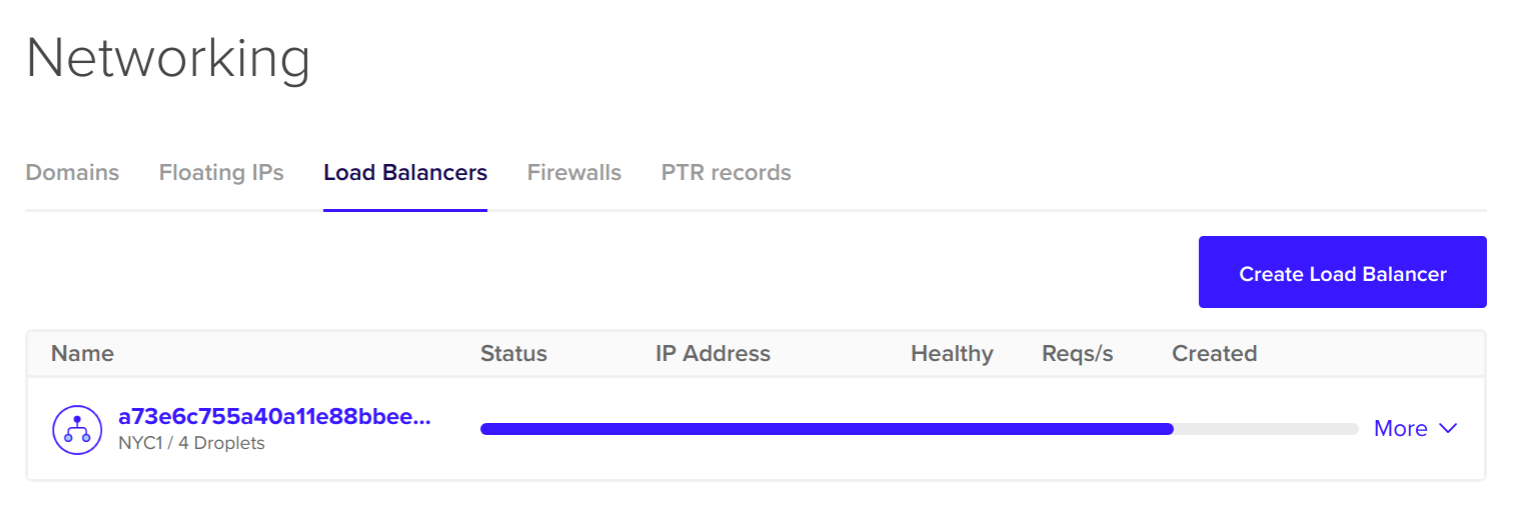
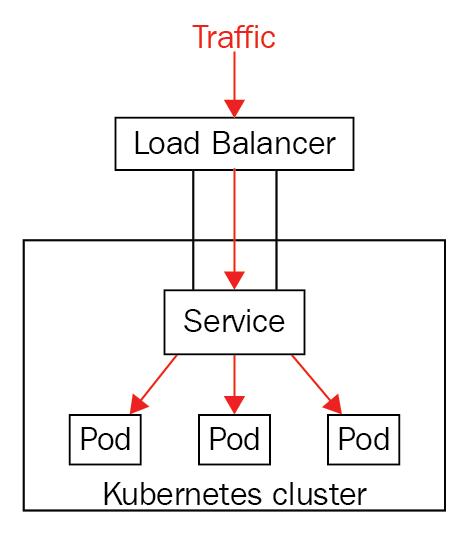
The L4 load balancer will provide an external IP address for our end users to hit. The Kubernetes service controller will automatically populate the L4 load balancer with entries for our Pods, and set up health checks and firewalls. The end result is that any requests that hits the L4 load balancer will be forwarded to Pods that matches the Service's selector, which, in our case, is the Ingress controller Pod:
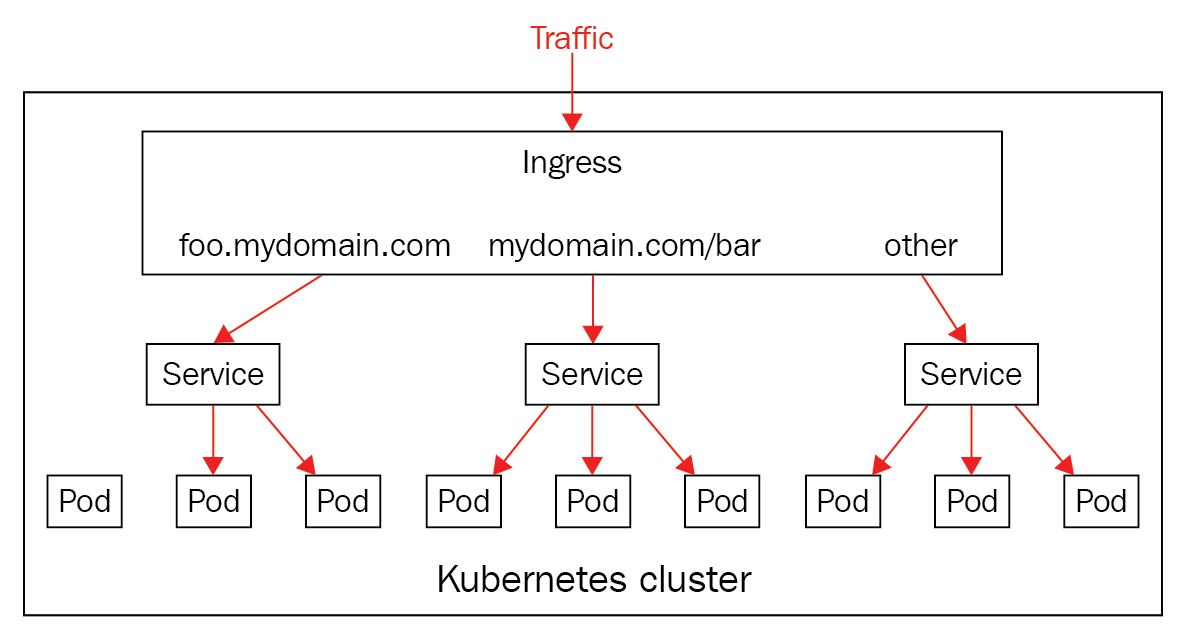
When the request reaches the Ingress controller Pod, it can then examine the host and path of the request, and proxy the request to the relevant Service:
Give it a minute or two, and then check that the controller is created successfully by running kubectl get pods, specifying ingress-nginx as the namespace:
$ kubectl get pods --namespace=ingress-nginx
NAME READY STATUS RESTARTS AGE
default-http-backend-5c6d95c48-8tjc5 1/1 Running 0 1m
nginx-ingress-controller-6b9b6f7957-7tvp7 1/1 Running 0 1m
If you see a Pod named nginx-ingress-controller-XXX with the status Running, you're ready to go!