Now that we have a cluster running locally, let's deploy our Elasticsearch service on it. With Kubernetes, all services run inside containers. Conveniently for us, we are already familiar with Docker, and Kubernetes supports the Docker container format.
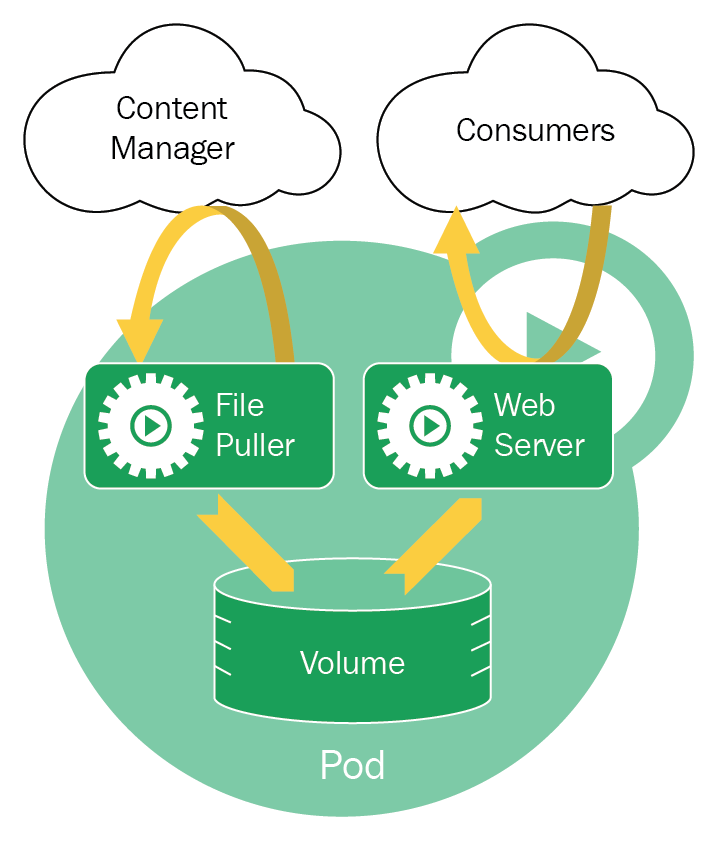
However, Kubernetes doesn't actually deploy containers individually, but rather, it deploys Pods. As already mentioned, Pods are a type of basic Kubernetes Objects—abstractions provided by the Kubernetes API. Specifically, Pods are a logical grouping of containers that should be deployed and managed together. In Kubernetes, Pods are also the lowest-level unit that Kubernetes manages.
Containers inside the same Pod share the following:
- Lifecycle: All containers inside a Pod are managed as a single unit. When a pod starts, all the containers inside the pod will start (this is known as a shared fate). When a Pod needs to be relocated to a different node, all containers inside the pod will relocate (also known as co-scheduling).
- Context: A Pod is isolated from other Pods similar to how one Docker container is isolated from another Docker container. In fact, Kubernetes uses the same mechanism of namespaces and groups to isolate a pod.
- Shared network: All containers within the pod share the same IP address and port space, and can communicate with each other using localhost:<port>. They can also communicate with each other using inter-process communications (IPC).
- Shared storage: Containers can access a shared volume that will be persisted outside of the container, and will survive even if the containers restart: