
To encode data in Python(2.x) using Base64, use the following code:
>>> import base64
>>> plain_text = "One"
>>> encoded = base64.b64encode(plain_text)
>>> print encoded
T25l
To decode base64 data in python, use the following code:
>>> import base64
>>> encoded = "T25l"
>>> decoded = base64.b64decode(encoded)
>>> print decoded
One
You can also use a tool such as ConverterNET (http://www.kahusecurity.com/tools/) to encode/decode base64 data. ConvertNET offers various features and allows you to convert data to/from many different formats. To encode, enter the text to encode in the input field and press the Text to Base64 button. To decode, enter the encoded data in the input field and press the Base64 to Text button. The following screenshot shows the Base64 encoding of the string Hi using ConverterNET:
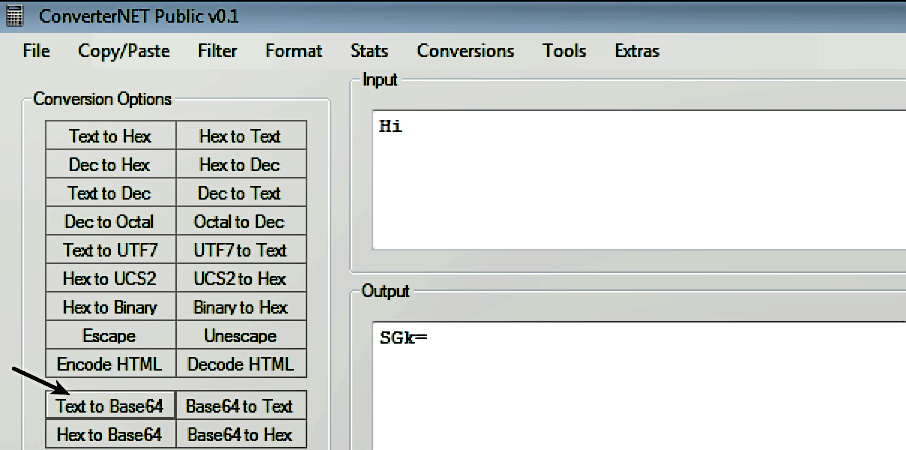
The = character at the end of the encoded string is the padding character. If you recall, the algorithm converts the three bytes of input into four characters, and as Hi has only two characters, it is padded to make it three characters; whenever padding is used, you will see the = characters at the end of the Base64-encoded string. What this means is the length of a valid Base64-encoded string will always be multiples of 4.