
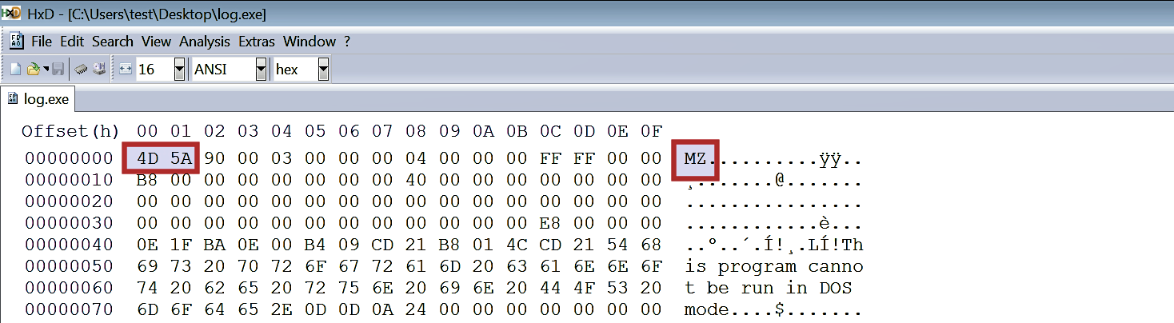
The manual method of determining the file type is to look for the file signature by opening it in a hex editor. A hex editor is a tool that allows an examiner to inspect each byte of the file; most hex editors provide many functionalities that help in the analysis of a file. The following screenshot shows the file signature of MZ in the first two bytes when an executable file is opened with the HxD hex editor (https://mh-nexus.de/en/hxd/):
You have many options when it comes to choosing hex editors for Windows; these hex editors offer different features. For a list and comparison of various hex editors, refer to this link: https://en.wikipedia.org/wiki/Comparison_of_hex_editors.
On Linux systems, to look for the file signature, the xxd command can be used, which generates a hex dump of the file as shown here:
$ xxd -g 1 log.exe | more
0000000: 4d 5a 90 00 03 00 00 00 04 00 00 00 ff ff 00 00  MZ..............
0000010: b8 00 00 00 00 00 00 00 40 00 00 00 00 00 00 00  ........@.......
0000020: 00 00 00 00 00 00 00 00 00 00 00 00 00 00 00 00  ................
0000030: 00 00 00 00 00 00 00 00 00 00 00 00 e8 00 00 00  ................