
PostGIS can also merge MultiLineStrings into single-part LineStrings. This is particularly useful when the geometry is to be further used in another function which doesn't accept Multi-geometries as arguments. For this to work, however, the input MultiLineString must not have gaps.
ogr2ogr converts OSM relations (road, rail, tourist routes) into MultiLineStrings. However, not every relation can be sewed together using ST_LineMerge. Single-track railways or single-carriageway roads are usually a good example, but some relations, such as dual carriageways, consist of a collection of disjointed lines. In that case, ST_LineMerge will just do nothing and return the original MultiLineString.
In this example, a train route composed of multiple sections of track will be sewed together to form a single-part LineString.
The textual representation of an original MultiLineString is as follows:
SELECT ST_AsText(wkb_geometry) FROM multilinestrings WHERE osm_id = '4581657';

st_astext
MULTILINESTRING((18.2172473 50.0790981,18.2169285 50.0788042,18.2166262 50.0785414,18.2161234 50.0780898,18.2154094 50.0774614,18.2150988 50.0772028,18.2148354 50.0770007,18.2145185 50.0767715,18.2141338 50.0765137,18.2137063 50.0762518,18.2131764 50.0759516))
After merging, it looks like this:
SELECT ST_AsText(ST_LineMerge((SELECT wkb_geometry FROM multilinestrings WHERE osm_id = '4581657')));

st_astext
LINESTRING(18.2282796 50.0923211,18.2280783 50.0922193,18.2278694 50.0921051,18.2276675 50.0919549,18.2274702 50.0917769,18.227307 50.0916126,18.2271524 50.0914074,18.2260282 50.0899124,18.225715 50.0895162,18.2255041 50.0892647,18.2253105 50.0890423,18.2250587 50.0887412,18.2245293 50.0880549,18.2237535)
The MultiLineString doesn't have to exist in a database in ready-made form - it can also be created on the fly using ST_Collect:
SELECT ST_LineMerge(ST_Collect(wkb_geometry)) FROM lines WHERE waterway='river' AND name = 'Odra';
This will merge multiple sections of a single river into a single LineString geometry:
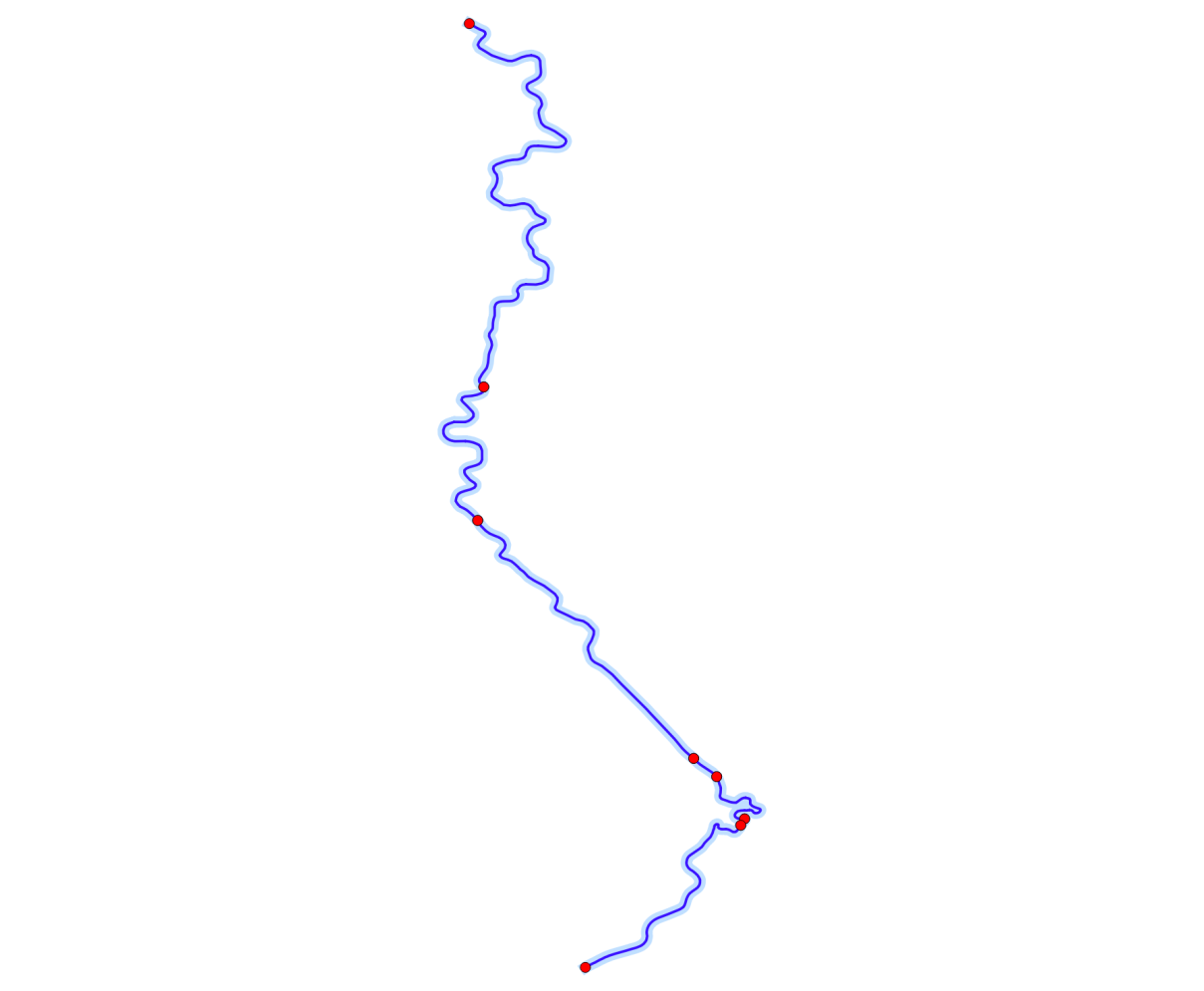
The result of the ST_LineMerge function. The red dots indicate the starting points of consecutive parts of the MultiLineString