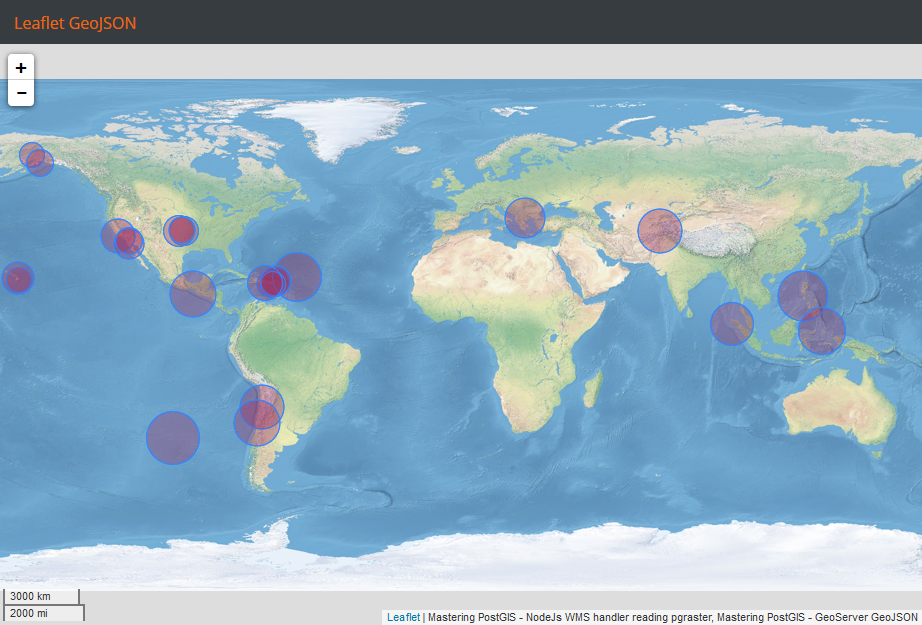
The Leaflet GeoJSON layer does not retrieve the data automatically and therefore we need to obtain it ourselves. Once data is present, we can load it with the following code:
loadGeoJSON: function(map){
    Ext.Ajax.request({
        cors: true,
        url: 'http://10.0.0.19:8080/geoserver/wfs?service=WFS&' +
        'version=1.1.0&request=GetFeature&typename=
         mastering_postgis:earthquakes&' +
         'outputFormat=application/json&srsname=EPSG:4326&' +
         'bbox=-180,-90,180,90,EPSG:4326'
    }).then(function(response){
        L.geoJson(Ext.JSON.decode(response.responseText).features, {
            pointToLayer: function (feature, latlng) {
                return L.circleMarker(latlng, {
                    radius: feature.properties.mag * 5,
                    fillColor: '#993366',
                    weight: 1
                });
            }
        }).addTo(map);
    });
},
As you can see, it is way simpler than consuming GeoJSON in ol3. We now need to navigate to the example's folder, run sencha app watch, and navigate to http://localhost:1841/apps/06_leaflet_geojson/. You should see a similar output to the following: