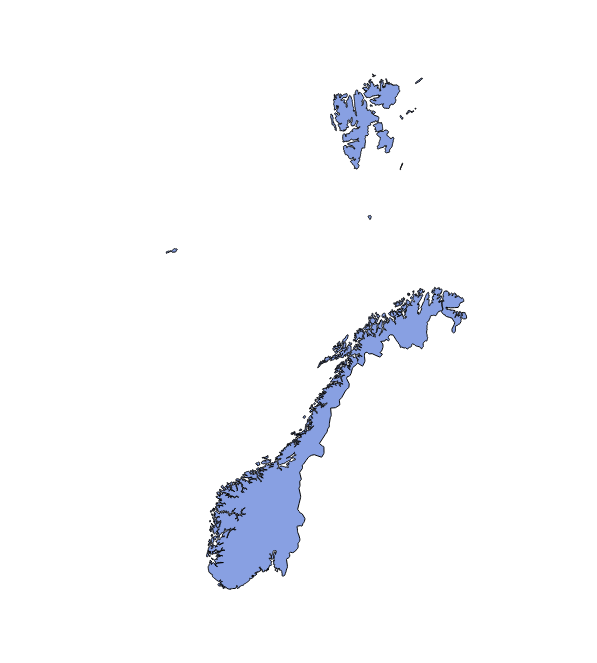
Elements used to compose TopoGeometries can be retrieved by manually querying the topology tables, but PostGIS provides specialized functions for that purpose. First, we will find topological elements of Poland using the topology.GetTopoGeomElements function:
SELECT topology.GetTopoGeomElements(topogeom) FROM countries WHERE name='Poland';

 gettopogeomelements
---------------------
 {3155,3}
The function returns a set of rows, each one with one column of topoelement (which is just a two-element integer array) type. The first array element is a topological element ID, and the second is its type (1 - node, 2 - edge, 3 - face). Here we got one row, meaning the country is built from just one face.
For Norway, with lots of islands, the element list will be much longer:
SELECT topology.GetTopoGeomElements(topogeom) FROM countries WHERE name = 'Norway';
gettopogeomelements
---------------------
 {2713,3}
 {2714,3}
 {2724,3}
 ...
 {2831,3}
 {2832,3}
(120 rows)
There is also a similar function, topology.GetTopoGeomElementArray, which returns an array aggregate instead of set of rows.
To visualize the result, retrieving the elements' geometry is necessary. For area features, geometries can be retrieved as polygons or lines.
For polygons, the geometry is retrieved using the topology.ST_GetFaceGeometry function. It accepts two arguments, the topology name and face ID. In order to visualize all Norway's components as polygons, we will need the following query:
SELECT (topology.GetTopoGeomElements(topogeom))[1] AS face_id, topology.ST_GetFaceGeometry('my_topology',(topology.GetTopoGeomElements(topogeom))[1]) FROM countries WHERE name='Norway';