Let's imagine that we work for a utilities company that is contracted to build a piece of underground pipeline. The job is not only to do the actual construction work, the company also has to negotiate with the land owners and obtain their legal agreements for the construction work. The company GIS department has been tasked to prepare a list of parcels that will be affected by the pipeline itself and the construction work - after all, builders do need to be able to get to a place with their heavy equipment.
Our job is, therefore, to do the following:
- Buffer the pipeline geometry with a radius of 100 m.
- Extract the buffer geometry off the database.
- Query a WFS service to obtain parcels that intersect with the pipeline buffer.
- Load the parcels data to the PostGIS database.
- Prepare a report with the parcel data.
We have visited Poland and the UK in the previous examples. For this example, we will fly over to New Zealand and consume a web feature service provided for us by LINZ (Land Information New Zealand). In order to use LINZ services, we need to register and create an API key. You can do this at https://data.linz.govt.nz/accounts/register/. Then, when ready, follow the API key generation instructions at http://www.linz.govt.nz/data/linz-data-service/guides-and-documentation/creating-an-api-key.
We have received geometry of the pipeline in question as a shapefile, so let's import it to the database. First, let's ensure that our schema is intact:
create schema if not exists etl_pipeline;
Next, we'll let ogr2ogr do the work for us:
ogr2ogr -f "PostgreSQL" PG:"host=localhost port=5434 user=postgres dbname=mastering_postgis" "pipeline.shp" -t_srs EPSG:2193 -nln etl_pipeline.pipeline -overwrite -lco GEOMETRY_NAME=geom
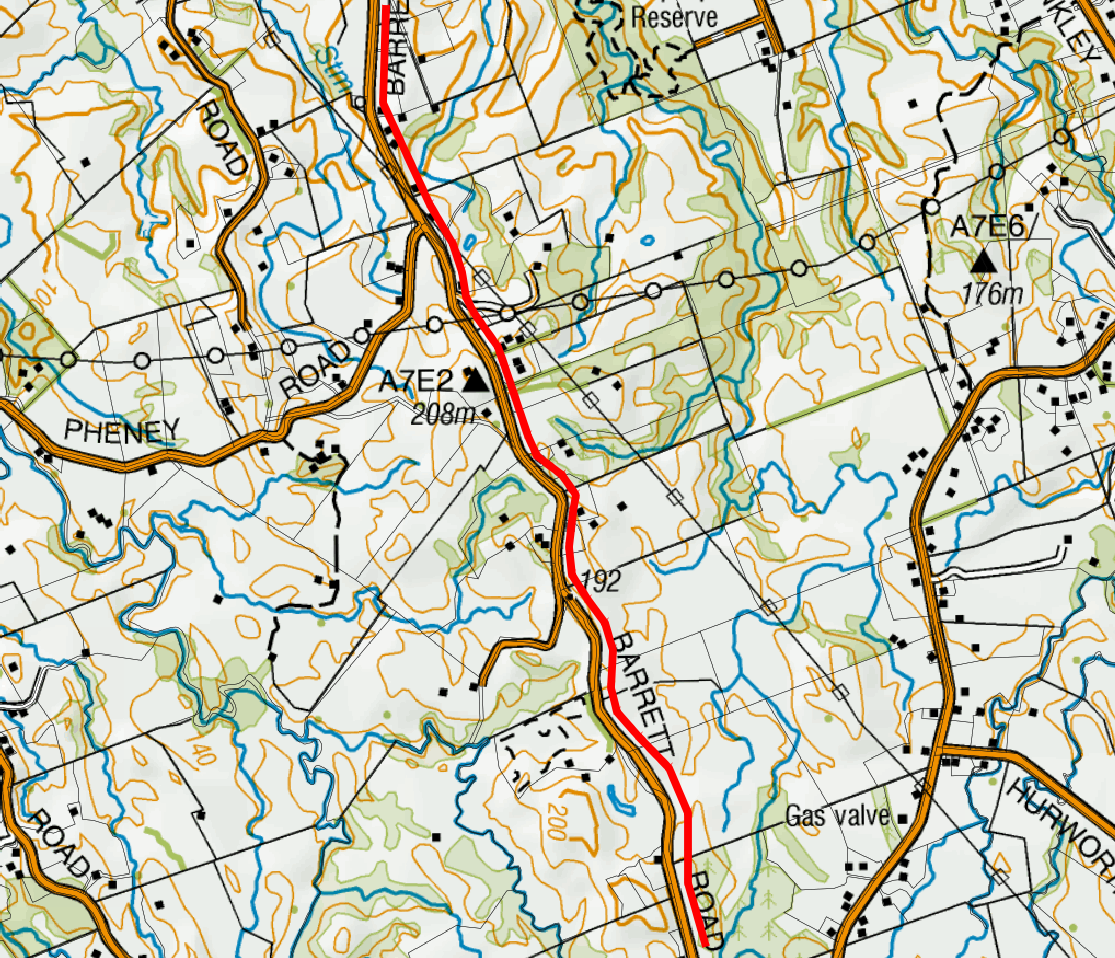
The pipeline is located just on the outskirts of New Plymouth, near Egmont National Park, and is marked red on the following screenshot:
At this stage, we're ready to write the code again. We will warm up by buffering our pipeline. Let's assume that we need 5 m on each side for heavy equipment access:
/**
 * buffers the pipeline and returns a buffer geom as WKT
 */
const getPipelineBuffer = function(){
    return new Promise((resolve, reject) => {
        console.log('Buffering pipeline...');

        let client = new pg.Client(dbCredentials);

        client.connect((err) => {
            if(err){
                reject(err.message);
                return;
            }

            //note
            client.query(`select ST_AsGML(ST_Buffer(geom, 5, 'endcap=round
            join=round')) as gml from ${pipelineSchema}.${pipelineTable}
            limit 1;`, function(err, result){
                if(err){
                    try {
                        client.end();
                    } catch(e){}
                    reject(err.message);
                    return;
                }

                client.end();

                if(result.rows.length !== 1)
                {
                    reject('Hmm it looks like we have a little problem with
                    a pipeline...');
                }
                else {
                    console.log('Done!');
                    resolve(result.rows[0].gml);
                }
            });
        });
    });
}
Once we have our buffer GML ready, we can query a WFS service. We will just send a POST GetFeature request to the LINZ WFS and request the data in the same projection as our pipeline dataset, so EPSG:2193 (New Zealand Transverse Mercator 2000); since we're using JavaScript and our WFS supports JSON output, we will opt for it.
At this stage, we should have the data at hand, and since we asked for JSON output, our data should be similar to the following:
{
   type: "FeatureCollection",
   totalFeatures: "unknown",
   features:
   [
         {
               type: "Feature",
               id: "layer-772.4611152",
               geometry: {
                     "type": "MultiPolygon",
                     "coordinates": [...]
               },
               geometry_name: "shape",
               properties: [{
                     "id": 4611152,
                     "appellation": "Lot 2 DP 13024",
                     "affected_surveys": "DP 13024",
                     "parcel_intent": "DCDB",
                     "topology_type": "Primary",
                     "statutory_actions": null,
                     "land_district": "Taranaki",
                     "titles": "TNF1/130",
                     "survey_area": 202380,
                     "calc_area": 202486
               }]
         }
   ]
}
The geometry object is GeoJSON, so we should be able to easily make PostGIS read it. Let's do just that and put our parcels data in the database now:
/**
 * saves wfs json parcels to the database
 */
const saveParcels = function(data){
    return new Promise((resolve, reject) => {

        console.log('Saving parcels...');

        let client = new pg.Client(dbCredentials);

        client.connect((err) => {
            if(err){
                reject(err.message);
                return;
            }

            const sql = [
                executeNonQuery(client, `DROP TABLE IF EXISTS
                ${pipelineSchema}.${pipelineParcels};`),
                executeNonQuery(
                    client,
                    `CREATE TABLE ${pipelineSchema}.${pipelineParcels}
                    (id numeric, appellation varchar, affected_surveys
                    varchar, parcel_intent varchar, topology_type varchar,
                    statutory_actions varchar, land_district varchar,
                    titles varchar, survey_area numeric, geom geometry);`
                )
            ];

            for(let f of data.features){
                sql.push(
                    executeNonQuery(
                        client,
                        `INSERT INTO ${pipelineSchema}.${pipelineParcels}
                        (id, appellation, affected_surveys, parcel_intent,
                        topology_type, statutory_actions, land_district,
                        titles, survey_area, geom)
                        VALUES
                        ($1,$2,$3,$4,$5,$6,$7,$8,$9,ST_SetSRID
                        (ST_GeomFromGeoJSON($10),2193));`,
                        [
                            f.properties.id,
                            f.properties.appellation,
                            f.properties.affected_surveys,
                            f.properties.parcel_intent,
                            f.properties.topology_type,
                            f.properties.statutory_actions,
                            f.properties.land_district,
                            f.properties.titles,
                            f.properties.survey_area,
                            JSON.stringify(f.geometry)
                        ]
                    )
                );
            }

            Promise.all(sql)
                .then(() => {
                    client.end();
                    console.log('Done!');
                    resolve();
                })
                .catch((err) => {
                    client.end();
                    reject(err)
                });
        });
    });
}
Finally, let's chain our ops:
//chain all the stuff together
getPipelineBuffer()
    .then(getParcels)
    .then(saveParcels)
    .catch(err => console.log(`uups, an error has occured: ${err}`));
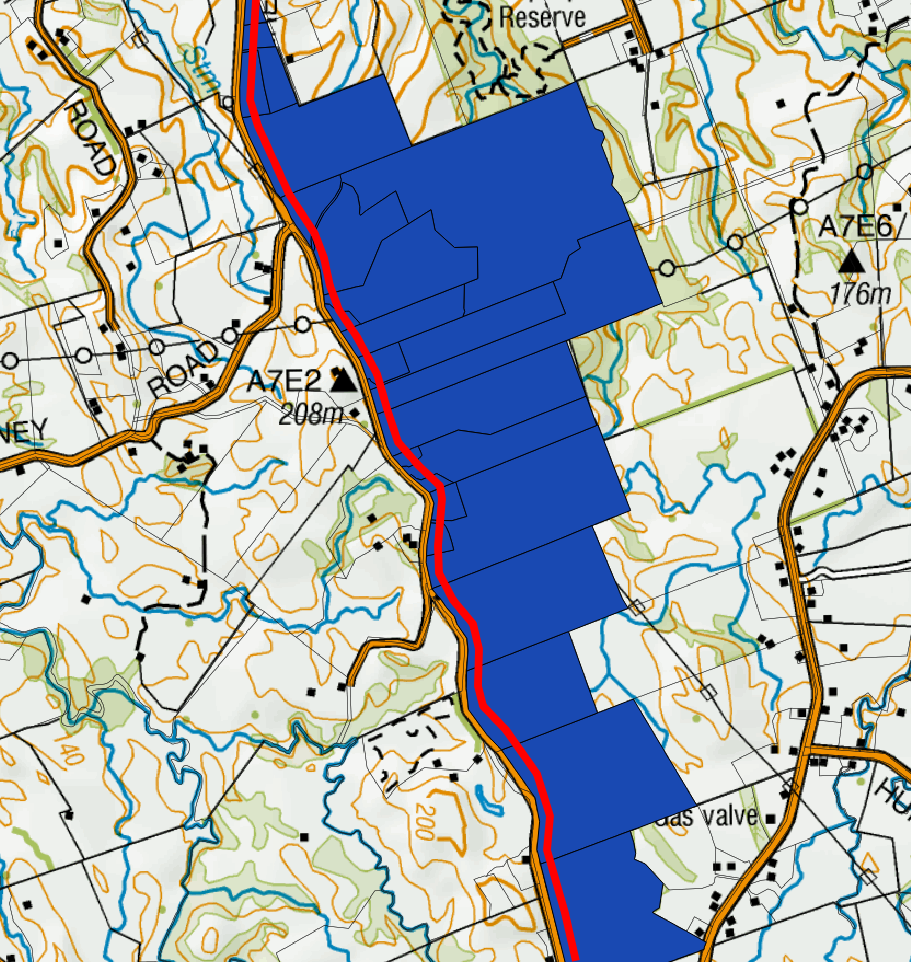
Voila! We have just obtained a set of parcels that intersect with our 5 m buffer around the pipeline. We can pass the parcels information so that our legal department obtains detailed information for further negotiations. Our parcels map now looks like this: