
In order to preview the example, navigate to the example's folder, run sencha app watch, and then navigate to http://localhost:1841/apps/09_crud/. You should see a similar output to the following:
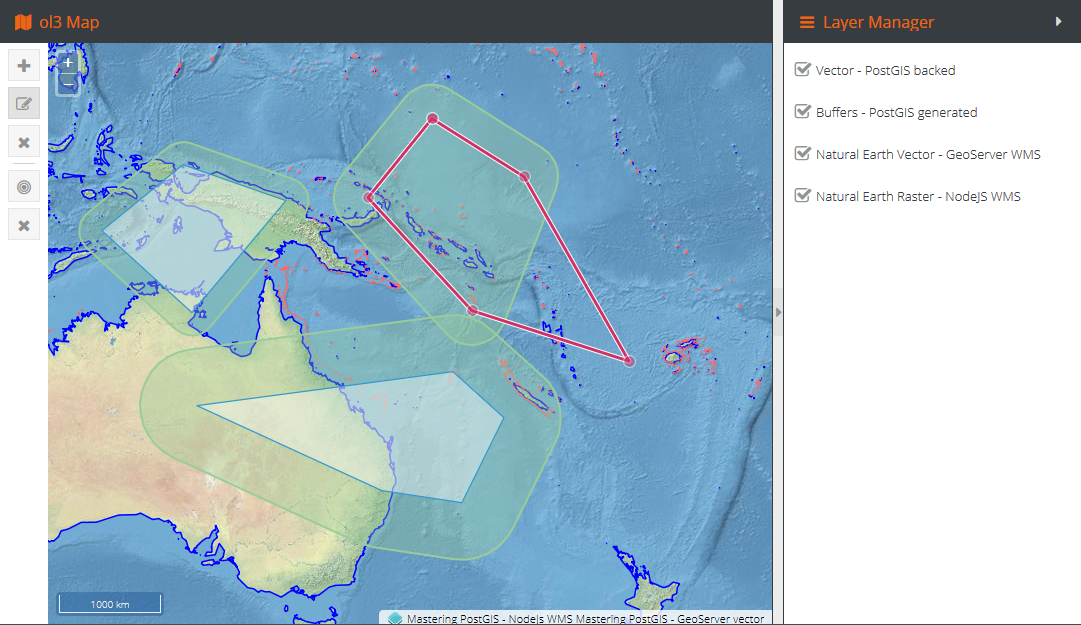
Our web editing functionality is implemented in ol3. This is because ol3 provides some ready-to-use, out-of-the box classes that can be used to quickly implement the WebGIS experience. Web editing is obviously possible in Leaflet too, but requires obtaining some plugins that extend Leaflet appropriately.
If you happen to like Leaflet more than ol3, nothing is lost. The code accompanying this example has been separated in a way; the db data exchange part is generic and can be used by code other than based on ol3. Also, I have created a Leaflet app stub so you have something to start with.
The client application can be split into functional parts that are going to be discussed next:
- Layer manager
- CRUD tools
- Analytical toolset
Because handling the UI interactions does not really involve the database, and rather focuses on gathering the user input and passing it on to the API for processing, the client-side code will be limited, so you can get an idea of what is going on, without having to review the full logic. It is advised that you review the accompanying source code in order to get the insight.