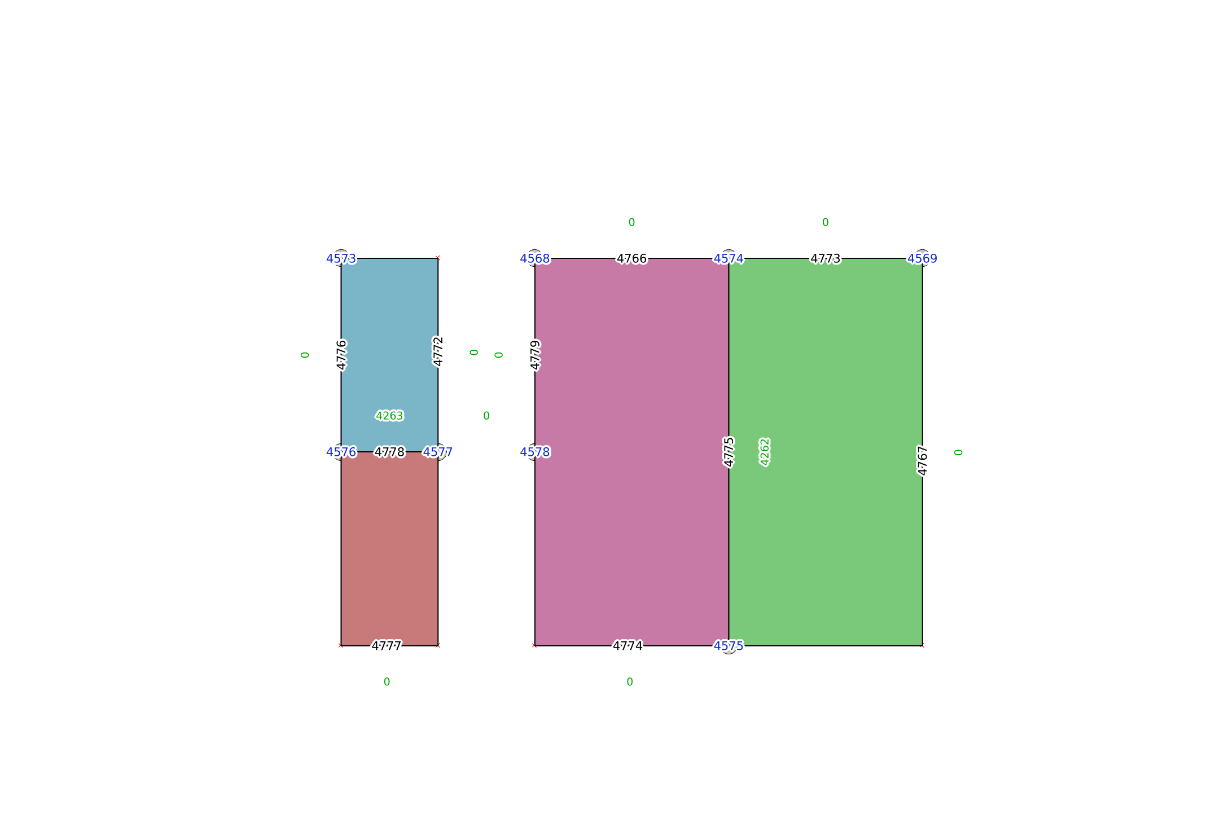
There are two ways to split a polygon - with SQL/MM standard function and a non-standard, PostGIS specific function.
Using the standard way, we'll have to add two nodes to existing edges and split them.
This is done with the topology.ST_ModEdgeSplit function. It accepts three arguments: the topology name, the edge ID, and the point geometry, and returns the integer ID of the newly created node. A new node is added to the topology, and the edge with a given ID is split into two parts. One retains the original ID, and the second is given a new ID.
We'll split Nulland into East and West Nulland by first splitting the edges with IDs of 4766 and 4767:
SELECT topology.ST_ModEdgeSplit('my_topology',4766,'SRID=4326;POINT(0 1)');
SELECT topology.ST_ModEdgeSplit('my_topology',4767,'SRID=4326;POINT(0 -1)');
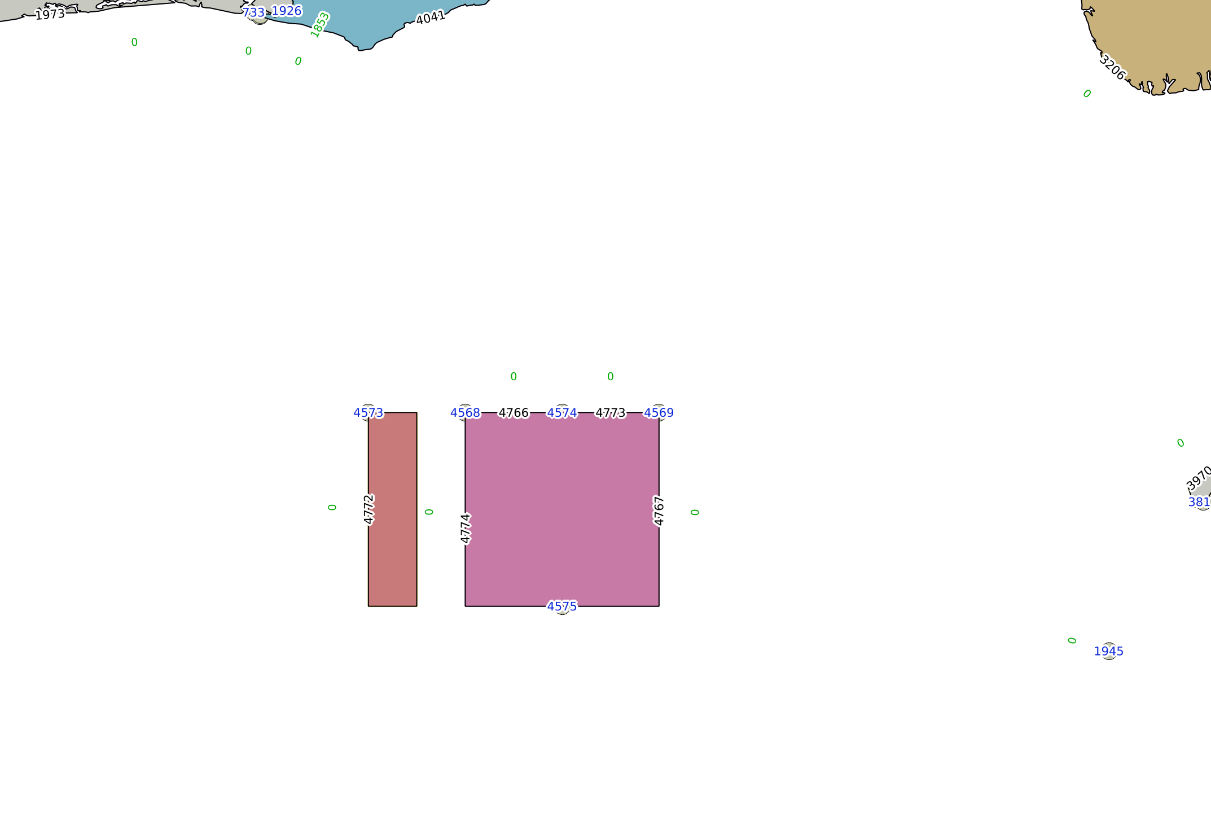
Now, new nodes and edges are ready, but the face remains intact. So, we'll add a new edge, splitting the face - using the topology.ST_AddEdgeModFace function. It takes four arguments: the topology name, start node ID, end node ID, and new edge geometry. It splits a face, one part with the original ID remains in the database, and the second part is created. The return value is the ID of the newly created edge (the newly created face ID must be queried later):
SELECT topology.ST_AddEdgeModFace('my_topology',4574,4575,'SRID=4326;LINESTRING(0 1, 0 -1)');
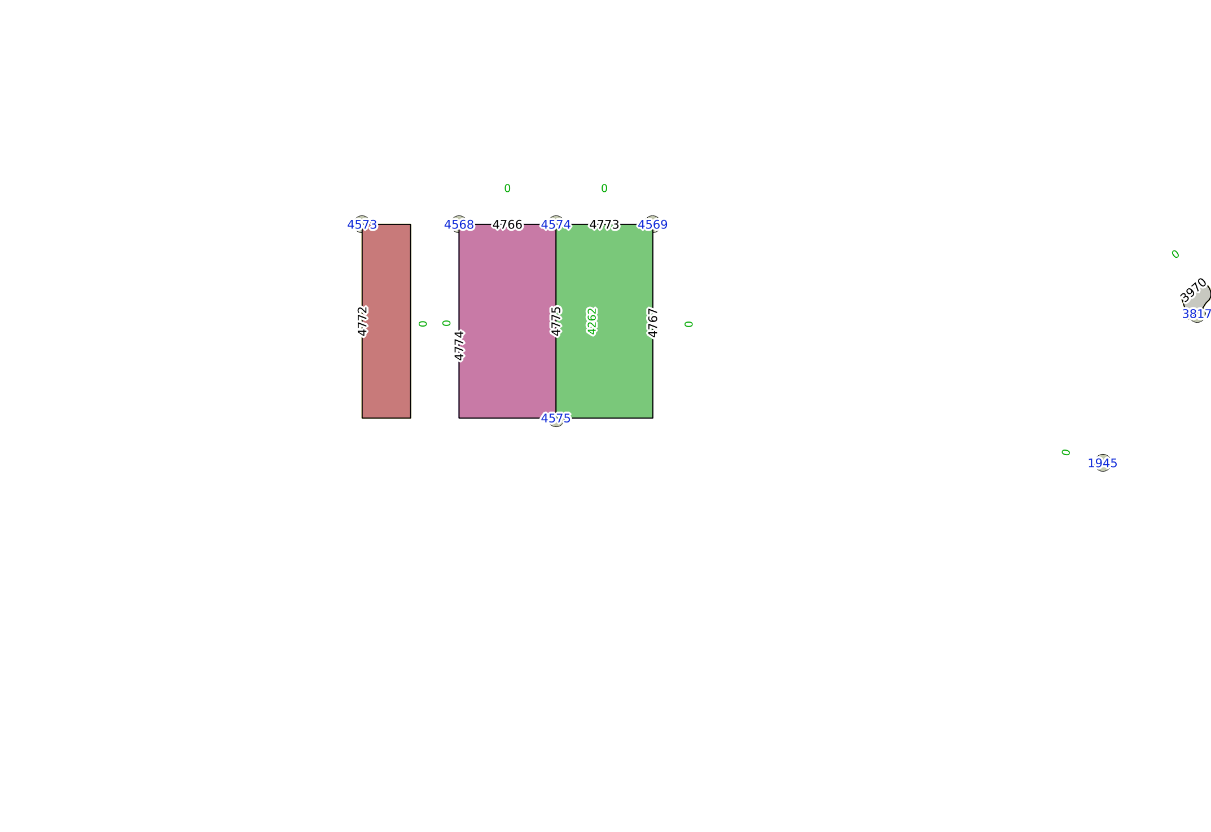
Now the face is split, and Nulland's TopoGeometry updated:
SELECT topology.GetTopoGeomElementArray(topogeom) FROM countries WHERE name ='Nulland';
 gettopogeomelementarray
-------------------------

 {{4258,3},{4262,3}}
Now it's time to update the feature table:
DELETE FROM countries WHERE name='Nulland';
INSERT INTO countries(name,topogeom) VALUES('West Nulland',topology.CreateTopoGeom('my_topology',3,1,'{{4258,3}}'::topology.topoelementarray));
INSERT INTO countries(name,topogeom) VALUES('East Nulland',topology.CreateTopoGeom('my_topology',3,1,'{{4252,3}}'::topology.topoelementarray));
Another way to split a polygon is to use a non-standard topology.TopoGeo_AddLinestring function. It creates the required nodes automatically, and can also snap the splitting line to a feature within a specified tolerance.
For example, in order to split Neverland into two pieces using a LineString geometry and TopoGeo_AddLinestring function, we need to execute a query as follows:
SELECT topology.TopoGeo_AddLinestring('my_topology','SRID=4326;LINESTRING(-2.0001 0.001, -1.501 0.001)',0.002);
Note that the nodes and edges are added automatically, and the splitting line geometry doesn't have to be exactly snapped to an existing feature - it will be aligned within a specified tolerance: