Table of Contents for
Linux Shell Scripting Bootcamp
 Linux Shell Scripting Bootcamp
Published by
Packt Publishing, 2017
Linux Shell Scripting Bootcamp
Published by
Packt Publishing, 2017
- Cover
- Table of Contents
- Linux Shell Scripting Bootcamp
- Linux Shell Scripting Bootcamp
- Credits
- About the Author
- Acknowledgement
- About the Reviewer
- www.PacktPub.com
- Customer Feedback
- Preface
- What you need for this book
- Who this book is for
- Conventions
- Reader feedback
- Customer support
- 1. Getting Started with Shell Scripting
- Demonstrating the use of scripts
- Summary
- 2. Working with Variables
- Validating parameters using conditional statements
- Comparison operators for strings
- Environment variables
- Summary
- 3. Using Loops and the sleep Command
- Screen manipulation
- Indenting your code
- Using the for statement
- Leaving a loop early
- The sleep command
- Watching a process
- Creating numbered backup files
- Summary
- 4. Creating and Calling Subroutines
- File redirection
- Command piping
- Subroutines
- Using parameters
- Making a current backup of your work
- Summary
- 5. Creating Interactive Scripts
- Summary
- 6. Automating Tasks with Scripts
- Summary
- 7. Working with Files
- Reading files
- Reading and writing files
- Reading and writing files interactively
- File checksums
- File encryption
- Summary
- 8. Working with wget and curl
- wget and recursion
- wget options
- curl
- Summary
- 9. Debugging Scripts
- Automatic backups
- More syntax errors
- Logic errors
- Using set to debug scripts
- Summary
- 10. Scripting Best Practices
- ssh and scp
- Find and use a good text editor
- Environment variables and aliases
- ssh prompt
- Testing an archive
- Progress indicator
- Creating new commands from a template
- Alerting the user
- Summary
- Index
Now let's look at command piping, which is the ability to run a command and have the output from it serve as the input to another command.
Suppose a program or script named loop1 is running on your system and you want to know the PID of it. You could run the ps auxw command to a file, and then grep the file for loop1. Alternatively, you could do it in one step by using a pipe as follows:
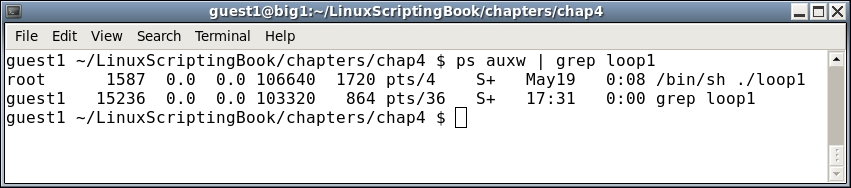
Pretty cool, right? This is a very powerful feature in a Linux system and is used extensively. We will be seeing a lot more of this soon.
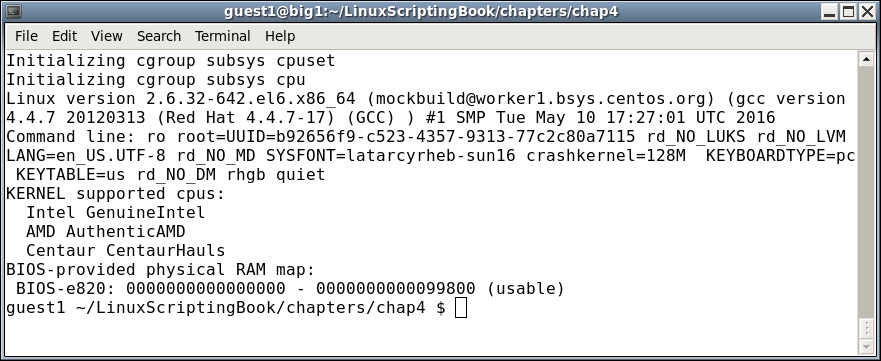
The next section shows another very short script using some command piping. This clears the screen and then shows only the first 10 lines from dmesg:
#!/bin/sh
#
# 5/8/2017
#
tput clear
dmesg | head
And here is the output:
The next section shows file redirection.
#!/bin/sh
#
# 5/8/2017
#
FN=/tmp/dmesg.txt
dmesg > $FN
echo "File $FN created."
exit 0
Try it on your system.
This shows how easy it is to create a script to perform commands that you would normally type on the command line. Also notice the use of the FN variable. If you want to use a different filename later, you only have to make the change in one place.