Table of Contents for
Linux Shell Scripting Bootcamp
 Linux Shell Scripting Bootcamp
Published by
Packt Publishing, 2017
Linux Shell Scripting Bootcamp
Published by
Packt Publishing, 2017
- Cover
- Table of Contents
- Linux Shell Scripting Bootcamp
- Linux Shell Scripting Bootcamp
- Credits
- About the Author
- Acknowledgement
- About the Reviewer
- www.PacktPub.com
- Customer Feedback
- Preface
- What you need for this book
- Who this book is for
- Conventions
- Reader feedback
- Customer support
- 1. Getting Started with Shell Scripting
- Demonstrating the use of scripts
- Summary
- 2. Working with Variables
- Validating parameters using conditional statements
- Comparison operators for strings
- Environment variables
- Summary
- 3. Using Loops and the sleep Command
- Screen manipulation
- Indenting your code
- Using the for statement
- Leaving a loop early
- The sleep command
- Watching a process
- Creating numbered backup files
- Summary
- 4. Creating and Calling Subroutines
- File redirection
- Command piping
- Subroutines
- Using parameters
- Making a current backup of your work
- Summary
- 5. Creating Interactive Scripts
- Summary
- 6. Automating Tasks with Scripts
- Summary
- 7. Working with Files
- Reading files
- Reading and writing files
- Reading and writing files interactively
- File checksums
- File encryption
- Summary
- 8. Working with wget and curl
- wget and recursion
- wget options
- curl
- Summary
- 9. Debugging Scripts
- Automatic backups
- More syntax errors
- Logic errors
- Using set to debug scripts
- Summary
- 10. Scripting Best Practices
- ssh and scp
- Find and use a good text editor
- Environment variables and aliases
- ssh prompt
- Testing an archive
- Progress indicator
- Creating new commands from a template
- Alerting the user
- Summary
- Index
This chapter will show how variables are used in a Linux system and in scripts.
The topics covered in this chapter are:
- Using variables in scripts
- Validating parameters using conditional statements
- Comparison operators for strings
- Environment variables
A variable is simply a placeholder for some value. The value can change; however, the variable name will always be the same. Here is a simple example:
a=1
This assigns the value 1 to variable a. Here's another one:
b=2
To display what a variable contains use the echo statement:
echo Variable a is: $a
If at anytime, you aren't seeing the results you expect first check for the $.
Here's an example using the command line:
$ a=1
$ echo a
a
$ echo $a
1
$ b="Jim"
$ echo b
b
$ echo $b
Jim
All variables in a Bash script are considered to be strings. This is different than in a programming language such as C, where everything is strongly typed. In the preceding example, a and b are strings even though they appear to be integers.
Here's a short script to get us started:
#!/bin/sh
#
# 6/13/2017
#
echo "script1"

# Variables
a="1"
b=2
c="Jim"
d="Lewis"
e="Jim Lewis"
pi=3.141592

# Statements
echo $a
echo $b
echo $c
echo $d
echo $e
echo $pi
echo "End of script1"
And here is the output when run on my system:
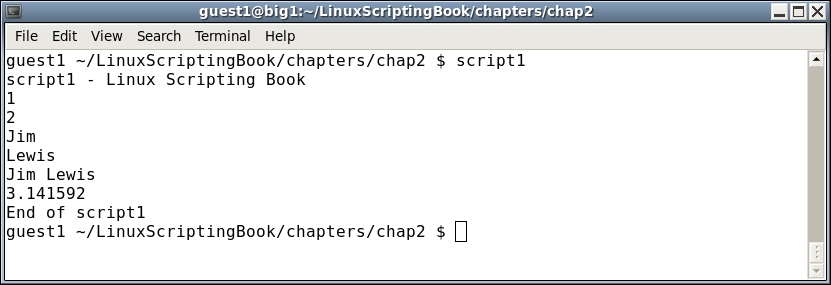
Since all of the variables are strings I could have also done this:
a="1"
b="2"
It is important to quote strings when they contain blank spaces such as variables d and e here.