The earlier InfluxDB release supports different storage engines, LevelDB, RocksDB, HyperLevelDB, and LMDB. Most of them are based on log-structured merge-tree (LSM Tree). Since the 0.9.5 InfluxDB release, it has its own storage engine called the Time Structured Merge Tree (TSM Tree).
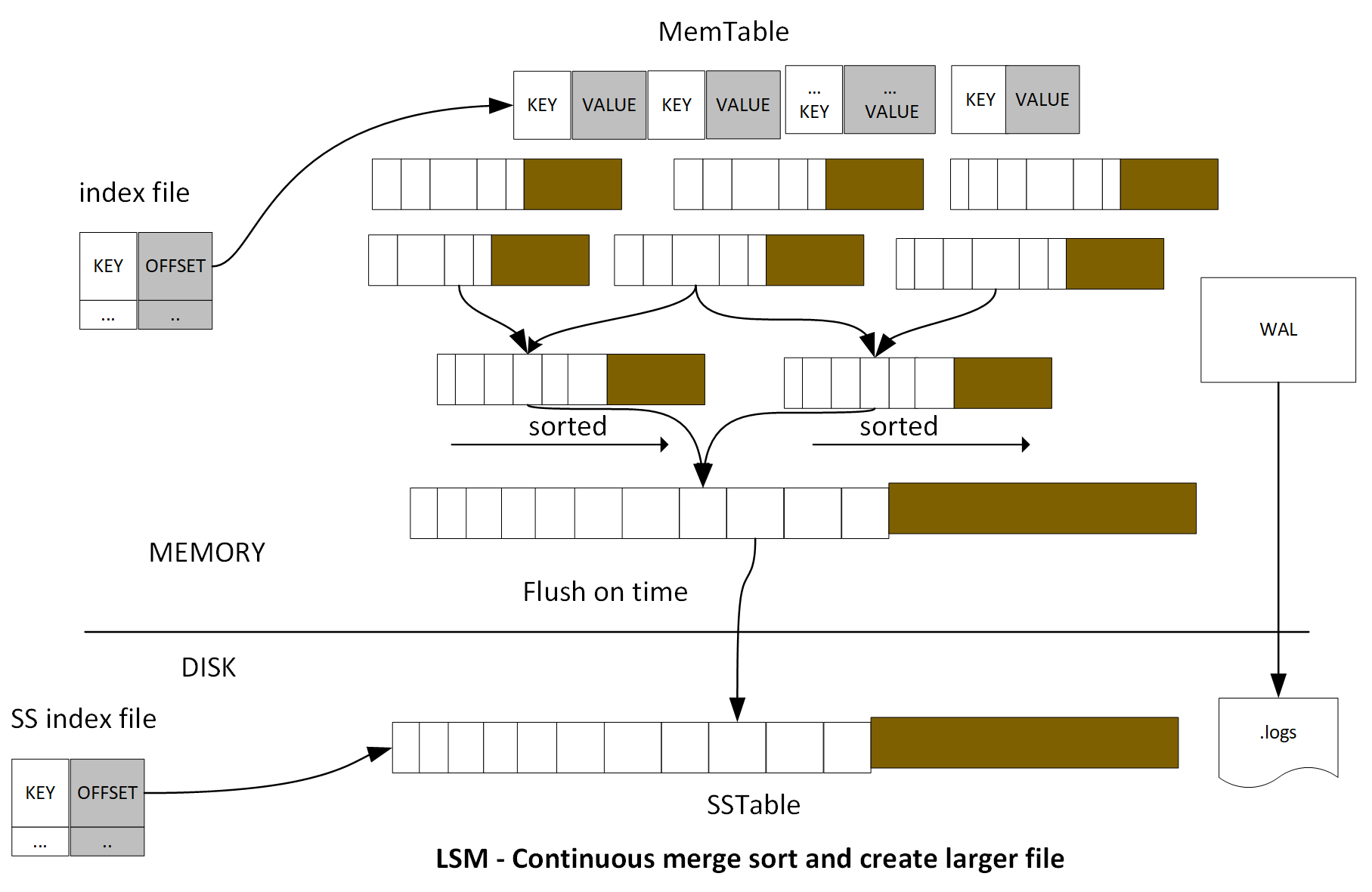
Log-Structured Merge-Tree (LSM Tree) creates indexing files, which provide efficient indexing for high transactional data such as log data. One of the implementations of LSM Tree is called Sorted String Table (SSTable). When data is saved in SSTable, it will be stored as a key-value pair. The index files contain batch data changes for a certain duration. LSM Tree utilizes batch information from index files to merge-sort for each fragment of data file and cache in the memory. It will provide high performance data retrieval for later search. Since the cache file is immutable, new records will be inserted into new files.
Periodically, the algorithm merges files together to keep a small number of files. However, indexed search requiring immediate response will lose I/O efficiency in some cases, so the LSM Tree is most useful for index inserts than the finds that retrieve the entries. To make reads in LSM Trees faster, the common approach is to hold a page-index in memory. Since the data is sorted, you can look up your target key. LSM is used in LevelDB, RocksDB, HBase, MongoDB, Apache Cassandra, and so on:
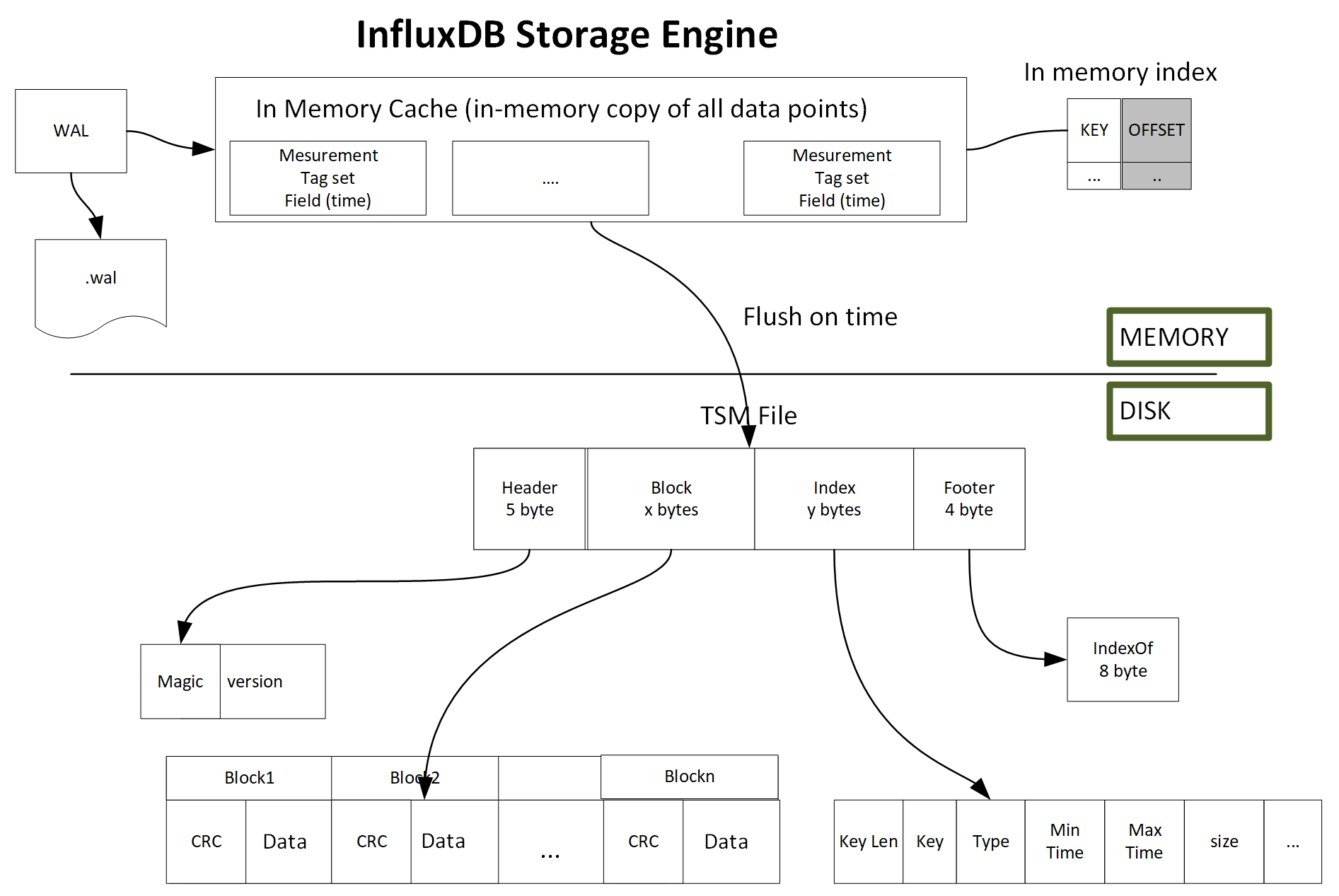
TSM Tree is similar to LSM Tree. TSM Tree has a write ahead log (WAL) and a collection of read-only data files or TSM files, which are similar in concept to SSTables in a LSM Tree. The storage engine uses WAL to write an optimized storage format and map the index files to memory.
The .wal file is created and organized by WAL, the file size will monotonically increase. When the size becomes 10 MB, the current .wal file will close and a new .wal file will be created and opened. Each .wal segment file contains a compress block of write and delete. For new data point arrival, it will be compressed using Snappy and written as a .wal file. An entry will be added to a memory index file. When it reaches a certain number of data points, the data point will flush to disk storage. This batch feature achieves high throughput performance. Data point is stored as TSM files; these files have compressed series data in a columnar format.
Each TSM file has four sections: Header, Blocks, Index, and Footer.
- In the Header section, it is composed of a magic number to identify the file type and a version number
- In the Blocks section, it contains CRC and data
- In the Index section, it contains key length, key (includes the measurement name, tag set, and one time-related field), block min and max time, and so on
- In the Footer section, it stores the index offset: