
Table of Contents for
Seven NoSQL Databases in a Week

Version ebook / Retour

Cover image for bash Cookbook, 2nd Edition Seven NoSQL Databases in a Week by Xun Wu Published by Packt Publishing, 2018
  1. Seven NoSQL Databases in a Week
  2. Title Page
  3. Copyright and Credits
  4. Seven NoSQL Databases in a Week
  5. Dedication
  6. Packt Upsell
  7. Why subscribe?
  8. PacktPub.com
  9. Contributors
  10. About the authors
  11. Packt is searching for authors like you
  12. Table of Contents
  13. Preface
  14. Who this book is for
  15. What this book covers
  16. To get the most out of this book
  17. Download the example code files
  18. Download the color images
  19. Conventions used
  20. Get in touch
  21. Reviews
  22. Introduction to NoSQL Databases
  23. Consistency versus availability
  24. ACID guarantees
  25. Hash versus range partition
  26. In-place updates versus appends
  27. Row versus column versus column-family storage models
  28. Strongly versus loosely enforced schemas
  29. Summary
  30. MongoDB
  31. Installing of MongoDB
  32. MongoDB data types
  33. The MongoDB database
  34. MongoDB collections
  35. MongoDB documents
  36. The create operation
  37. The read operation
  38. Applying filters on fields
  39. Applying conditional and logical operators on the filter parameter
  40. The update operation
  41. The delete operation
  42. Data models in MongoDB
  43. The references document data model
  44. The embedded data model
  45. Introduction to MongoDB indexing
  46. The default _id index
  47. Replication
  48. Replication in MongoDB
  49. Automatic failover in replication
  50. Read operations
  51. Sharding
  52. Sharded clusters
  53. Advantages of sharding
  54. Storing large data in MongoDB
  55. Summary
  56. Neo4j
  57. What is Neo4j?
  58. How does Neo4j work?
  59. Features of Neo4j
  60. Clustering
  61. Neo4j Browser
  62. Cache sharding
  63. Help for beginners
  64. Evaluating your use case
  65. Social networks
  66. Matchmaking
  67. Network management
  68. Analytics
  69. Recommendation engines
  70. Neo4j anti-patterns
  71. Applying relational modeling techniques in Neo4j
  72. Using Neo4j for the first time on something mission-critical
  73. Storing entities and relationships within entities
  74. Improper use of relationship types
  75. Storing binary large object data
  76. Indexing everything
  77. Neo4j hardware selection, installation, and configuration
  78. Random access memory
  79. CPU
  80. Disk
  81. Operating system
  82. Network/firewall
  83. Installation
  84. Installing JVM
  85. Configuration
  86. High-availability clustering
  87. Causal clustering
  88. Using Neo4j
  89. Neo4j Browser
  90. Cypher
  91. Python
  92. Java
  93. Taking a backup with Neo4j
  94. Backup/restore with Neo4j Enterprise
  95. Backup/restore with Neo4j Community
  96. Differences between the Neo4j Community and Enterprise Editions
  97. Tips for success
  98. Summary
  99. References 
  100. Redis
  101. Introduction to Redis
  102. What are the key features of Redis?
  103. Performance
  104. Tunable data durability
  105. Publish/Subscribe
  106. Useful data types
  107. Expiring data over time
  108. Counters
  109. Server-side Lua scripting
  110. Appropriate use cases for Redis
  111. Data fits into RAM
  112. Data durability is not a concern
  113. Data at scale
  114. Simple data model
  115. Features of Redis matching part of your use case
  116. Data modeling and application design with Redis
  117. Taking advantage of Redis' data structures
  118. Queues
  119. Sets
  120. Notifications
  121. Counters
  122. Caching
  123. Redis anti-patterns
  124. Dataset cannot fit into RAM
  125. Modeling relational data
  126. Improper connection management
  127. Security
  128. Using the KEYS command
  129. Unnecessary trips over the network
  130. Not disabling THP
  131. Redis setup, installation, and configuration
  132. Virtualization versus on-the-metal
  133. RAM
  134. CPU
  135. Disk
  136. Operating system
  137. Network/firewall
  138. Installation
  139. Configuration files
  140. Using Redis
  141. redis-cli
  142. Lua
  143. Python
  144. Java
  145. Taking a backup with Redis
  146. Restoring from a backup
  147. Tips for success
  148. Summary
  149. References
  150. Cassandra
  151. Introduction to Cassandra
  152. What problems does Cassandra solve?
  153. What are the key features of Cassandra?
  154. No single point of failure
  155. Tunable consistency
  156. Data center awareness
  157. Linear scalability
  158. Built on the JVM
  159. Appropriate use cases for Cassandra
  160. Overview of the internals
  161. Data modeling in Cassandra
  162. Partition keys
  163. Clustering keys
  164. Putting it all together
  165. Optimal use cases
  166. Cassandra anti-patterns
  167. Frequently updated data
  168. Frequently deleted data
  169. Queues or queue-like data
  170. Solutions requiring query flexibility
  171. Solutions requiring full table scans
  172. Incorrect use of BATCH statements
  173. Using Byte Ordered Partitioner
  174. Using a load balancer in front of Cassandra nodes
  175. Using a framework driver
  176. Cassandra hardware selection, installation, and configuration
  177. RAM
  178. CPU
  179. Disk
  180. Operating system
  181. Network/firewall
  182. Installation using apt-get
  183. Tarball installation
  184. JVM installation
  185. Node configuration
  186. Running Cassandra
  187. Adding a new node to the cluster
  188. Using Cassandra
  189. Nodetool
  190. CQLSH
  191. Python
  192. Java
  193. Taking a backup with Cassandra
  194. Restoring from a snapshot
  195. Tips for success
  196. Run Cassandra on Linux
  197. Open ports 7199, 7000, 7001, and 9042
  198. Enable security
  199. Use solid state drives (SSDs) if possible
  200. Configure only one or two seed nodes per data center
  201. Schedule weekly repairs
  202. Do not force a major compaction
  203. Remember that every mutation is a write
  204. The data model is key
  205. Consider a support contract
  206. Cassandra is not a general purpose database
  207. Summary
  208. References
  209. HBase
  210. Architecture
  211. Components in the HBase stack
  212. Zookeeper
  213. HDFS
  214. HBase master
  215. HBase RegionServers
  216. Reads and writes
  217. The HBase write path
  218. HBase writes – design motivation
  219. The HBase read path
  220. HBase compactions
  221. System trade-offs
  222. Logical and physical data models
  223. Interacting with HBase – the HBase shell
  224. Interacting with HBase – the HBase Client API
  225. Interacting with secure HBase clusters
  226. Advanced topics
  227. HBase high availability
  228. Replicated reads
  229. HBase in multiple regions
  230. HBase coprocessors
  231. SQL over HBase
  232. Summary
  233. DynamoDB
  234. The difference between SQL and DynamoDB
  235. Setting up DynamoDB
  236. Setting up locally
  237. Setting up using AWS
  238. The difference between downloadable DynamoDB and DynamoDB web services
  239. DynamoDB data types and terminology
  240. Tables, items, and attributes
  241. Primary key
  242. Secondary indexes
  243. Streams
  244. Queries
  245. Scan
  246. Data types
  247. Data models and CRUD operations in DynamoDB
  248. Limitations of DynamoDB
  249. Best practices
  250. Summary
  251. InfluxDB
  252. Introduction to InfluxDB
  253. Key concepts and terms of InfluxDB
  254. Data model and storage engine
  255. Storage engine
  256. Installation and configuration
  257. Installing InfluxDB
  258. Configuring InfluxDB
  259. Production deployment considerations
  260. Query language and API
  261. Query language
  262. Query pagination
  263. Query performance optimizations
  264. Interaction via Rest API
  265. InfluxDB API client
  266. InfluxDB with Java client
  267. InfluxDB with a Python client
  268. InfluxDB with Go client
  269. InfluxDB ecosystem
  270. Telegraf
  271. Telegraf data management
  272. Kapacitor
  273. InfluxDB operations
  274. Backup and restore
  275. Backups
  276. Restore
  277. Clustering and HA
  278. Retention policy
  279. Monitoring
  280. Summary
  281. Other Books You May Enjoy
  282. Leave a review - let other readers know what you think

Setting up locally

AWS provide a version of DynamoDB for local installation. It supports the creation of an application without the web services or connection. It reduces provisioned throughput, data storage, and transfers by allowing local databases. When we are ready for deployment, we can make some changes for it to be used with AWS.

To use DynamoDB locally, we have to use the .jar executable file. We can download .tar or .zip, based on the operating system we are using. For the Unix OS, we have to use .tar, and for Windows, we have to download a .zip file.

Use the following links to download the respective files:

Once the file is downloaded, we have to extract the content. We have to go to the directory where we have DynamoDBLocal.jar and run the following command:

Now DynamoDB is set up locally, and you can use it to connect your application. In the preceding command, we used the -sharedDb option. This instructs DynamoDB to use a single database file instead of separate files for each credential and region. If you specify the -sharedDb option, all clients will interact with the same set of tables, regardless of the credential files and region.

By default, DynamoDB SDK uses an endpoint for AWS; to use locally, we have to specify the local endpoint http://localhost:8000.

To access DynamoDB, use the following command locally:

We can also access the user interface for local installation through http://localhost:8000/shell. It has a console to execute the request, as shown in the following screenshot:
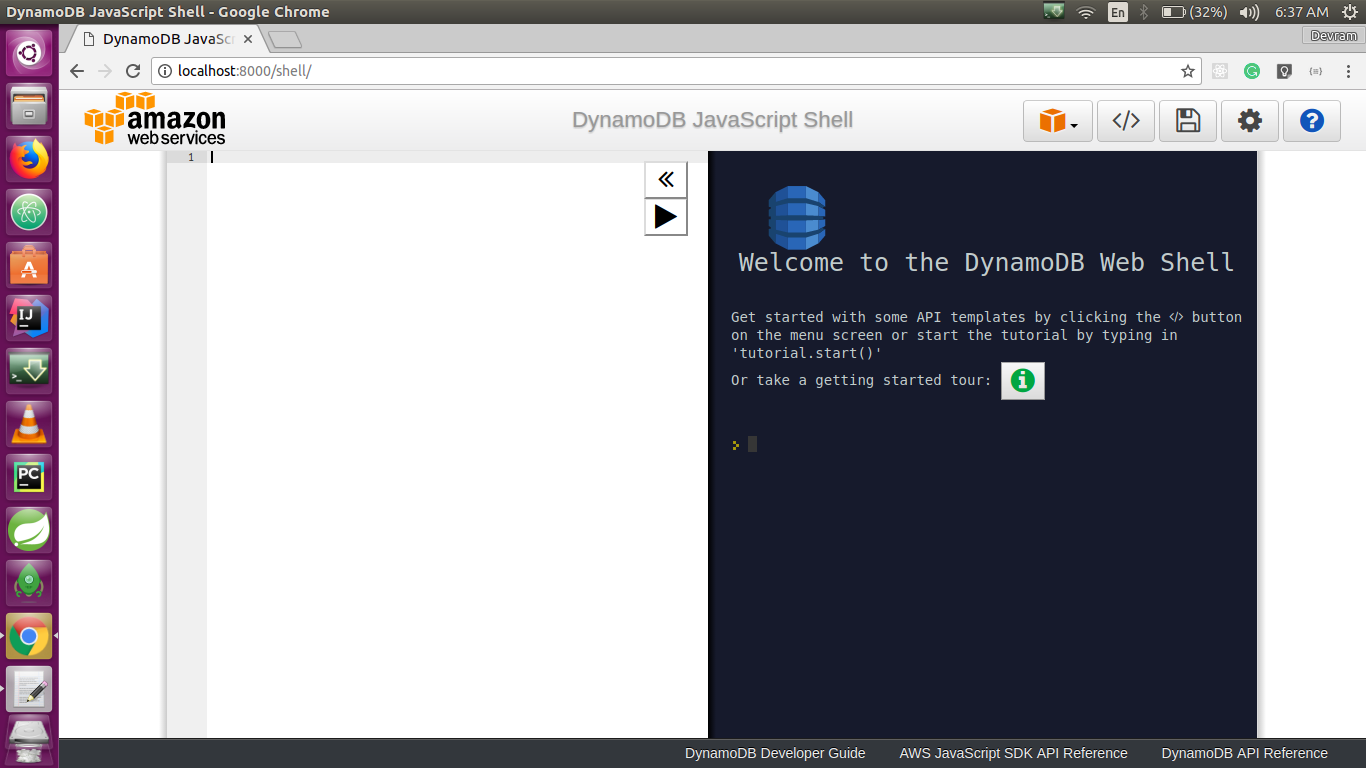
The preceding command uses a local endpoint and lists all the tables currently available.

Except for the endpoint, an application that runs with the downloadable version of DynamoDB should also work with DynamoDB web services. However, while using DynamoDB locally, we should consider the following points:

  • If we use the -shareDb option, DynamoDB creates a single database file name shared-local-instance.db. Every program that connects to DynamoDB accesses this file. If you delete this file, you will lose all the data.
  • If you skip the -shareDb option, the database file will be named myaccesskeyid_region.db, with the AWS access key ID and region that you configured in the application.
  • If you use the -inMemory option, DynamoDB does not write any database file. All data is written in memory, and once you exit DynamoDB, all data is lost.
  • If you use the -optimizeDbBeforeStartup option, you must specify the dbPath parameter so that DynamoDB can find the database file.
  • The AWS SDK for DynamoDB requires that your application configuration must define the access key value and the AWS region value. If you do not use the -sharedDb and -inMemory options, DynamoDB will use this value to create local database files.