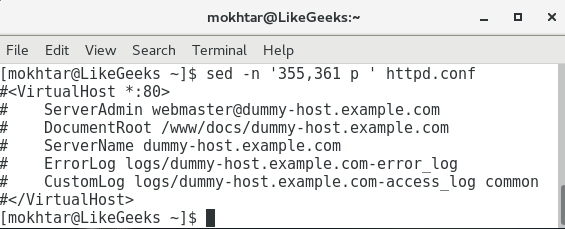
To display these lines encased with the tags, we can add a number range to sed. This is easily achieved by adding those numbers to sed, as shown in the following command:
$ sed -n '355,361 p ' httpd.conf
With the range of lines specified, we have been able to easily isolate the lines that we required, and the only lines that are now displayed are those of the virtual host definition. We can see this in the following screenshot, which displays both the command and the output:
The issue that we face while hardcoding in the line numbers is that we lose flexibility. These line numbers relate to this file and maybe only this file. We will always need to check the correct line numbers in the file that relate to the file we are working with. This could be an issue if the lines are not conveniently at the end of the file and we have to scroll back to try and locate the correct line numbers. To overcome these issues, instead of using line numbers, we can implement a search for the opening and closing tags directly:
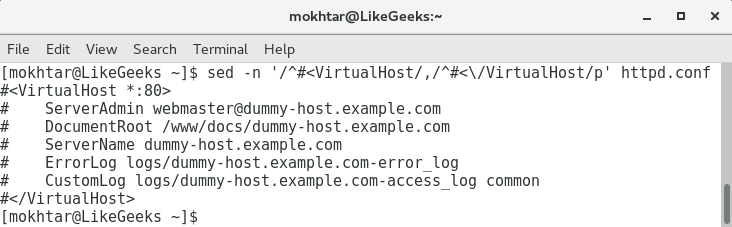
$ sed -n '/^#<VirtualHost/,/^#<\/VirtualHost/p' httpd.conf
We are no longer using the starting number and ending number but the more reliable starting regular expression and closing regular expression. The opening regular expression looks for the line that begins with #<VirtualHost. The ending regular expression is searching for the closing tag. However, we need to protect the /VirtualHost with an escape character. By looking at the end of the regular expression, we see that it translates to lines that begin with #\/VirtualHost, with the escaped forward slash.
By looking at the following screenshot, we can now isolate the required lines more reliably and without knowing the line numbers. This is more desirable across edited files, which will differ in their line numbering: